


Inspiring
May 8, 2018
Answered

Change of color loop for a simple square in a composition?

  • May 8, 2018
  • 1 reply
  • 1940 views

Hi,

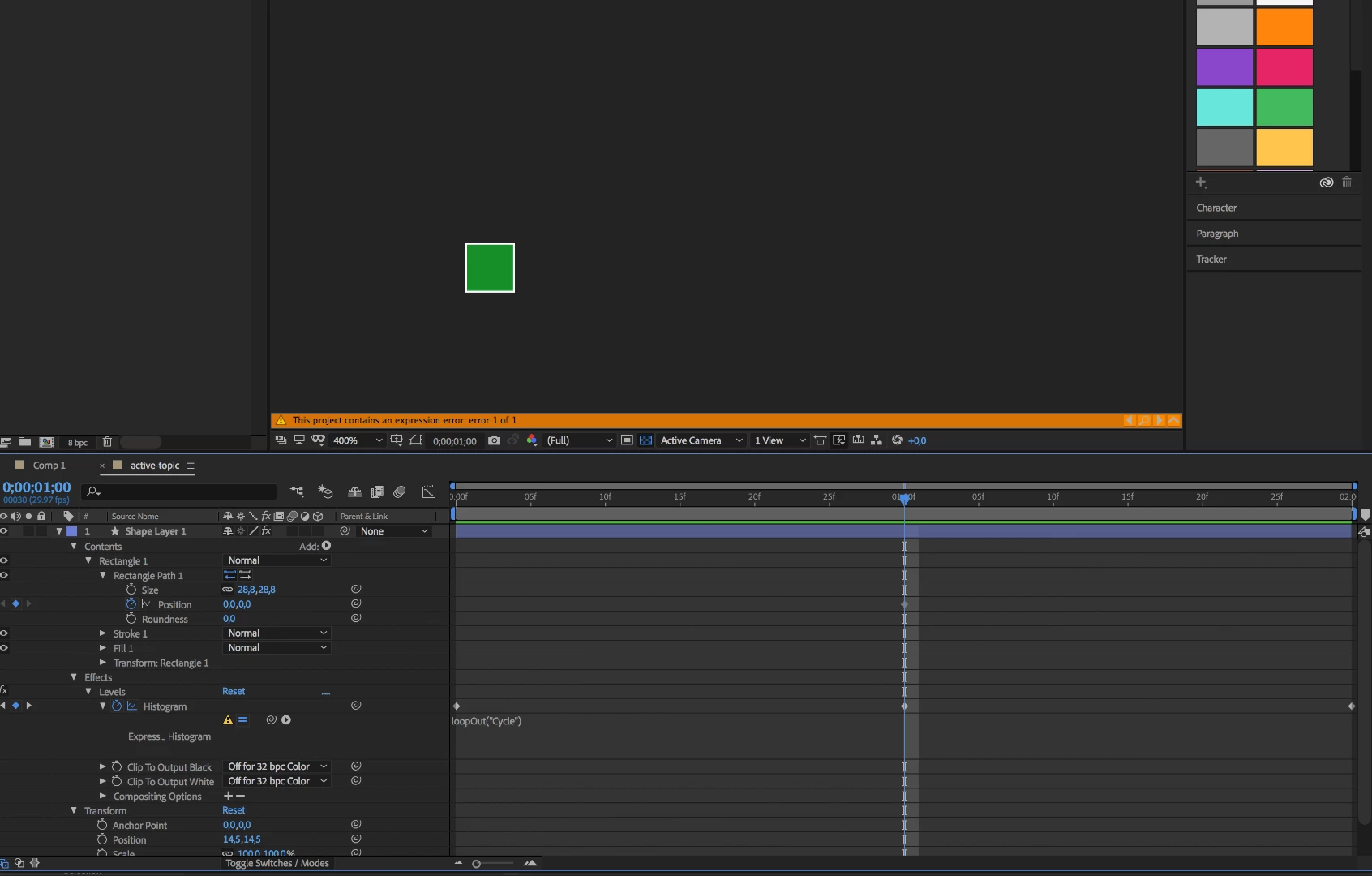
I'm trying to make an AE composition that is a square with a background color that will start as green on 0s, morph into dark green on 1s and return to green on 2s and to loop this item on my main composition timeline.

I made the color change by using Histogram effect, but while I am inserting expression loopOut("Cycle") for the Histogram I am getting an Expression error.

Any ideas?
    This topic has been closed for replies.
    Correct answer deliverance

    I removed Histogram and animated Fill of the background color in the square composition.

    On the main timeline I applied Time Remapping and used loopOut("PingPong") expression for the time remapping (for a reason with (loopOut("Cycle") there was a strange flash at the end of the loop (most of times; may have been a pre-render issue).

    Thanks for help.

    1 reply

    Mylenium
    Legend
    May 8, 2018

    You cannot loop compound properties and frankly why would you even use such a clunky workflow when you could just as well animate the shape's fill color directly? You have serious gaps in underrstanding some basics here.

    Mylenium

    deliveranceAuthorCorrect answer
    Inspiring
    May 8, 2018

    I removed Histogram and animated Fill of the background color in the square composition.

    On the main timeline I applied Time Remapping and used loopOut("PingPong") expression for the time remapping (for a reason with (loopOut("Cycle") there was a strange flash at the end of the loop (most of times; may have been a pre-render issue).

    Thanks for help.