Participating Frequently
December 15, 2016
Answered

Convert linked Photoshop assets to images in After Effects

  • December 15, 2016
  • 1 reply
  • 3678 views

Short:

I need a way to convert linked Photoshop assets to images in After Effects.

Long:

Pipeline for a project

1.) Artists design and creating a photoshop file of a "scene". Many layers. Deliverable is a photoshop file

2.) Animator imports photoshop file into After Effects. They can go nuts animating with all the layers being nicely organized already

3.) Implementation: Here's the problem... We are exporting the tweans to our game engine, which needs an export of all the images that are being animated. I'm not seeing a way to export all the assets being used in the project, it's just one psd reference all the separate psd layers.

Anyone have any ideas?

This topic has been closed for replies.
Correct answer Roei Tzoref

I'm still a bit confused to the workflow. From what I understand you have an artist the gives you a layer PSD file, that you bring in to AE and animate. For some reason the tool you use to retrieve the keyframe data for the game engine requires each of these layers to be a png. Then you need a cropped PNG image, not an animated png sequence to put in the game engine so that the keyframe data you extract from AE will point to the right image and make it move.

If that's right have you tried using actions in Photoshop to export a png for every layer in the PSD file. There is, or at least there used to be a script in Photoshop that did that exact thing:
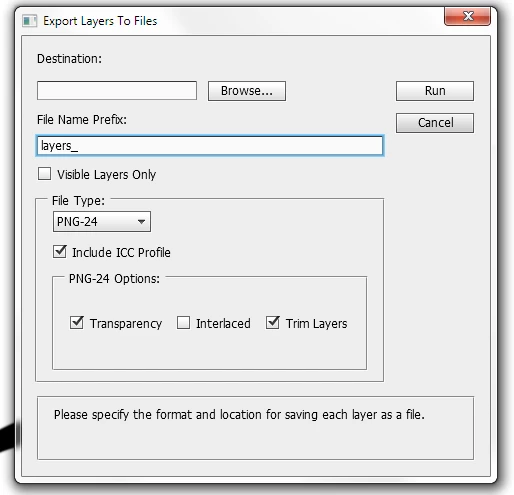
If all you need is to have the PSD layers turned into trimmed PNG's then you're done.

If that would work you might also want to try this script: GitHub - jwa107/Photoshop-Export-Layers-to-Files-Fast:

If you need to actually replace the layers in the AE comp with PNG files then I would first try just renaming the layers and see if your script or tool is smart enough to figure out the names. If that does not work then you could set up a new folder in AE's project panel and import your exported PNG layers then use the replace layer method to replace the PSD layers with the PNG files (Alt/Option + Click and drag).

If, on the other hand, you need to export each animated layer in the comp as a separate PNG sequence then the easiest thing to do would be to pre-compose every layer in the comp then render each of those pre-comps to an image sequence.

I have to admit, that I'm still quite confused about your workflow. If you listed it out in a clear step by step workflow all the way to the game engine then we might be able to give you a better idea of what to do.


If that's right have you tried using actions in Photoshop to export a png for every layer in the PSD file. There is, or at least there used to be a script in Photoshop that did that exact thing. If that would work you might also want to try this script: GitHub - jwa107/Photoshop-Export-Layers-to-Files-Fast:

since CC2015 there's right click->Export As feature that can do this much faster and with additional tools and an interface too
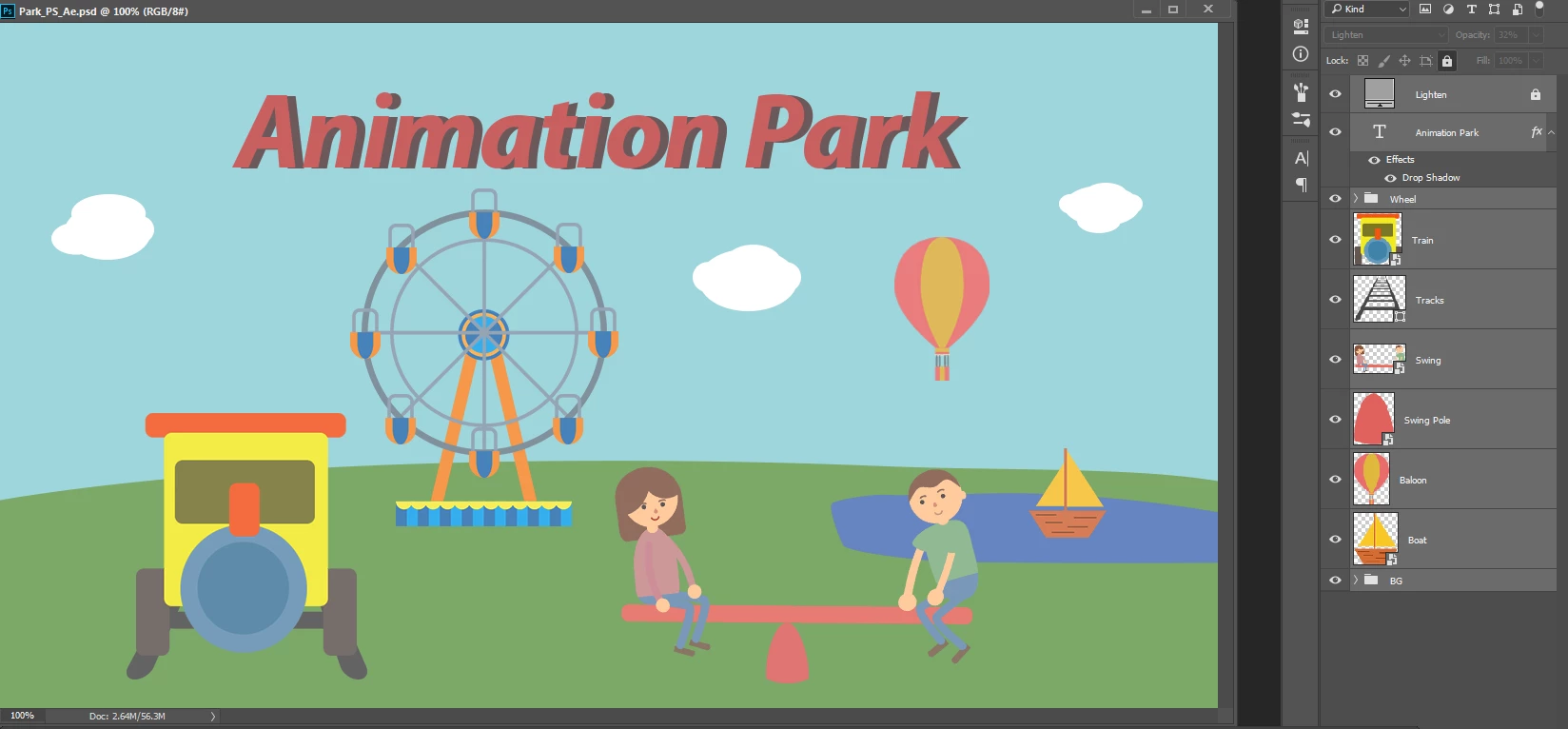
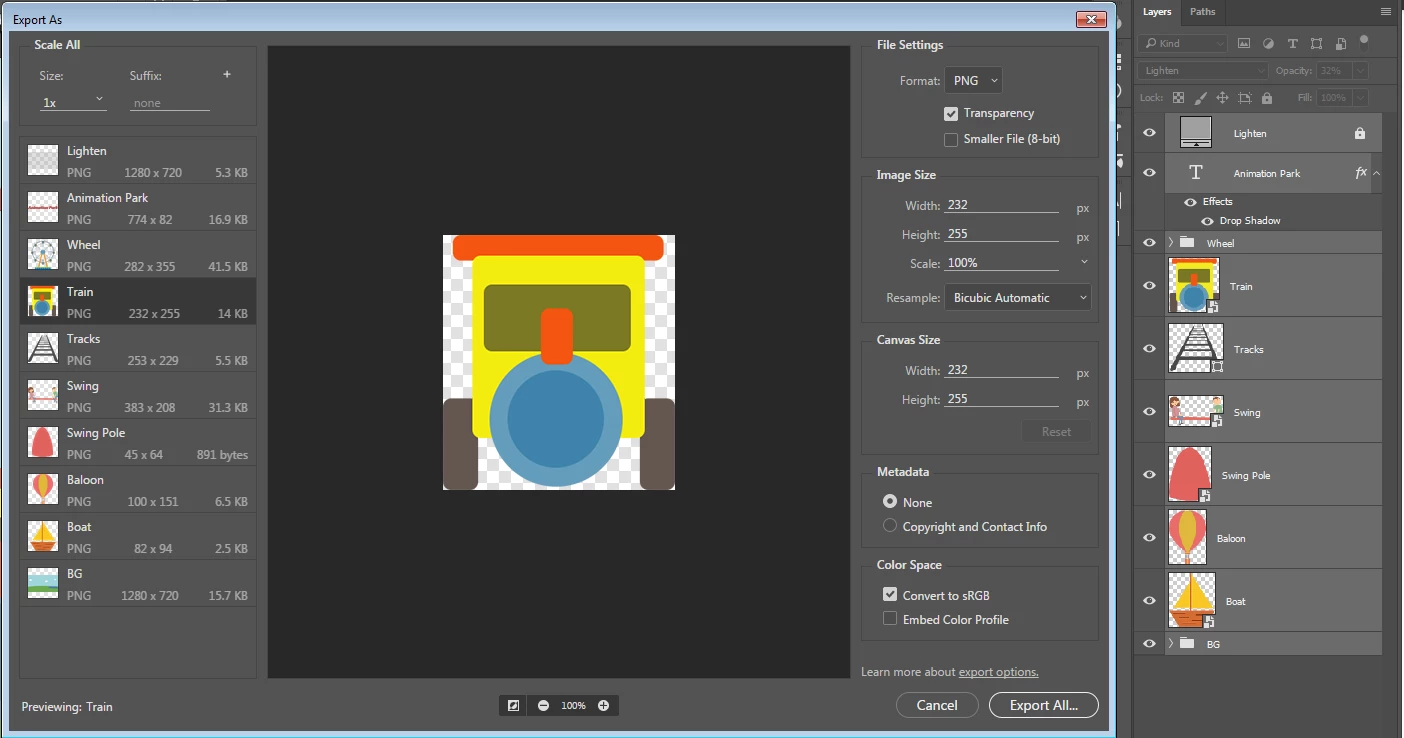
and there's even another command "Quick export as PNG" that can do this in one go to a folder of your choosing


1 reply

Roei Tzoref
Legend
December 15, 2016

I am not sure exactly what you are set out to do. is it exporting the different assets of you psd file? if it is then this is more of a photoshop question no? how to export the different assets in a photoshop document as separate assets? since CC2015 there's the handy Quick Export

https://casualnotebook.com/posts/quick-export-in-photoshop-cc-2015

Export images from Adobe Photoshop for mobile and web

Export layers and artboards in Photoshop

if this is something less please try to explain where is the problem with exporting through photoshop instead of Ae which is for creating shots and not assets.

Participating Frequently
December 15, 2016

Hey Roei, thanks for the reply!

At the end of the day, what we really need is all the layers of a photoshop file in the after effects file. The problem with just exporting all the images from photoshop as png-24's, is there is going to be a lot of time in importing them all to after effects and positioning and organizing all of the pngs in there right place.

The "import > file" option after effects is so close to being exactly what we need. After effects import function pulls every layer from the photoshop file as separate layers and has them all positioned perfectly. If there was only a way to replace or convert all of those files with actual png-24 files. Does this make sense?

Roei Tzoref
Legend
December 15, 2016
The "import > file" option after effects is so close to being exactly what we need. After effects import function pulls every layer from the photoshop file as separate layers and has them all positioned perfectly. If there was only a way to replace or convert all of those files with actual png-24 files. Does this make sense?

not so much but we will figure it out.

if you say you want the different assets as PNG then do this in a separate process not related to what you already have in Ae. right?

please explain why is after effects needed for this operation. how would replacing layer1.psd with layer1.png help you?

you could replace a source  btw by exporting first in photoshop to PNG and then replacing the psd layers in Ae with their PNG version. this will be manual process dragging any layer in the project window on top of another (in the project window) while holding the Alt key will replace the layer you drag onto, with the layer you dragged - replacing it's usage in all the composition it is in. this process seems very strange to me so let's first see why and if there is another way of helping you achieve the proper workflow for your needs.
