


ofahy434
Participant
October 5, 2017
Answered

Depth of Field Camera Settings Disabled

  • October 5, 2017
  • 2 replies
  • 22210 views

Hey Everyone!

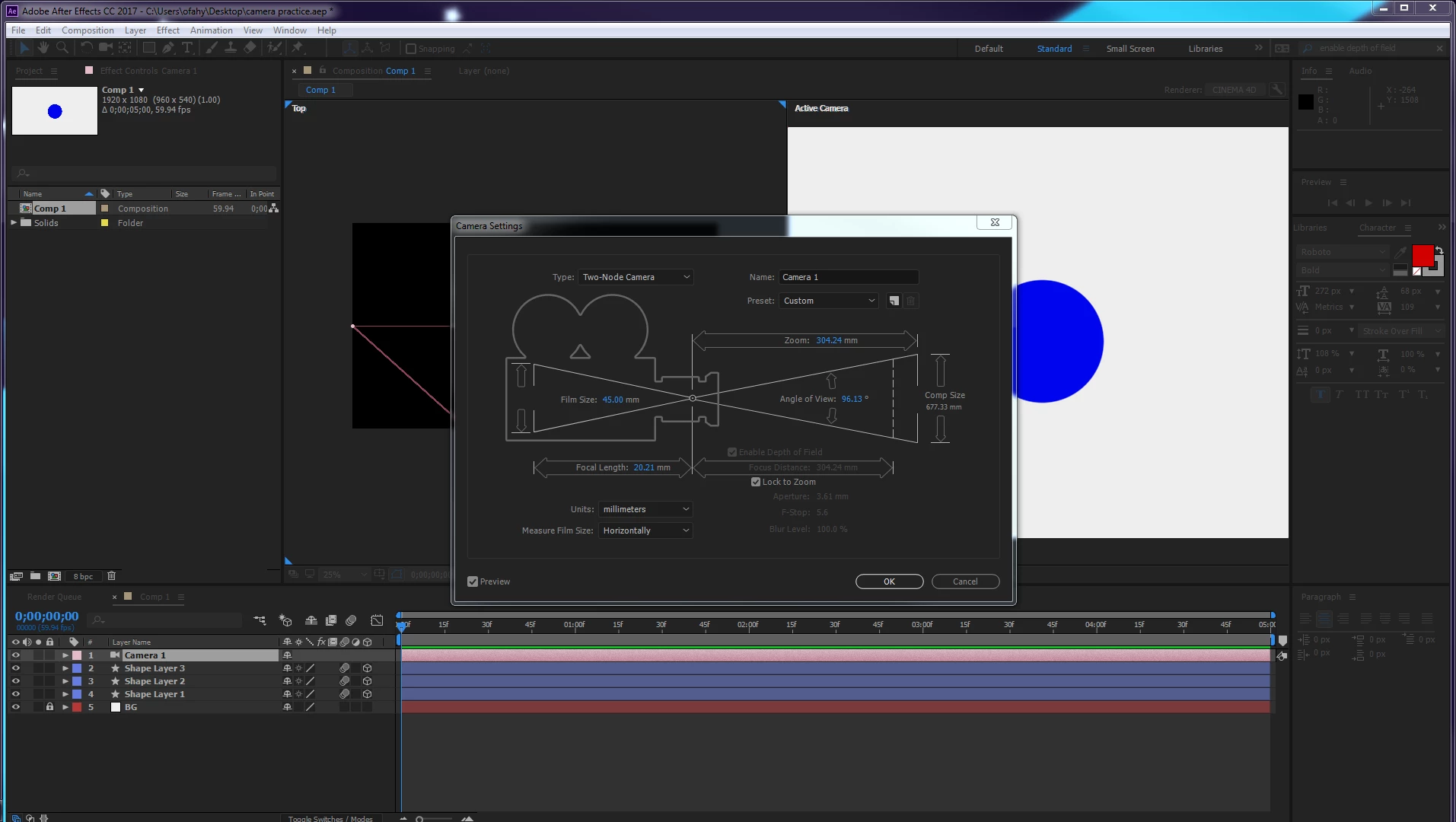
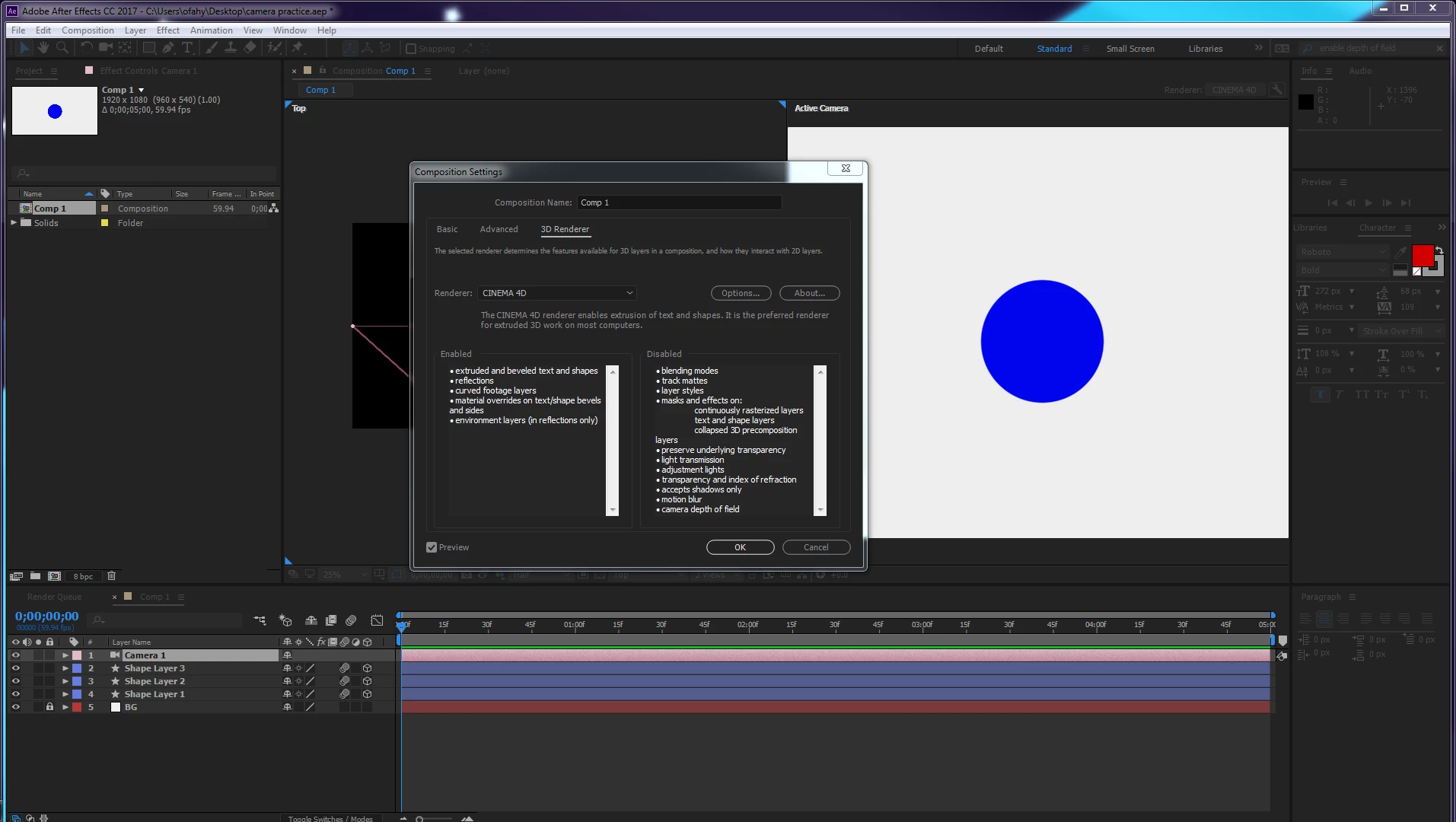
I am working through understanding the camera in After Effects a little better by watching tutorials, but I'm running into some problems with the DOF. I noticed that no matter what camera I create, aperture, F-stop, and blur level are all grayed out. Also even though the checkbox is selected, Enable depth of field option is also grayed. Then I went to Comp settings and looked under the 3D Renderer options and I see that a ton of settings are disabled, including Depth of Field. I cannot find anywhere how to enable these settings and I hope someone out there knows how to solve this. I'm attaching screenshots so you can see it better. Also on the camera settings, I do have DOF On in the timeline. Thanks in advance!
    Correct answer Jose Panadero

    It is because you have activated the Cinema 4D renderer. You need to use the Classic 3D rendered to have DOF

    2 replies

    747designer
    Participant
    February 24, 2020

    Thanks Jose, you just saved my sanity with the (almost literal) flick of a switch.

    Jose Panadero
    Community Expert
    Jose PanaderoCommunity ExpertCorrect answer
    Community Expert
    October 5, 2017

    It is because you have activated the Cinema 4D renderer. You need to use the Classic 3D rendered to have DOF

    ofahy434
    ofahy434Author
    Participant
    October 5, 2017

    Oh, I did not realize I can't use DOF in Cinema 4D. That's interesting. Thank you for your help! I switched it and it works fine now.