


Inspiring
May 22, 2022
Answered

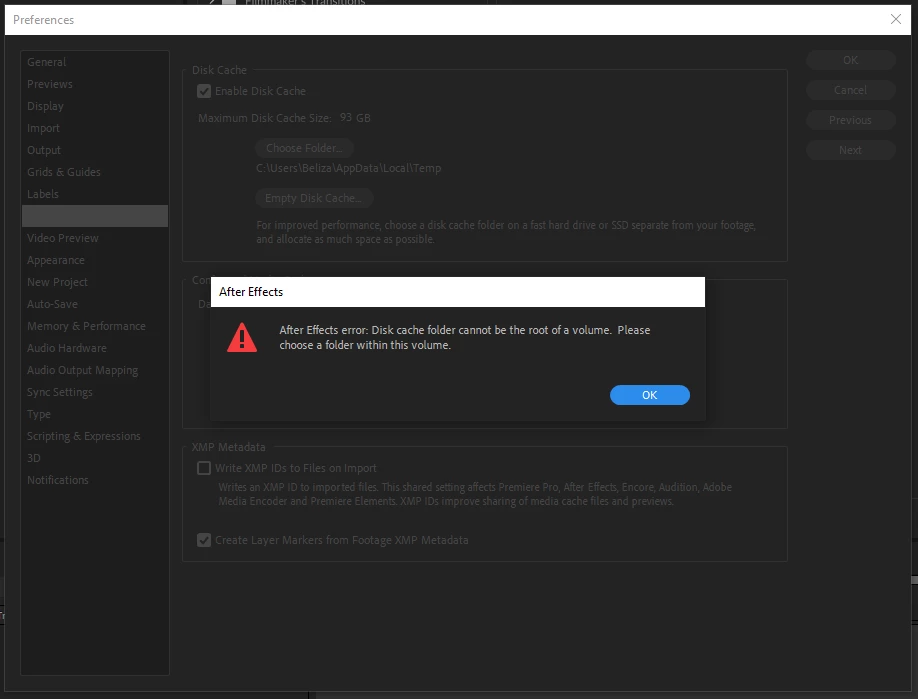
Disk cache folder cannot be the root of a volume. Please choose a folder within this volume.

  • May 22, 2022
  • 2 replies
  • 6411 views

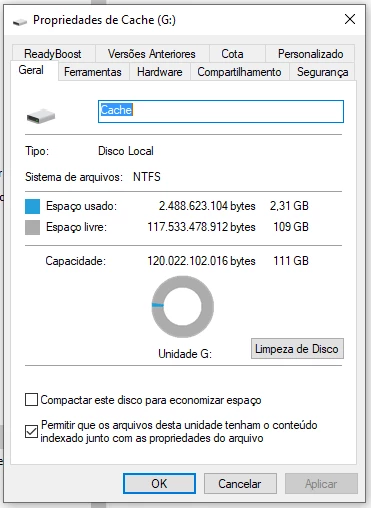
Since I've updated After Effects to the 2022 version, I can't change the disk cache root drive. It shows up this message that I just can't realize why this is happening because I still have more than 100GB of free space on the storage I want to change. I've bought this SSD drive dedicated just for cache. I've done some research, other people were experiencing this issue, but I can't find the solution. I think it's a 2022 version problem. What's the solution?
 

Correct answer Beliza Rocha

I was trying to head the location directly in the root because I thought it would create a folder by itself. I figured out that I had to manually create a folder into the drive before giving the direction in After Effects.🤦🏻‍♀️🤷🏻‍♀️

2 replies

Community Expert
May 22, 2022

If you don't have anything important on the SSD, you could try formatting it. If it does not work for you as NTFS you can try later as ExFat.

Byron.
Inspiring
May 22, 2022

I'll try this later. If it works I'll give you a feedback. Thanks for your attetion. 🙂

Community Expert
May 22, 2022

I look forward to it, good luck!

Byron.
Community Expert
May 22, 2022

Try resetting After Effects preferences so that all paths return to where they came from, then try again. 


Here is how you can reset the preferences:

Press Alt (Windows) or Option (Mac OS) while launching After Effects. You can release the Alt or Option key when the splash screen appears.

To reset preferences and plug-in cache at the same time, hold down Control-Shift-Alt (Windows) or Command-Shift-Option (Mac OS) while the application is starting. Release the keys when the splash screen appears.

Byron.
Inspiring
May 22, 2022

Thanks for your reply, Byron. I tried both ways but it doesn't let me change yet.