



Dropdown Menu Control effect - After Effects 17.0
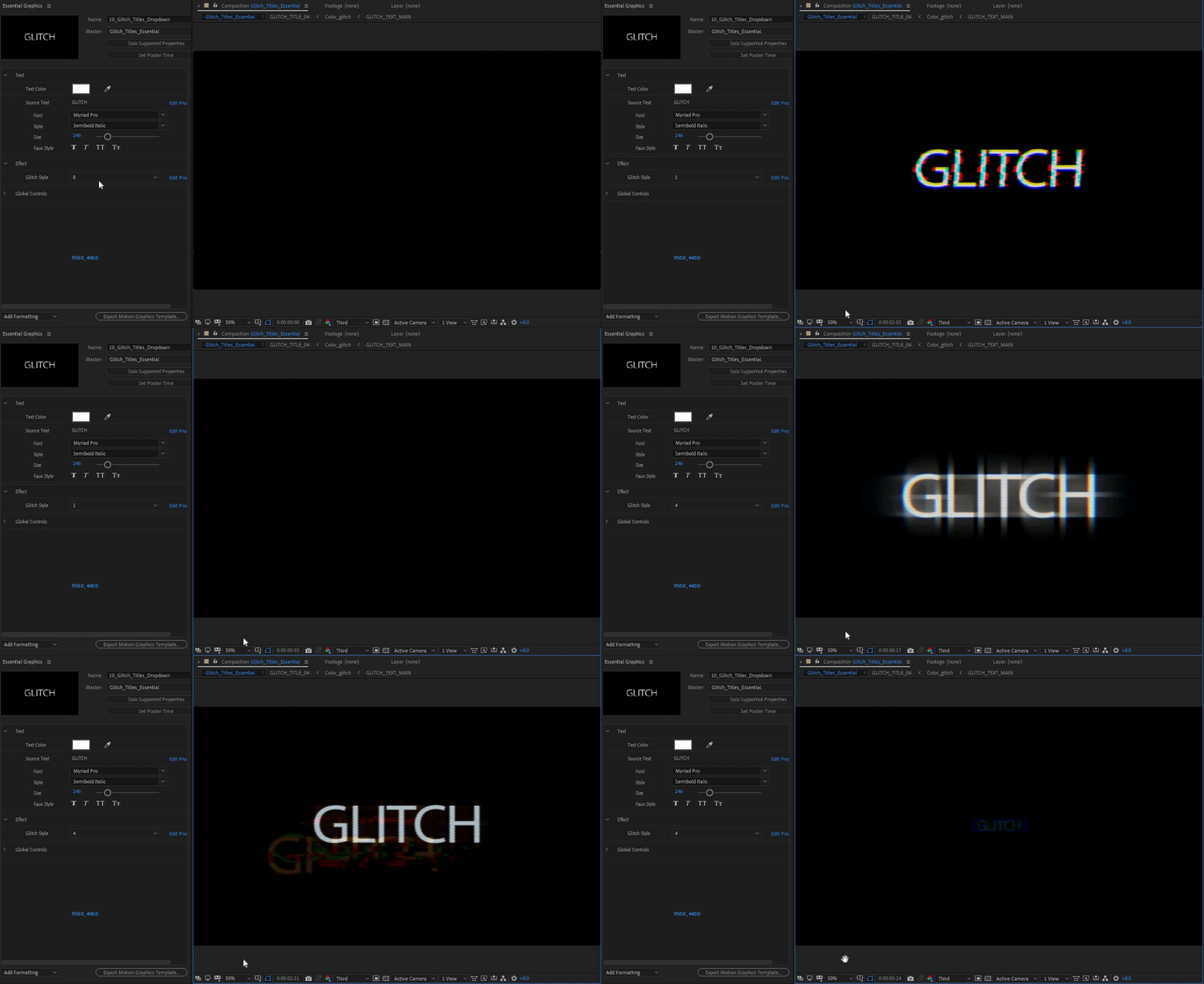 Earlier versions of After Effects allowed you to create sliders and checkboxes for Motion Graphics Templates. This allowed Premiere Pro editors to use Motion Graphics Templates and change the properties of the MoGRTs with sliders and checkboxes. With After Effects (17.0), you can create drop-down menus in addition to sliders and checkboxes. For example, you can hook up seven days of the week to different colors. You can create a dropdown menu with the list of the days, and another menu with the list of colors to make it easier to adjust multiple settings at once and design templates that are easier for editors in Premiere Pro.
Check out the feature in more detail here.
UPDATE:
Check out this tutorial to see how to use the Drop-Down Menu effect:
How can a Premiere Pro editor benefit from Motion Graphics Templates created with drop-down menus?
Sergei from Ukramedia shows how easy it is to use MOGRTs created with drop-down menus.
Check out this detailed video by Ukramedia to see how you can use the new feature to create a weekly weather forecast animation.
Feel free to comment with any questions!
 AdChoices