New Participant
February 11, 2020
Answered

Eraser tool doesnt fully erase brush strokes.

  • February 11, 2020
  • 1 reply
  • 2193 views

I am fairly new to adobe after effects, and i have been doing some painting using the brush tool. I double click on the video so that i am in the layer window, and start painting. however whenever i go to use the eraser tool, it only erases the paint a bit. I have to let go of left mouse button and then press it down again to erase what is left over. its almost like the paint is making multiple layers. I have tried turning on and off pen pressure and changing angle, roundness, opacity, flow, all to no avail. I am using After effects 2020.


anyhelp is very appreciated.


koen
This topic has been closed for replies.
Correct answer Rick Gerard

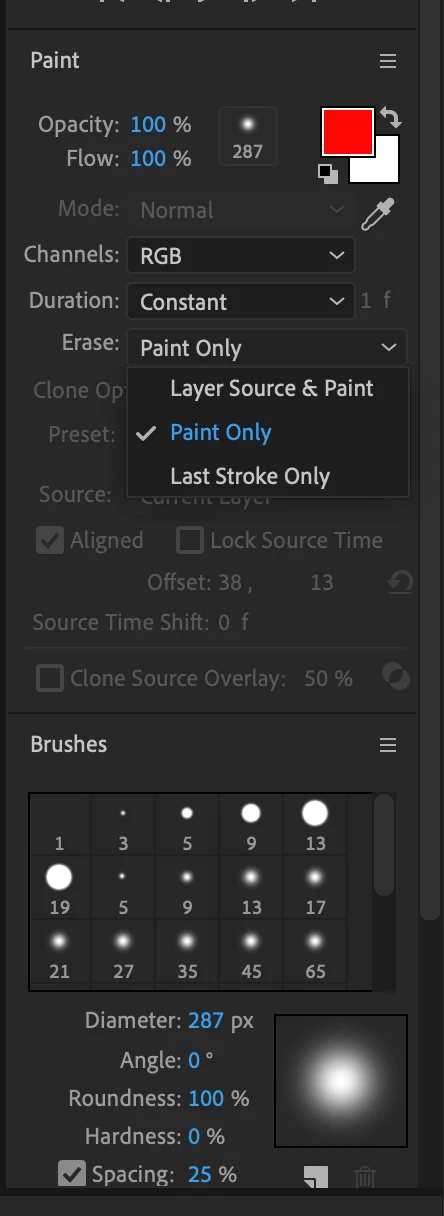
There are a lot of paint options:

It is always a good idea to change to the Paint workspace when you are using any of the paint tools. It is also important to understand all of the settings and options. 


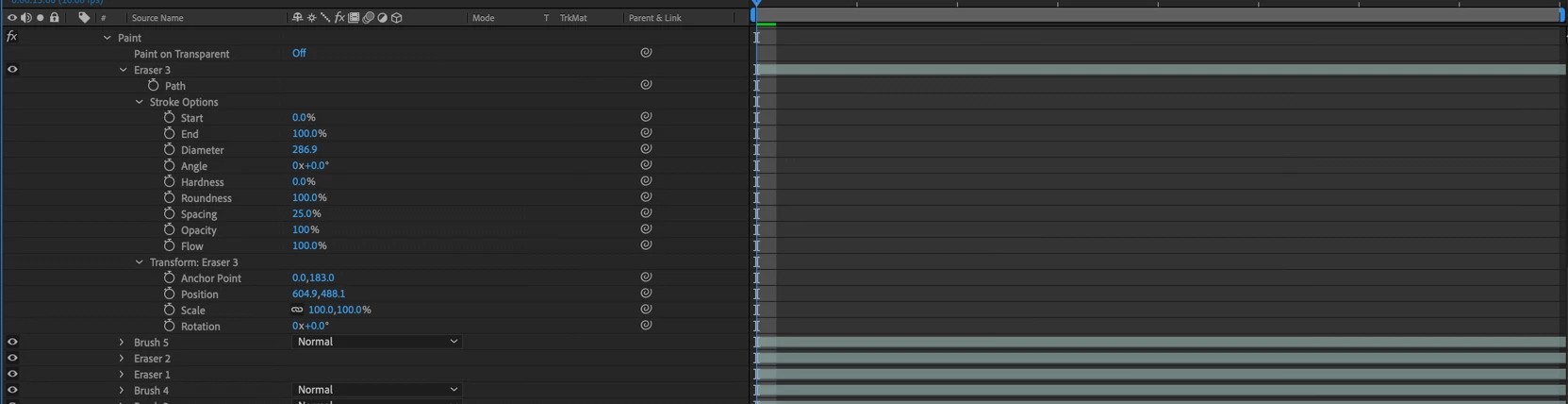
You also need to understand how paint works in the timeline. Every time you click and drag you are creating a new brush stroke in the timeline. These may be animated, moved, deleted, There are a bunch of options in the Paint panel and in the timeline:

Typing "Paint" in the Search Help field in the top right corner of AE will take you to the User Guide as well as a lot more information about the paint tools in AE. I strongly suggest you spend some time there so you can figure out how to efficiently use the tools.


1 reply

Rick GerardCorrect answer
Community Expert
February 11, 2020

There are a lot of paint options:

It is always a good idea to change to the Paint workspace when you are using any of the paint tools. It is also important to understand all of the settings and options. 


You also need to understand how paint works in the timeline. Every time you click and drag you are creating a new brush stroke in the timeline. These may be animated, moved, deleted, There are a bunch of options in the Paint panel and in the timeline:

Typing "Paint" in the Search Help field in the top right corner of AE will take you to the User Guide as well as a lot more information about the paint tools in AE. I strongly suggest you spend some time there so you can figure out how to efficiently use the tools.


KoKoPuffsAuthor
New Participant
February 14, 2020

thank you. my opacity was at 80% so i changed it to 100 and it fixed it.