


New Participant
September 6, 2020
Answered

Error: AEGP Plugin CINEWARE SceneLayer: Cineware AliveThread - Execute failed

  • September 6, 2020
  • 11 replies
  • 13213 views

Hello. I've got an error when I'm trying to open a file in After Effects from Cinema 4d.
1. Opening After Effects, creating a new project. Layer-new-Maxon Cinema 4d file
2. Opens Cinema 4d, create an object, press "control S" on the keyboard to save it.
3. I go back to After Effects, in the "project" window choose my project from Cinema, make a precomposition. I'm waiting.
4. After a long wait for the download, an error window pops up (attached a screenshot with this error bellow)
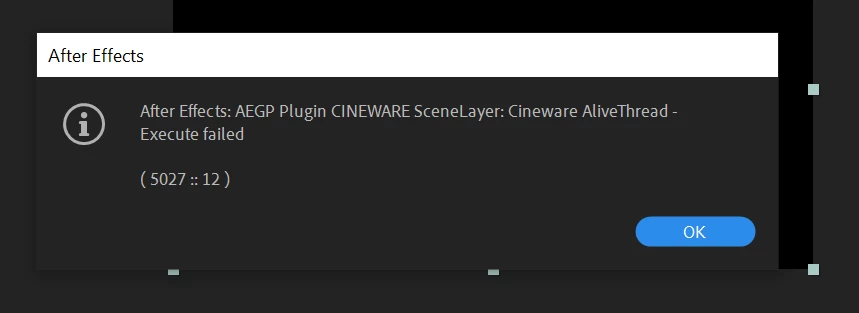
5. How to solve the problem? 

I'm using Widows 10 and AE 17.1.3 and Cinema 4D lite (22.123)

Thank you!

This topic has been closed for replies.
Correct answer LeslieSOsborne

RESOLVED! I finally resolved the issue. What it took was for me to fully unintsall C4D Lite (and Adobe After FX) and reinstall both. Took hours to figure this out but not I'm back to getting the good stuff done!

11 replies

New Participant
September 1, 2021

I got around this issue by simplifying the c4d project

Roei Tzoref
Braniac
June 21, 2021

had this issue too. what solved for me was copying all plugin folder of MAXON CINEWARE AE from CC2020 to CC2021. now it works. guess the files got corrupted. 

I took this zip and replaced the folder in this directory:
C:\Program Files\Adobe\Adobe After Effects 2021\Support Files\Plug-ins\MAXON CINEWARE AE
do it at your own risk 🙂 


New Participant
July 3, 2021

It's working!! Thank you very much!

New Participant
April 1, 2021

Problem still seems to persist in AE 18 as well. Seems like over kill to remove both programs to get this to work.

Participating Frequently
April 1, 2021

I just went through the same thing. Un-installing and then re-installing it worked. But it is very odd since the Maxon Cinema 4D R22 folder was re-installed exactly as it was before.  but if you need to keep working this helped. 

lauraf52386078
Participating Frequently
February 25, 2021

I had a shocker with this one. So just to confirm a solution. I un-install Cinema 4D, there were 2 version R21 and 22 (remove programs). I then via CC App un-installed AE. Re-installed version 17.1.4  of AE.

New Participant
December 1, 2020

Dude, holy moly. I had to come on here to say thank you, you literally saved me from missing a client deadline. ❤️

Known Participant
September 21, 2020

Now for me it also worked to manually uninstall C4D R22 and after effects via Windows 10 Apps and Features Panel first and and then reinstalling AE 17.1.4. It automatically installs C4D R22 then. 
If you only reinstall AE, C4D will not reinstall and the error didn´t disappear in my case.

Inspiring
September 21, 2020

Hi all. My apologies for the delayed response as it has been one of "those" kind of days. In this post I am going to try to respond to mutliple posts. Please note that my experiences and suggestions are from a app user's perspective. I am not necessarily a replacement for customers service, etc.

arnem55527142 asks: "i reinstalled after effects without luck. Do you know if I can deinstall C4D and than reinstall the package from their homepage and "lite" will automatically work than?"

I would suggest unintsalling both Adobe AE and Maxon Cinema 4D Lite (different app folders) as one remedy. I do not believe that reinstalling AE, alone, will remove the previous C4D Lite installation. Removing both apps will result in removing/reinstalling both. I do not have the experience to comment on reinstalling C4D from their site and "lite" automatically working. You can, however, reach out to Maxon and see if they can provide you a direct download for "lite" which, when manually installed, will overwrite whatever version of C4D Lite you have installed. This last option will better ensure that you have the most recent C4D Lite update that matches your needs.

Szalam, who is a Adobe Community Professional, writes: "It (C4D Lite) installs with After Effects. When you uninstall AE, it should uninstall C4D Lite too."

This was my initial experience. However, when I uninstalled/reinstalled AE it kept my most recent version of C4D Lite which was causing the experienced error. When I separately deleted C4D Lite (via my OS add/remove apps) and AE I then got a "clean" install of C4D Lite when I reinstalled AE. This "clean" installation of C4D Lite (included in the AE installation) no longer resulted in the error message on this thread.

Glad to have possibly been of help to Дарья5E88 and hope that healthedsamurai and arnem55527142 and others find resolution of this issue.

Participating Frequently
December 13, 2020

PROBLEM... when you uninstall both AE and c4d, reinstalling also reinstalls the version of AE that originally worked with AE before updating.  In this case, AE v. 17.5 +  installs c4d s22... which runs perfectly.  BUT... when you update S22 to S22.123, you get the error, aegp plugin cineware scenelayer: cineware alivethread - execute failed again.  IN SUMMARY... uninstalling and reinstalling AE will not update c4d S22 to S22.123 which was where the problem started.

Known Participant
September 18, 2020

same here too, please help!

Szalam
Braniac
September 19, 2020

Does uninstalling and reinstalling help you? It helped this person.

Inspiring
September 16, 2020

I've come across the same error after my C4D Lite updated. My work today is 'dead' until I resolve it. I have been trying for hours to resolve this issue with no luck so far. I even went as far as to uninstall and reinstall AE with no luck.


I have reached out to Maxon requesting help with this issue. If I have a positive result I will follow-up on this thread. If anyone else has resolved this issue please post.

LeslieSOsborneCorrect answer
Inspiring
September 16, 2020

RESOLVED! I finally resolved the issue. What it took was for me to fully unintsall C4D Lite (and Adobe After FX) and reinstall both. Took hours to figure this out but not I'm back to getting the good stuff done!

Known Participant
September 19, 2020

Thank you very much! It helped me too.


i reinstalled after effects without luck.
Do you know if I can deinstall C4D and than reinstall the package from their homepage and "lite" will automatically work than?

New Participant
September 15, 2020

I had a same problem when I tried to import an obj file in the Cinema 4d Lite, when I came back to the After Effect interface, this error shows.