


Known Participant
February 29, 2024
Question

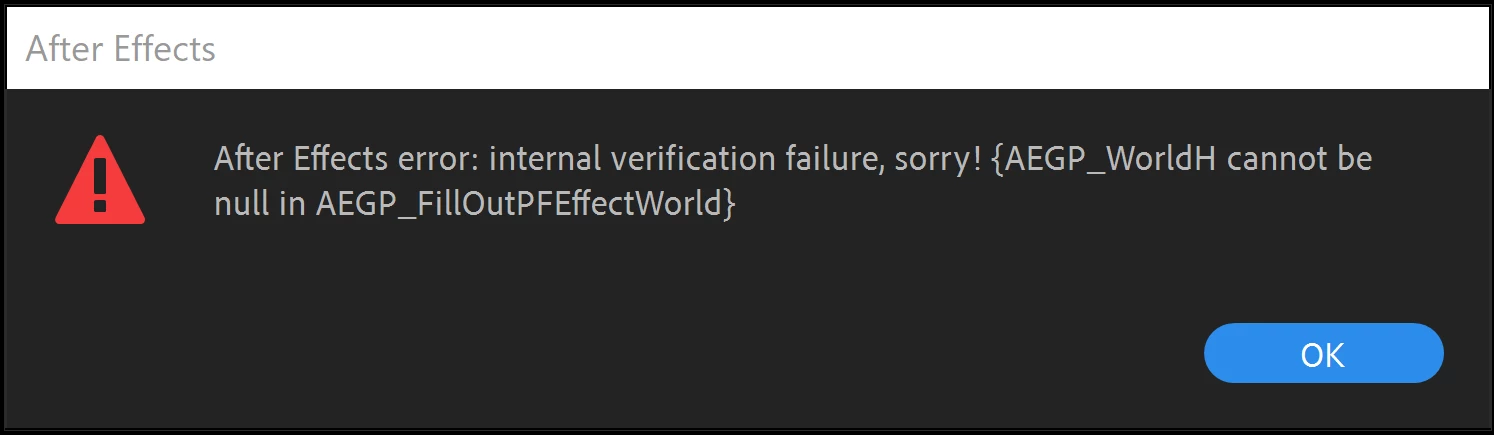
Error in AE using Video Copilot
  • February 29, 2024
  • 2 replies
  • 455 views

Any idea how to fix this?  Whenever I try to go into scene setup in VCP, I get this error.  It will still open scene setup, but it slows down my system significantly while trying to load.  Using most recent vrsion of AE.

This topic has been closed for replies.

2 replies

ShiveringCactus
Community Expert
Community Expert
March 1, 2024

AEGP errors are in my experience all about memory.  Basically something has failed to load in and now cannot be accessed.  (I've no idea what it actually refers to though)

First thing to try would be to uninstall VC Element3D and then reinstall the latest version from the website.

Try using it in a new project without anything but Element.  If that fails to get you into scene setup, try updating your graphics drivers and try again.

If it works on a basic comp, now try with your project.

But if it fails at either stage, I think you'll need to contact VC Support.  They are pretty quck to respond.

kglad
Community Expert
Community Expert
February 29, 2024

in the future, to find the best place to post your message, use the list here, https://community.adobe.com/

p.s. i don't think the adobe website, and forums in particular, are easy to navigate, so don't spend a lot of time searching that forum list. do your best and we'll move the post (like this one has already been moved) if it helps you get responses.


<"moved from cc desktop">