

Exit
  • Global community
    • Language:
      • Deutsch
      • English
      • Español
      • Français
      • Português
  • 日本語コミュニティ
  • 한국 커뮤니티
1

Error showing file doesn't exist

New Here ,
Jun 06, 2023 Jun 06, 2023

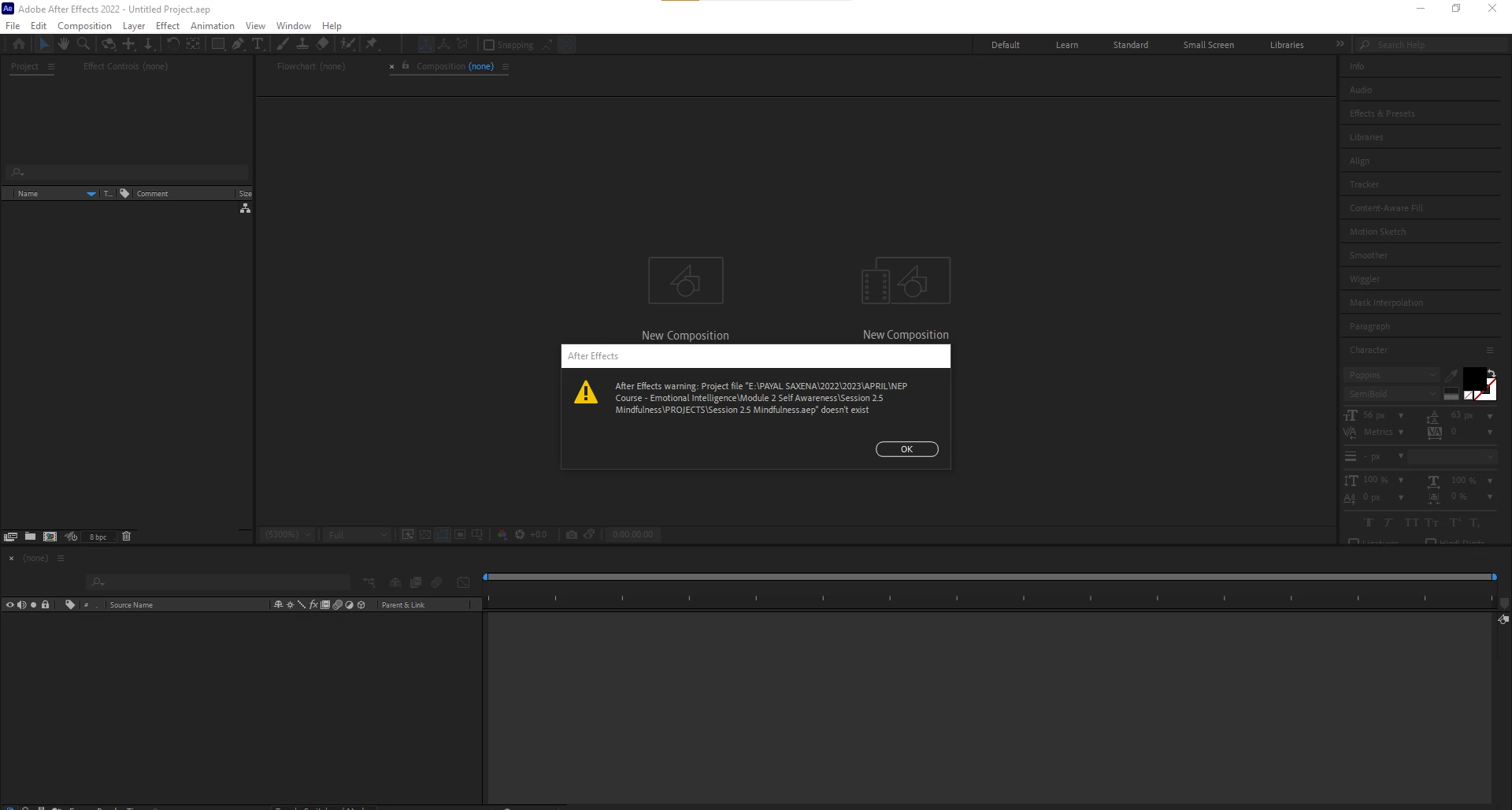
Error showing file doesn't exist, even after opening from the source file.
 

Screenshot 2023-06-07 111320.png

TOPICS
Crash , Import and export , Performance
827
Translate
Report
Community guidelines
Be kind and respectful, give credit to the original source of content, and search for duplicates before posting. Learn more
community guidelines

correct answers 1 Correct answer

Engaged , Jun 13, 2023 Jun 13, 2023

Yup the two spaces was the thing! Thank you @jenkmeister  🙂

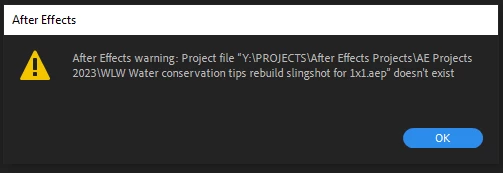
This was a new and frighting issue for me, as it applied to all my autosaves as well! I guess we did a CC updated since I last opened the project.

And I sypathize with the long path name issue- working at a facility with multiple media servers and nearly 2 decades with of assets... Generaly AE provides a warning dialog specific to the file path being too long, in my experience. 
AE Project corruption.PNG

Translate
LEGEND ,
Jun 07, 2023 Jun 07, 2023

That is an insanely weird and long folder structure. Move the file to another location and try again.


Mylenium

Translate
Report
Community guidelines
Be kind and respectful, give credit to the original source of content, and search for duplicates before posting. Learn more
community guidelines
Adobe Employee ,
Jun 07, 2023 Jun 07, 2023

Double-check that the path or filename doesn't contain 2 spaces in a row. There is a bug where those 2 spaces get changed to 1 space and then the file can't be found.

Translate
Report
Community guidelines
Be kind and respectful, give credit to the original source of content, and search for duplicates before posting. Learn more
community guidelines
Engaged ,
Jun 13, 2023 Jun 13, 2023
LATEST

Yup the two spaces was the thing! Thank you @jenkmeister  🙂

This was a new and frighting issue for me, as it applied to all my autosaves as well! I guess we did a CC updated since I last opened the project.

And I sypathize with the long path name issue- working at a facility with multiple media servers and nearly 2 decades with of assets... Generaly AE provides a warning dialog specific to the file path being too long, in my experience. 
AE Project corruption.PNG

Translate
Report
Community guidelines
Be kind and respectful, give credit to the original source of content, and search for duplicates before posting. Learn more
community guidelines
