


Participant
April 4, 2022
Answered

Expression Error now Motion Tile Mirrored Edges doesn't work

  • April 4, 2022
  • 1 reply
  • 1571 views

Hello, this has been super frustrating and should have been a 5 minute project, now it's costing me half the day.  I'm not sure what is happening so I need a fresh set of eyes.  I have the latest version of After Effects and these clips are linked to my Premiere project.  All I need to do is create a jolting wiggle expression to give some camera shake to a gunshot scene.  I had everything working fine but I made the mistake of precomping the muzzle flash in with the footage resulting in the shake making the flash difficult to see.  So I control z'd back to the start, leaving the flash on top.  I went to create the wiggle expression by holding alt and clicking the stopwatch, but received this error that turns my viewscreen black:
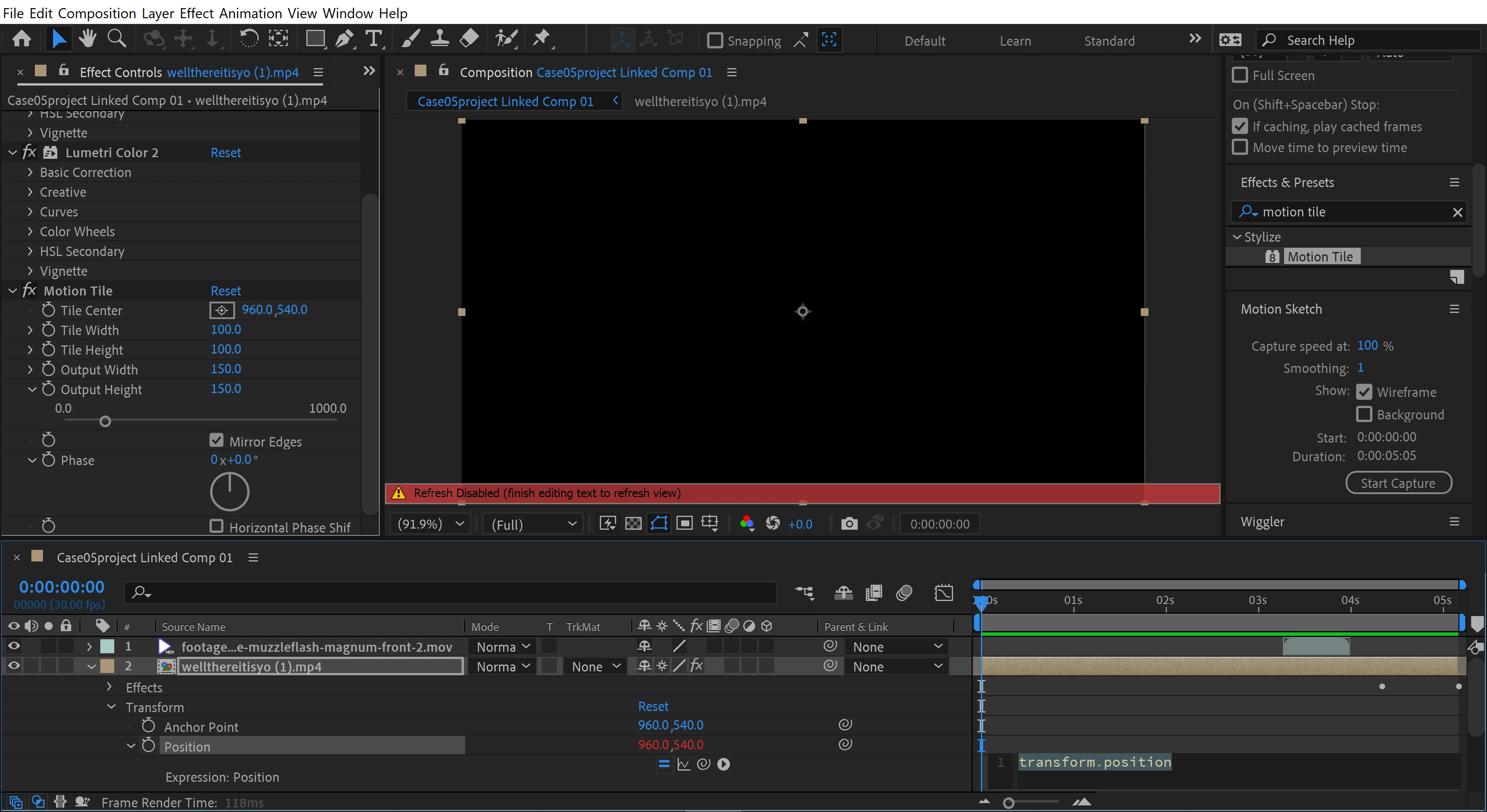


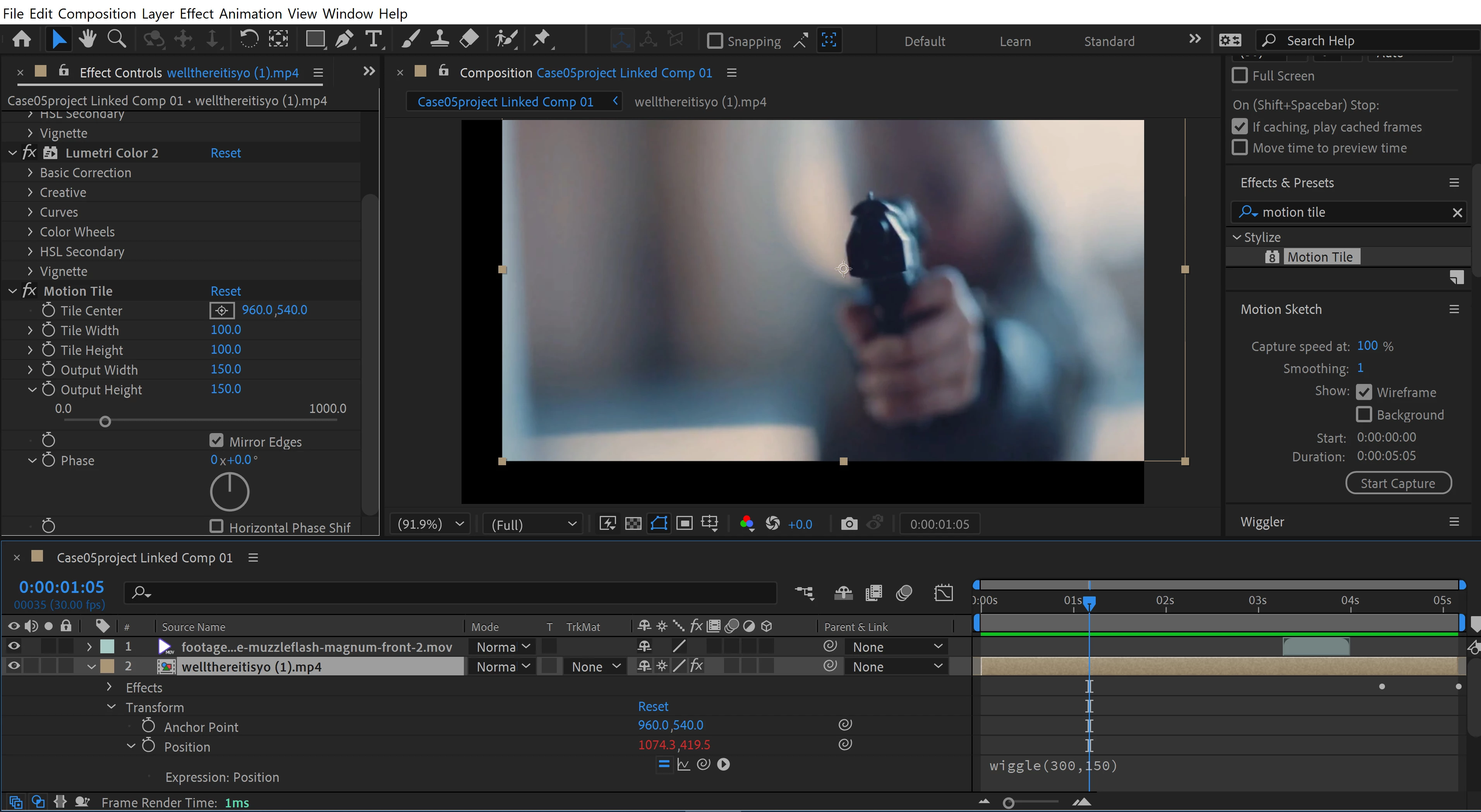
I can still enter my wiggle expression, and my footage reappears.  The wiggle expression also works.  However, Motion Tile's mirrored edges no longer work: 


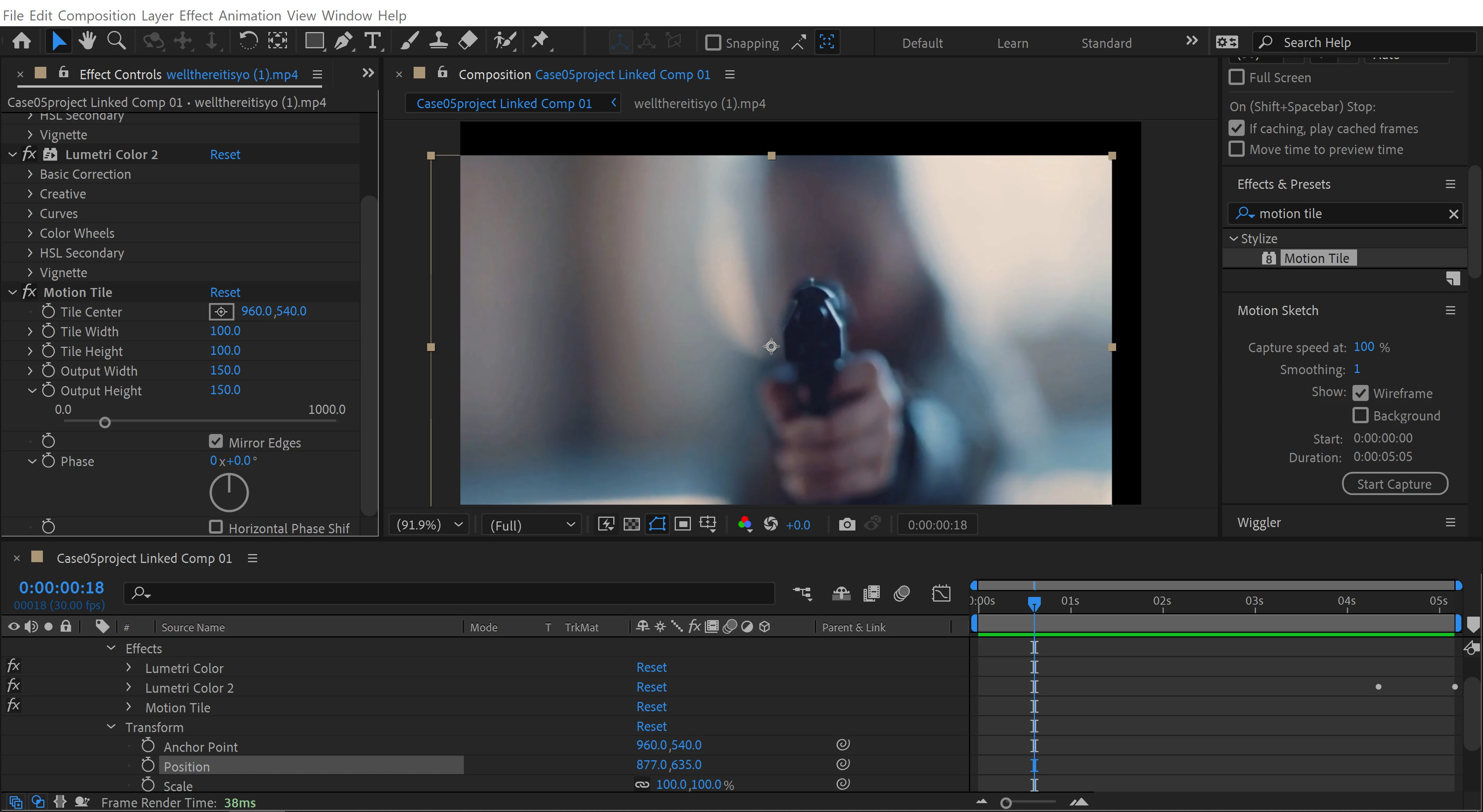
I've closed AE and restarted but I continue to get this error when trying to create an expression.  I've also closed and restarted, and added motion tile/mirrored edges without trying to create an expression at all and motion tile still no longer works:


I'm not sure if I've overlooked a stupid mistake, or if this error has caused a permanent issue... I've also cleared my cache and restarted but the problem persists.  Any help would be greatly appreciated.

This topic has been closed for replies.
Correct answer Roland Kahlenberg

You've got the effects applied onto a Nested Comp which has its Collapse Transformations enabled - so, there are stuff in the earlier/Parent comp that's affecting stuff that you're seeing. Do you really need Collapse Transforms to be enabled? And I'd look at using CC Repetile instead of Motion Tile cos it has better edge options; one of which may lead to a better look.  

1 reply

Jqke
Legend
April 5, 2022

It's a weird thing that happens, but maybe try putting the motion tile effect above the rest of your effects and adding a transform effect with the wiggle expression on it. Then, the motion tile effect will be above another effect (in this case the transform effect) and it will affect that transform effect, meaning the mirror edges should be there. Just a tip to always remember, make sure your motion tile effect is always first in the effects list, since if it's below some effects, it won't be affected.

~Jake
Participant
April 5, 2022

Hi Jake, thanks for the reply


I restarted and put motion tile at the top of my effects without even trying to create a wiggle expression, then I moved the footage position over just to see if it was there and it still isn't working..


Am I going to have to uninstall and reinstall AE?

Roland Kahlenberg
Roland KahlenbergCorrect answer
Legend
April 5, 2022

You've got the effects applied onto a Nested Comp which has its Collapse Transformations enabled - so, there are stuff in the earlier/Parent comp that's affecting stuff that you're seeing. Do you really need Collapse Transforms to be enabled? And I'd look at using CC Repetile instead of Motion Tile cos it has better edge options; one of which may lead to a better look.  

Very Advanced After Effects Training | Adaptive & Responsive Toolkits | Intelligent Design Assets (IDAs) | MoGraph Design System DEV