


New Participant
August 31, 2018
Question

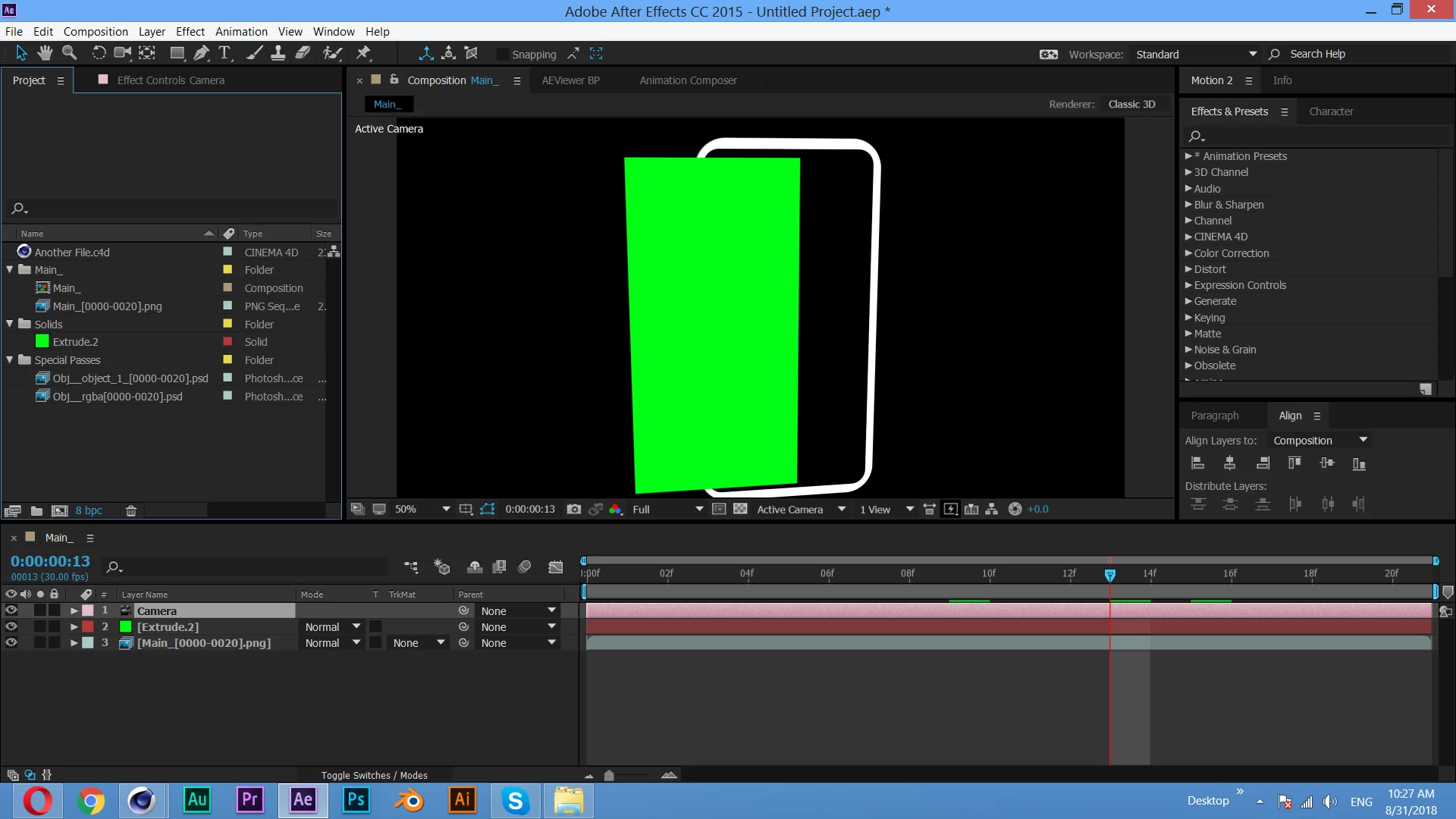
External compositing solid is not aligned properly...

  • August 31, 2018
  • 2 replies
  • 1642 views

i am doing mobile app promo template..when i open the .aec file in after effects that external compositing solid is not aligned properly.......after making object editable i applied external compositing tag...

i am struggling from 1 month...but no use...anyone help me..Thank you
This topic has been closed for replies.

2 replies

angie_taylor
Brainiac
August 31, 2018

You need to be using the corresponding Cinema 4D camera for this to work. It looks like you do not have the C4D file inside your comp.

to fix this, drag the C4D file into your comp. switch off, or delete your current camera. select the C4d layer and open it’s Cineware effect. In here, click on the Extract Data button to extract the corresponding C4d camera from the file.

also, no need to create .aec file with this technique as the C4D file will be rendered via Cineware. You can delete your image sequences.

ghkg86457914
New Participant
November 3, 2022

Angie, I struggled with it for three days and finally found your comment! haha
Thank you very much, it helped me

Community Expert
August 31, 2018

If you select all layers and press the U key twice we can see what properties you have modified and have at least a clue to your workflow.  Being able to see both the Modes and Switches column in the timeline would also help. I can guess by the apparent perspective in the two layers that they are 3D layers and I can also guess that the position of both layers is 1, either not the same, or 2, the anchor points are not in the center of the layers.

The comp you have shown us is really basic AE 3D. Until you get used to working in AE's 3D space I would strongly suggest that you select at least 2 views so you can see the camera and where the layers are on the stage. You should also spend at least a couple of hours doing some homework. This is a good place to start: Basic AE

You should also get used to using the Search Help field in the upper right corner of AE and take advantage of the community resources.

New Participant
August 31, 2018

Thank you...