

Known Participant
February 28, 2020
Answered

Fit to comp doesn't work

  • February 28, 2020
  • 3 replies
  • 4320 views

Pretty simple problem I suppose, but I have no idea why it's not working. 


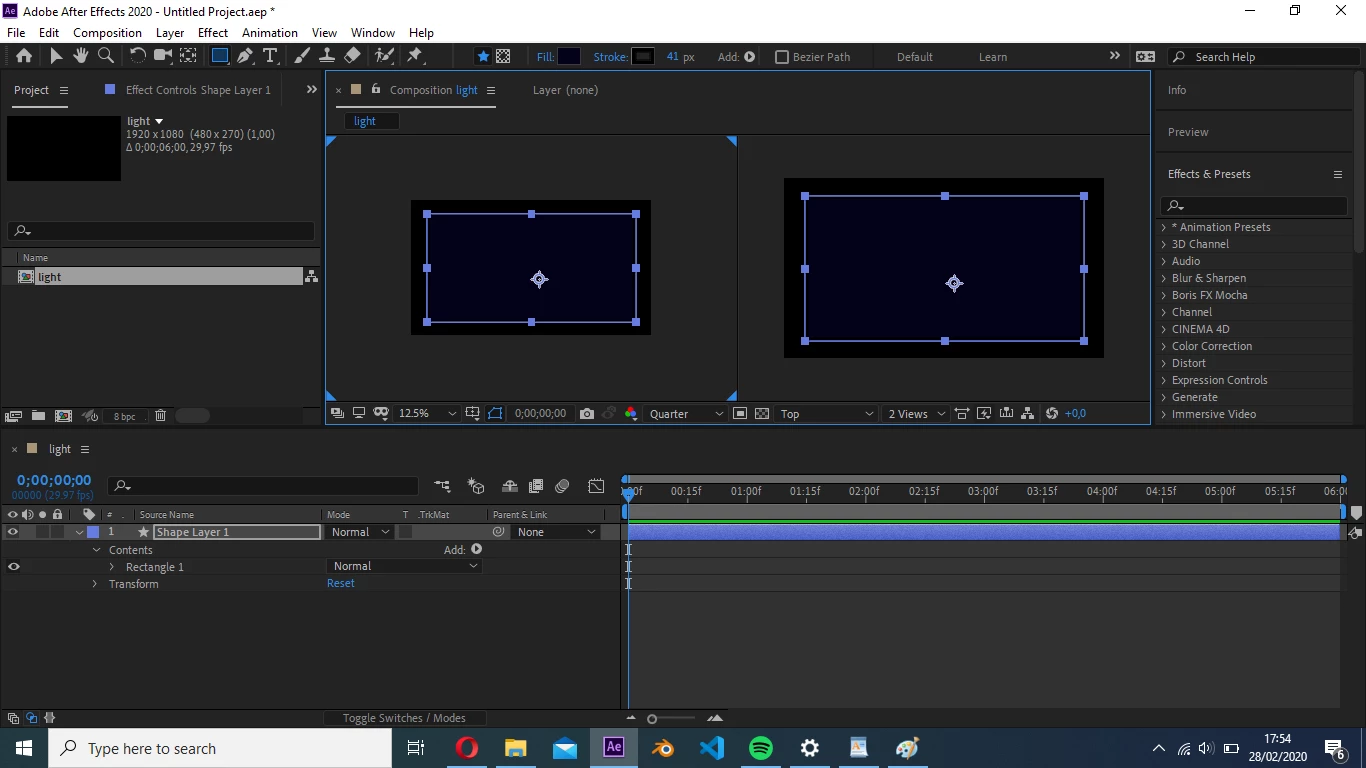
When I create a rectangle and transform scale to fit comp, it doesn't, it does change shape, but leaves a band of background color behind. 
 

This topic has been closed for replies.
Correct answer imeilfx

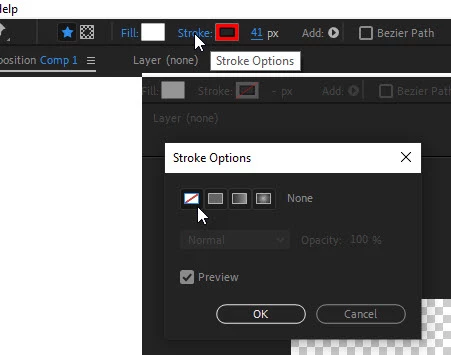
Your shape is correctly fitted into your composition. You have 41pixel black stroke around your shape and stroke is outside of your shape. 
So if you need your stroke - everything is fitted correctly as it is
- if you don't need stroke - just turn it of 
or lower stroke width to 0 pixels
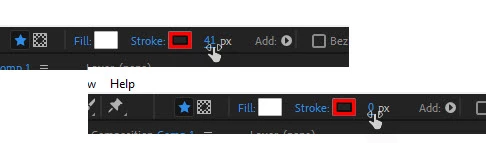
and then fit to comp. 

3 replies

imeilfx
imeilfxCorrect answer
Inspiring
February 29, 2020

Your shape is correctly fitted into your composition. You have 41pixel black stroke around your shape and stroke is outside of your shape. 
So if you need your stroke - everything is fitted correctly as it is
- if you don't need stroke - just turn it of 

or lower stroke width to 0 pixels

and then fit to comp. 

Known Participant
February 29, 2020

Oh wow.. Sometimes it's so easy to think it's my lack of experience with this program that I miss these stupid mistakes..

Mike_Abbott
Legend
February 28, 2020

If you're using : Layer > Transform > Fit to...  I don't believe it was ever intended to work with shape layers - which is what you are using. Shape layers have a complex multi-group structure with various layers of transform.

If you are new to Shape layers I'd suggest you go into preferences and on the general page set 'centre anchor point in new shape layers'. You can subsequently centre your shape in the Comp. Having done that twrirl down the content group of the shape and when you get down to the rectangle path set it's size as you require - to the size of the comp.


Other option: Set the rectangle to the right size and then use the align panel.


Dave_LaRonde
Inspiring
February 29, 2020

...and if you don't need to use a shape layer, just make a comp-sized solid -- lots easier.

Known Participant
February 28, 2020

~deleted~
