


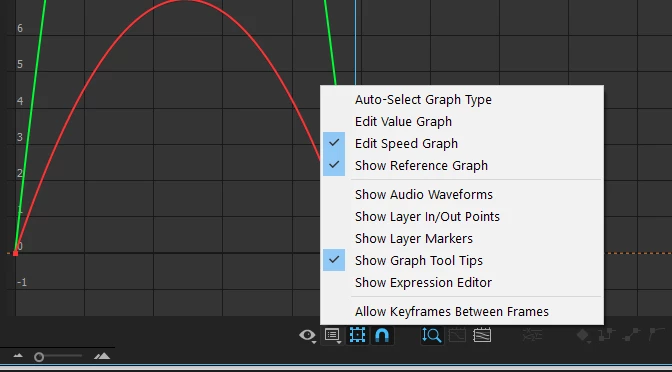
Graph Editor Showing Two lines each for both X and Y axis
The April 2017 update of AE has completely changed the graph editor and it is not functioning. I'm on Mac OS X (11.6). I've already spoken with someone at Adobe and they have no answers for this. Example: Scaling a simple rectangle on the X axis only, from 0 to 100%; two keyframes; easy ease applied; go to graph editor and there four curve lines: two red (X) and two green (Y); this animation does not change the position, only the scale. If I grab the bezier handle on one of the red curves, it acts on the other curve, not on itself. There is no way to control a smooth in or out. If I move the playhead back to 0, the entire graph disappears.
What is going on here??? This happens if I try the same scale animation on a simple circle as well: two sets of lines for X and Y. This is absolutely maddening. Why has the graph editor been altered?
 AdChoices