



LW0121
Inspiring
June 3, 2021
Answered

Guide layers disappear when I preview it in After effects

  • June 3, 2021
  • 4 replies
  • 4439 views

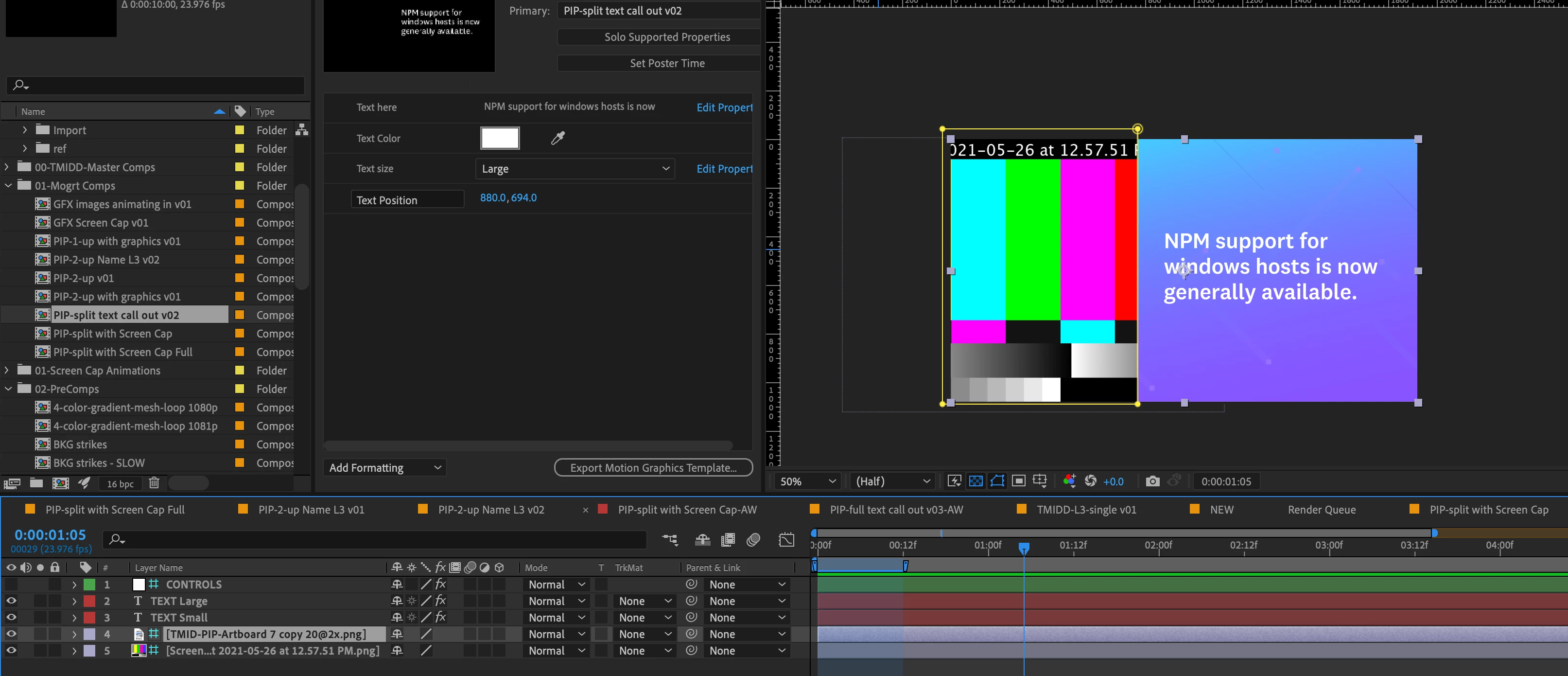
Hi, I found that some guide layers can still be seen in the preview in After effects. For example, as you can see, the second-to-last layer is a guide layer (the blue bg). When I press the space bar to preview the video, I can still see it.

I believe that they won't be seen in the rendered video. Usually, if I set it as a guide layer, it can't be seen when I preview it. I wonder if there is an setting so that the guide layers can be seen in the preview?
Correct answer Roland Kahlenberg

Guide Layers will appear in Comp View as well as Previews, in the composition they were created. It is only when this comp is nested that they will not appear and of course in renders, regardless of which comp is rendered. HTH

4 replies

Known Participant
December 2, 2022

I just encountered this bug for the first time, out of nowhere.


I found I could FIX this bug by toggling the "show overlays" button in the preview pane.


I'm still on AE 22.4 (since versions past this point are unusable due to the big ram preview bug).

Inspiring
December 6, 2023

Having same issue in 24.1 Guide layers are super inconsistent. 

New Participant
March 16, 2022

I agree xuchenw11671293, I've always been able to preview (spacebar) and any "guide layers" would not render. What happened since the last update??

Participating Frequently
May 16, 2022

Seconding the comment above. Since the newest update Guide Layers turn off during RAM previews. Is there a way to turn this back on?

Participating Frequently
October 4, 2022

I am having the same issue: anything set as a guide layer will no longer show up in RAM preview, as it has for years in After Effects. this was removed in the last version or two! Any chance we can get this back ASAP?

This is a serious problem for workflow efficiency, as I now have to turn OFF Guide Layer settings on a layer (such as a LUT) to get a RAM preview that matches my scene.

Roland Kahlenberg
Roland KahlenbergCorrect answer
Brainiac
June 3, 2021

Guide Layers will appear in Comp View as well as Previews, in the composition they were created. It is only when this comp is nested that they will not appear and of course in renders, regardless of which comp is rendered. HTH

Very Advanced After Effects Training | Adaptive & Responsive Toolkits | Intelligent Design Assets (IDAs) | MoGraph Design System DEV
LW0121
LW0121Author
Inspiring
June 3, 2021

Thank you for letting me know. Sometimes, guide layers did disappear automatically when I preview it. It won't affect my project but I am just curious why it happened. Thanks anyway~

Justin Taylor-Hyper Brew
Community Expert
June 3, 2021

I'm not seeing any guide layers in your comp, but if you're talking about the mask preview, you can toggle that off with the mask button:


LW0121
LW0121Author
Inspiring
June 3, 2021

Thank you for replying so quickly. The guide layer I mentioned is the second to last layer in the composition. Usually when you select a layer and you right-click, you can set it as a guide layer:)

Justin Taylor-Hyper Brew
Community Expert
June 3, 2021

Sorry, I read this as guide, not guide layer. Yes guide layers always show up in preview, they are always hidden in the render or in a parent comp if nested.