Participating Frequently
November 26, 2020
Question

How can I open all transform properties at once?

  • November 26, 2020
  • 1 reply
  • 4996 views

Which's the shortcut to open all transform properties at once? I watched a tutorial showing how to do it but I lost it. 

Ps.: I'm from Brazil but my After Effects is in english.

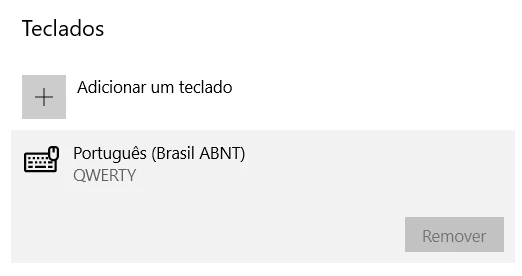
My keyboard below.
 

1 reply

Roland Kahlenberg
Brainiac
November 26, 2020

There is no such shortcut in AE. As you know there are individual shortcuts for each Transform Property as well as shortcuts + the SHIFT modifier key to display additional properties when at least on Transform Property is opened.


What you saw in the tutorial was mostly likely U (display properties that have keyframes), UU (display properties that have changed from their default values), EE (display properties with Expressions) or ALT + U (display properties with keyframes and Expressions).

Very Advanced After Effects Training | Adaptive & Responsive Toolkits | Intelligent Design Assets (IDAs) | MoGraph Design System DEV
Participating Frequently
November 26, 2020

Yes, that's right but there's another one that opens all the Transform Properties at once. I was using the command, when I went to search I saw another person with the same problem and when I asked here another person answered me with the command but for the English version of the keyboard. Shortcut: Ctrl ` (Accent grave symbol)

Roland Kahlenberg
Brainiac
November 26, 2020

CTRL + ` opens up ALL Layer properties. It doesn't just open up a layer's transforms.


To find the shortcut in AE's Keyboard Shortcuts Visualizer (KSV) window, open the KSV. In AE-English, the Command for the shortcut, CTRL + ` is "Show/Hide All of the Selected Layers' Properties".

HTH

Very Advanced After Effects Training | Adaptive & Responsive Toolkits | Intelligent Design Assets (IDAs) | MoGraph Design System DEV