


Participating Frequently
February 20, 2017
Answered

how do I export a video when the original composition is an audio file?

  • February 20, 2017
  • 3 replies
  • 1033 views

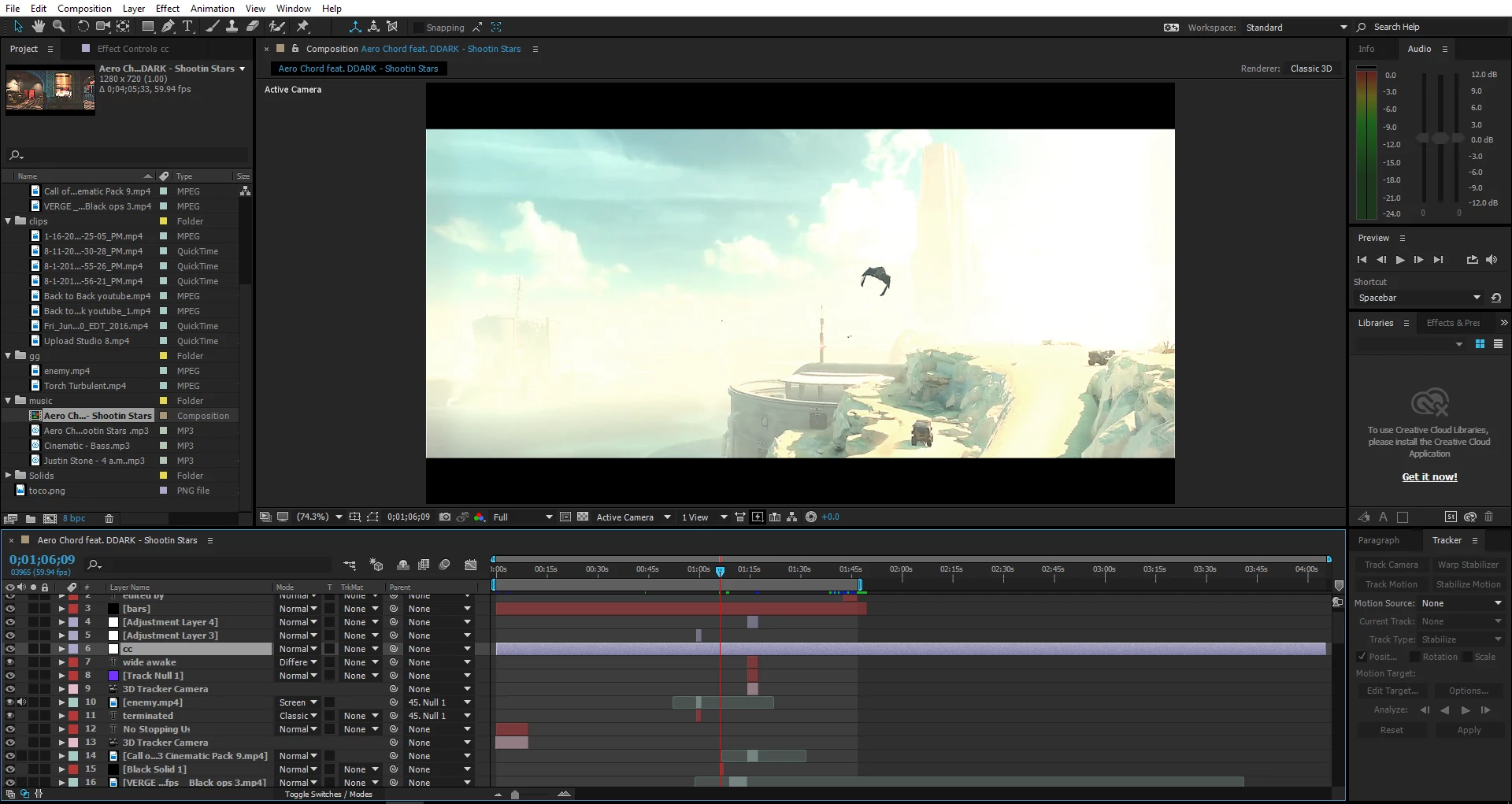
So I've been working on this project and I forgot that I've been working on an audio composition instead of a video. Now whenever I export, it only export the audio not the video.

please help. Thank you.
This topic has been closed for replies.
Correct answer Dave_LaRonde


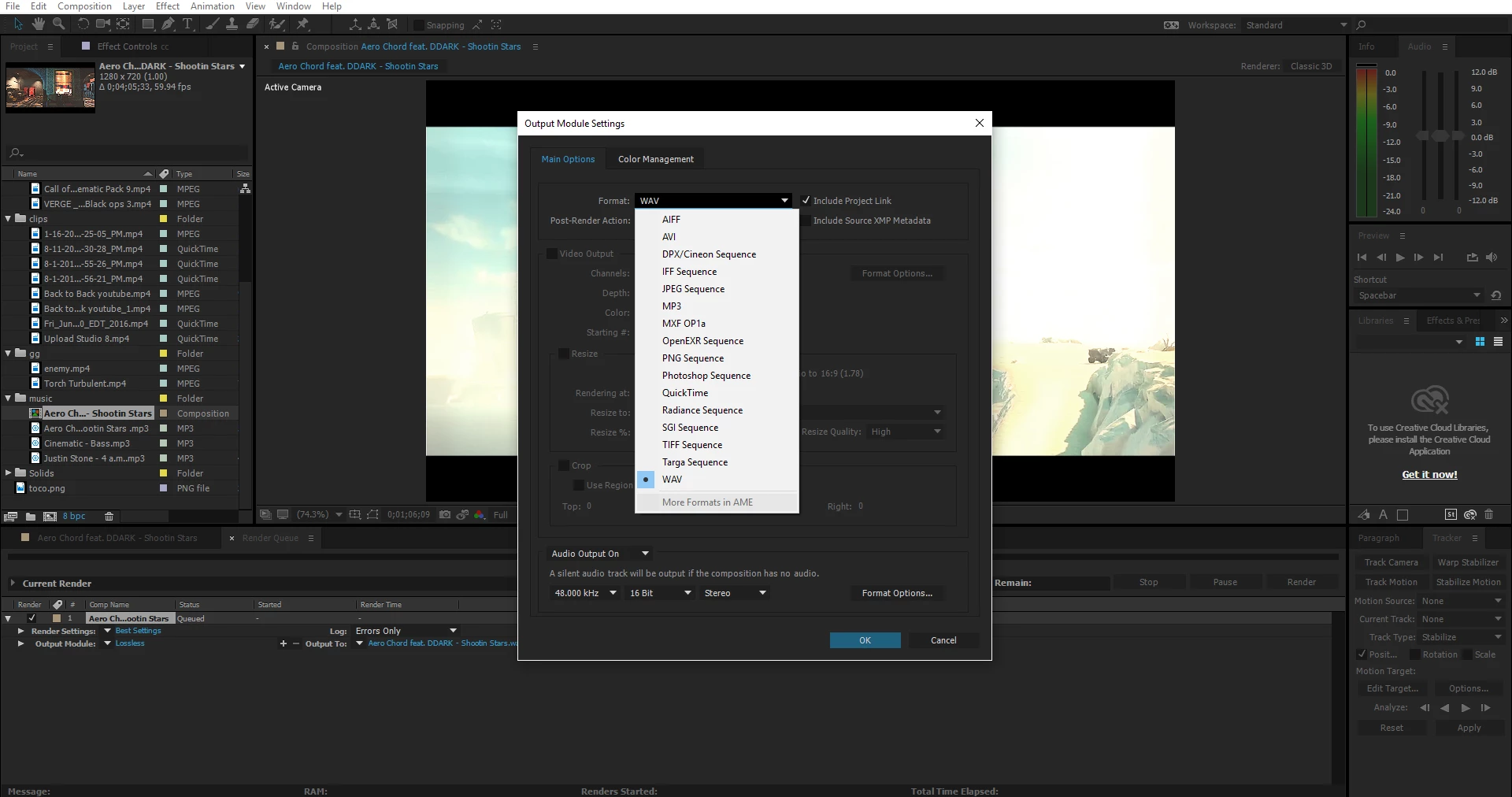
Well, you're not going to see any video with that particular export setup -- you're making a wav file!  Try making a Quicktime movie in the JPEG 2000 codec.  With audio, of course.

3 replies

Legend
February 20, 2017

I would have expected the H264 codec to also be shown in the output module settings. Maybe that's been moved to Adobe Media Encoder only in that version of AE. If the "More Formats in AME" is enabled you could try that to see if rendering as H264 is an option there (if H264 is what you wanted to render it as and not another video container/codec). Or if you can load the AE project into AME try rendering from there as H264 (I've got an earlier version of AE and it always lists H264 as an option in the output module).

khispurAuthor
Participating Frequently
February 20, 2017

OH nice i got it thanks

Dave_LaRonde
Inspiring
February 20, 2017

khispur  wrote

So I've been working on this project and I forgot that I've been working on an audio composition instead of a video. Now whenever I export, it only export the audio not the video.

please help. Thank you.
Let's see if I understand properly:

1) You used After Effects to work on audio only. No video.

2) You export

3) You wonder why there is audio, but no video.

Is this correct?

If it is, I have two questions.

1) If there was no video in the comp, why did you expect to see video?

2) Why on Earth would you use After Effects for an audio-only project?  That's like trying to build a piece of fine furniture at an auto repair shop -- the tools are totally wrong.

khispurAuthor
Participating Frequently
February 20, 2017

no, i have videos in the audio compostition

Legend
February 20, 2017

khispur  wrote

no, i have videos in the audio compostition

Can you upload a screenshot or screenshots?

ie. upload screenshots of your composition and the output module settings screen.

Legend
February 20, 2017

Select "Composition"->"New Composition". Select a preset (or choose a specific one) for the video (ie. the frame rate and frame size you want, the duration etc.)

khispurAuthor
Participating Frequently
February 20, 2017

yeah but i don't see h.264 only mp3 and quicktime and some other stuff