Your keyframes for start and end are not set up correctly. To achieve the kind of motion you want, set the first keyframe for Start and End at 50%. That will give you no line. Then move down the timeline and set a Start keyframe value of 75% for start and 25% for End and it will give you a line that is 1/2 the distance between the first and last path vertex. Then move down the timeline again and set the Start and End keyframes to 50%.
The first Offset keyframe should be -180º to move the starting visible line to the path's First Vertex. The last Offset keyframe should be 180º to move the end of the visible line to the last path Vertex.
Then a simple loopOut() expression will make the patterns repeat forever. In this screenshot, I have duplicated the first keyframes for Start, End, and Offset and moved them down the timeline a bit to create a pause between redraws.
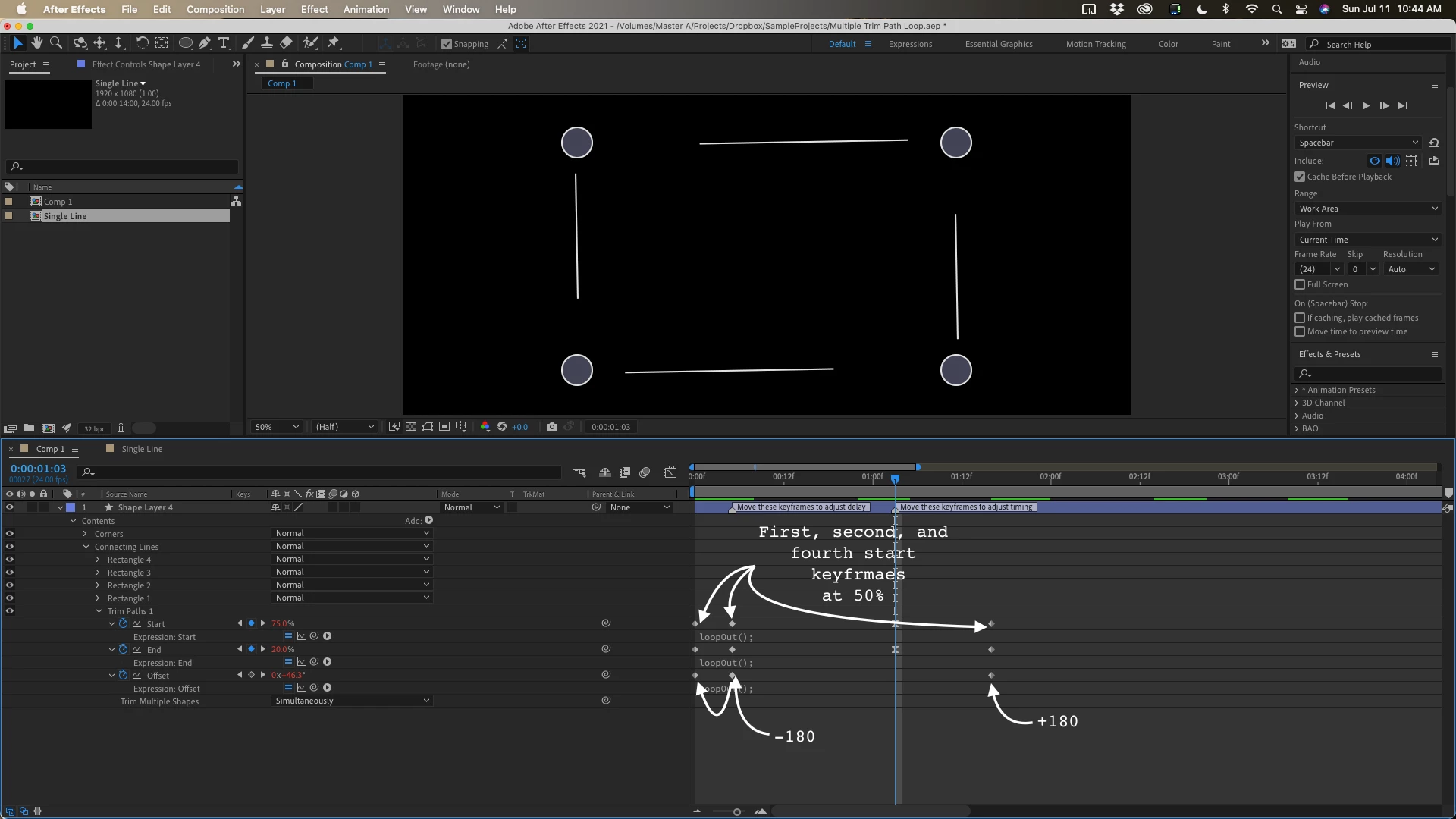
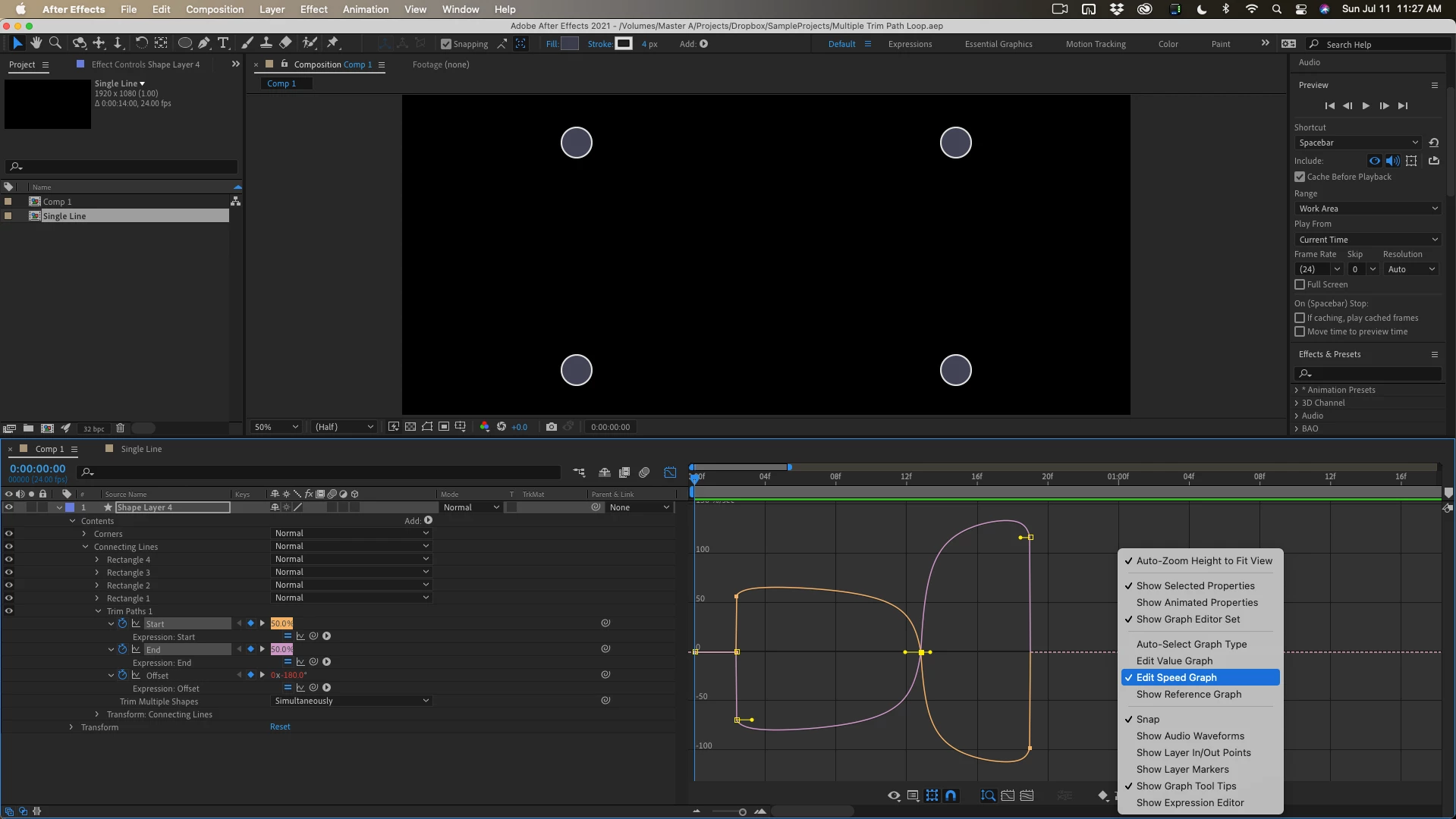
The four paths I used were created from a rectangle that was converted to a bezier path, duplicated, and then the first vertex was set for each of the copies in the four different corners of the rectangle, the paths were opened, and extra points deleted using the Layer/Mask and Shape Path/ menu options. The ellipses forming the corners and the Rectangle Paths were each grouped to keep them straight and make editing easier. The Graph Editor was used to adjust the timing of the middle Start and End keyframes. The speed graph looks like this:
I uploaded a screen capture movie of the project. You can find the AEP file here if you want to play with it. There are two comps. The Single Line comp shows the basics.



 AdChoices