


How do I rotate a layer (not in the composition)
Hello,
Using After Effects CC 2018 I came across an issue using cell phone footage. Sometimes the phone either doesn't register a video as landscape - or sometimes I start the video vertically before moving it to landscape. This normally isn't a problem as I just rotate the footage in Premiere and be done with it - however today I wanted to try painting/hand writing directly on a clip. However, when importing it into After Effects I have an issue:
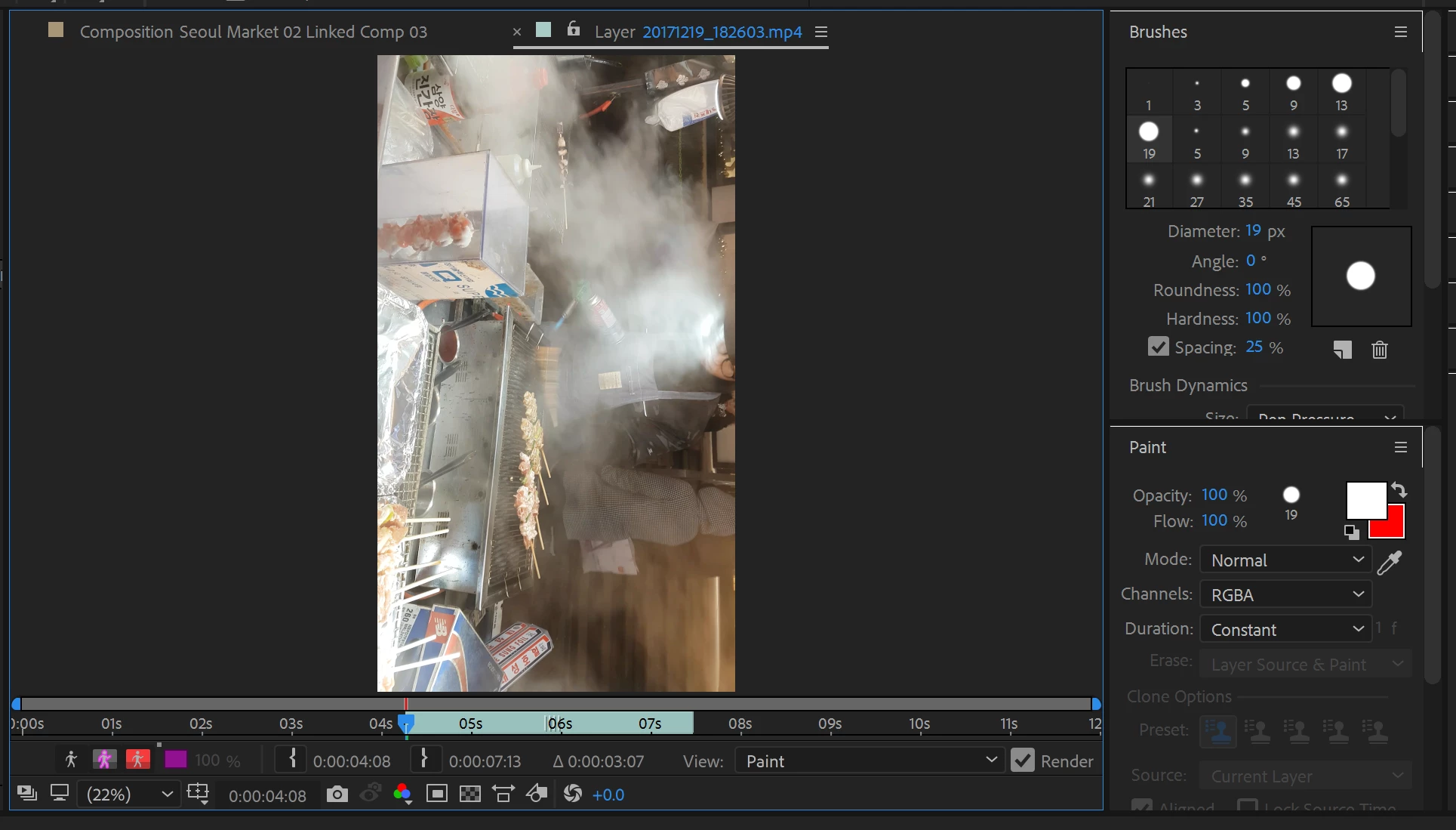
After opening it up in the layer panel I find that it's vertical (the original orientation). The composition looks fine, it's rotated and scaled appropriately, but the layer panel isn't.
I'm trying to find a solution that lets me rotate the layer panel so I can work on these files easily. The only solution I've thought of so far is rendering all the videos in the correct orientation and then bringing that into AE. That however just adds another step to my workflow and I'd much rather avoid that.
Thank you!
 AdChoices