


Mughas
Participant
February 1, 2018
Answered

How to add effect to specific area of video?

  • February 1, 2018
  • 2 replies
  • 6301 views

Hello,

I'm trying to add an effect (glow) to a specific area i've masked but every time I try to do so the effect applies to the whole video and not just the selected masked areas. Is there a way I can make the effect only happen on the selected masked areas? I'll provide pictures below:

This is the image i'm trying to add the effect to. As you can see i've masked the eyes and added a yellow fill. I want to make this area glow, however:
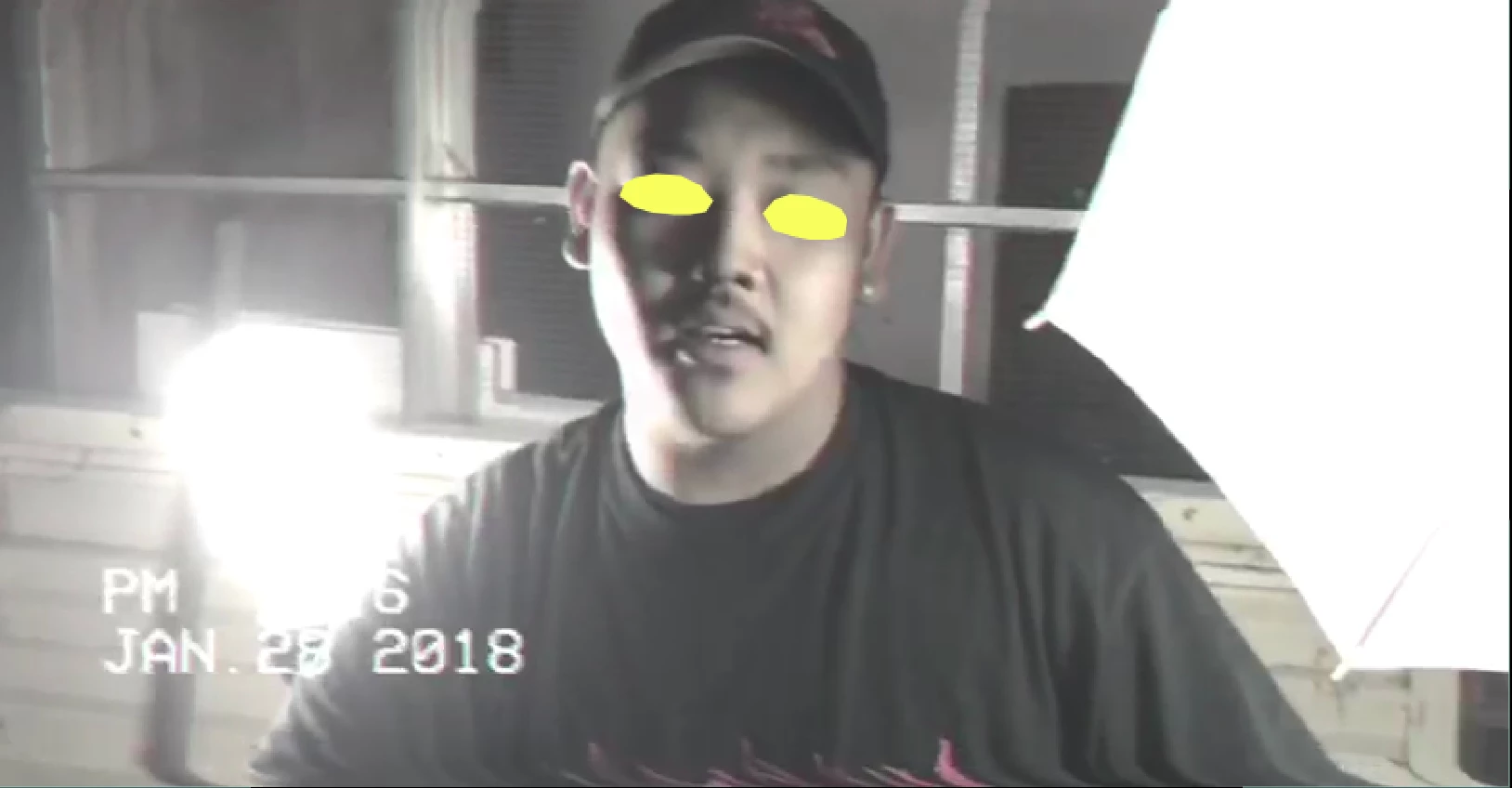
Whenever I add the effect it adds it to the whole composition instead of just the eyes.
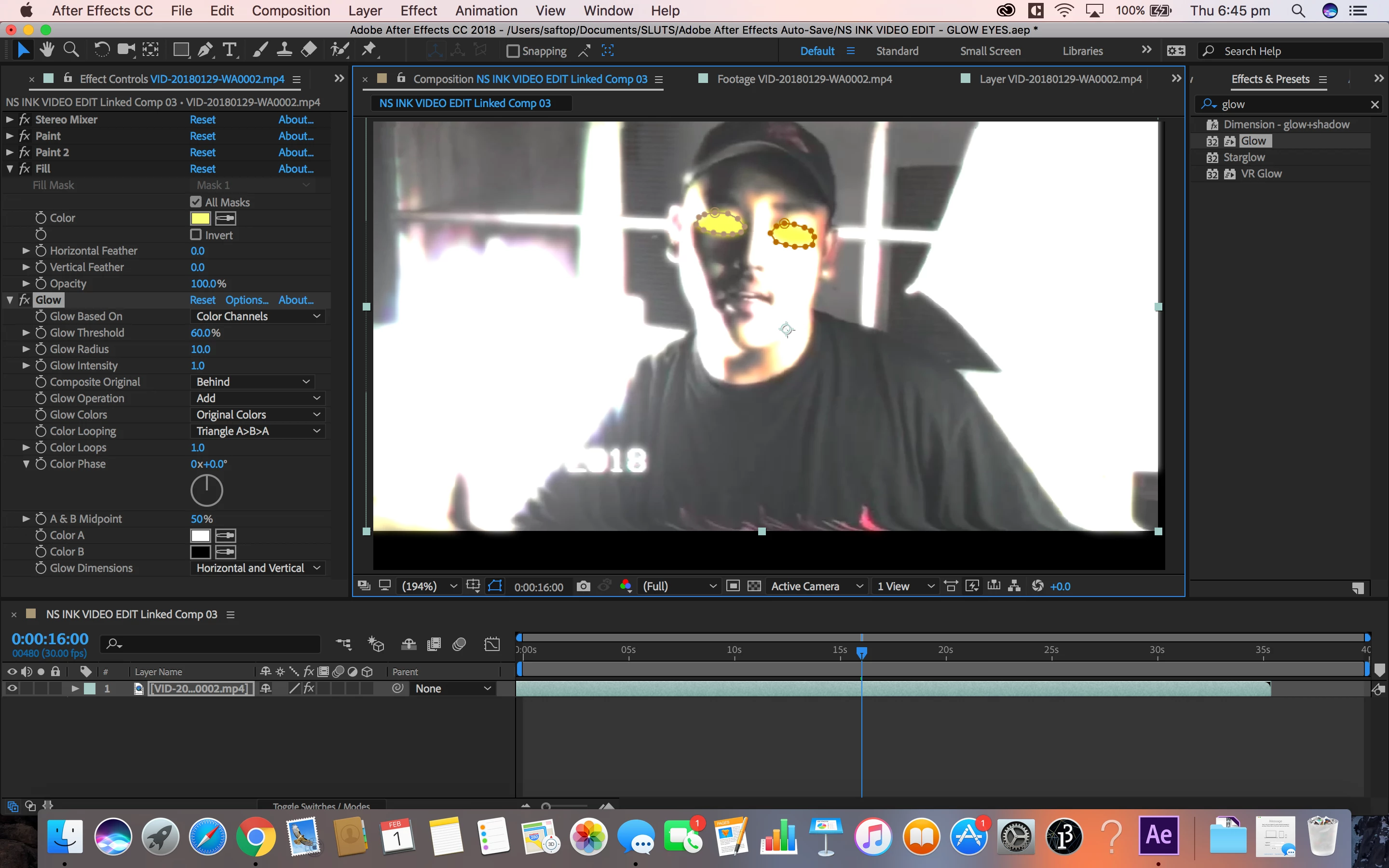
Is there any way to fix this? I'm a beginner by the way

    This topic has been closed for replies.
    Correct answer Roland Kahlenberg

    You can do what you want with a single layer by using the Compositing Options feature in AE. The Compositing Options feature allows you to use one or more masks to define an area for an effect to be affected.

    Compositions Options and Mask Reference in After Effects CC

    2 replies

    Roland Kahlenberg
    Roland KahlenbergCorrect answer
    Legend
    February 1, 2018

    You can do what you want with a single layer by using the Compositing Options feature in AE. The Compositing Options feature allows you to use one or more masks to define an area for an effect to be affected.

    Compositions Options and Mask Reference in After Effects CC

    Very Advanced After Effects Training | Adaptive & Responsive Toolkits | Intelligent Design Assets (IDAs) | MoGraph Design System DEV
    Mylenium
    Legend
    February 1, 2018

    Duplicate the layer, mask it out.

    Mylenium

    Mughas
    MughasAuthor
    Participant
    February 1, 2018

    Sorry can I get a bit more of an explanation? I'm a beginner so i'm not familiar with after effects

    Community Expert
    February 1, 2018

    Most compositing is layers. Many times layering requires roto or at least masking. You need to learn the basics. Masking every frame, meaning putting a keyframe on every frame, is horribly inefficient so you probably wasted a bunch of time. If you are new to AE you should spend quite a bit of time here learning the basics: Basic AE

    If you have already masked the eyes then just duplicate the layer, invert the mask and apply the effect to the duplicate.