


Known Participant
February 28, 2017
Answered

how to create these 2 text animations?

  • February 28, 2017
  • 1 reply
  • 425 views

Hi so I was looking at this video and would like to find out how they did these 2 text animations Sevenly Infographic Animation - YouTube

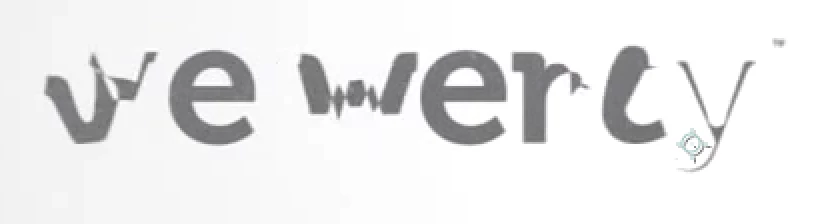
1. first animation is at start of video when "Sevenly" turns into "we were"

2. second animation is at 0:30 when you see each word appear, but its not by just adding the word into the next keyframe, the word pops out gradually(though very quickly of course)

thanks for any help given, im more interested in the second animation which seems easier and more do-able for a beginner like me
    This topic has been closed for replies.
    Correct answer Rick Gerard

    The first transition:

    Could be dine in Illustrator bye creating the text for both words, converting the type to outlines, ungrouping each word and then using Illustrator's blend option to "morph" between the individual letters.  The whole animation is just seven frames so you would have 7 steps in your blend. Something like this:

    The second animation can be done with a text animator and for scale, position and tracking with the "Based on" set to words.

    1 reply

    Mylenium
    Braniac
    February 28, 2017

    The first appears to be simple mask/ shape path animation which is easily possible by converting the text to outlines. The second is just basic text animator stuff with the only difference being that it's set to full words instead of every single letter while the entire text layer is moved further left with every word that pops up. So basically it's a combination of the layer's position being animated to slide and the text animator.

    Mylenium

    Rick GerardCorrect answer
    Braniac
    February 28, 2017

    The first transition:

    Could be dine in Illustrator bye creating the text for both words, converting the type to outlines, ungrouping each word and then using Illustrator's blend option to "morph" between the individual letters.  The whole animation is just seven frames so you would have 7 steps in your blend. Something like this:

    The second animation can be done with a text animator and for scale, position and tracking with the "Based on" set to words.