


Copy link to clipboard
Copied
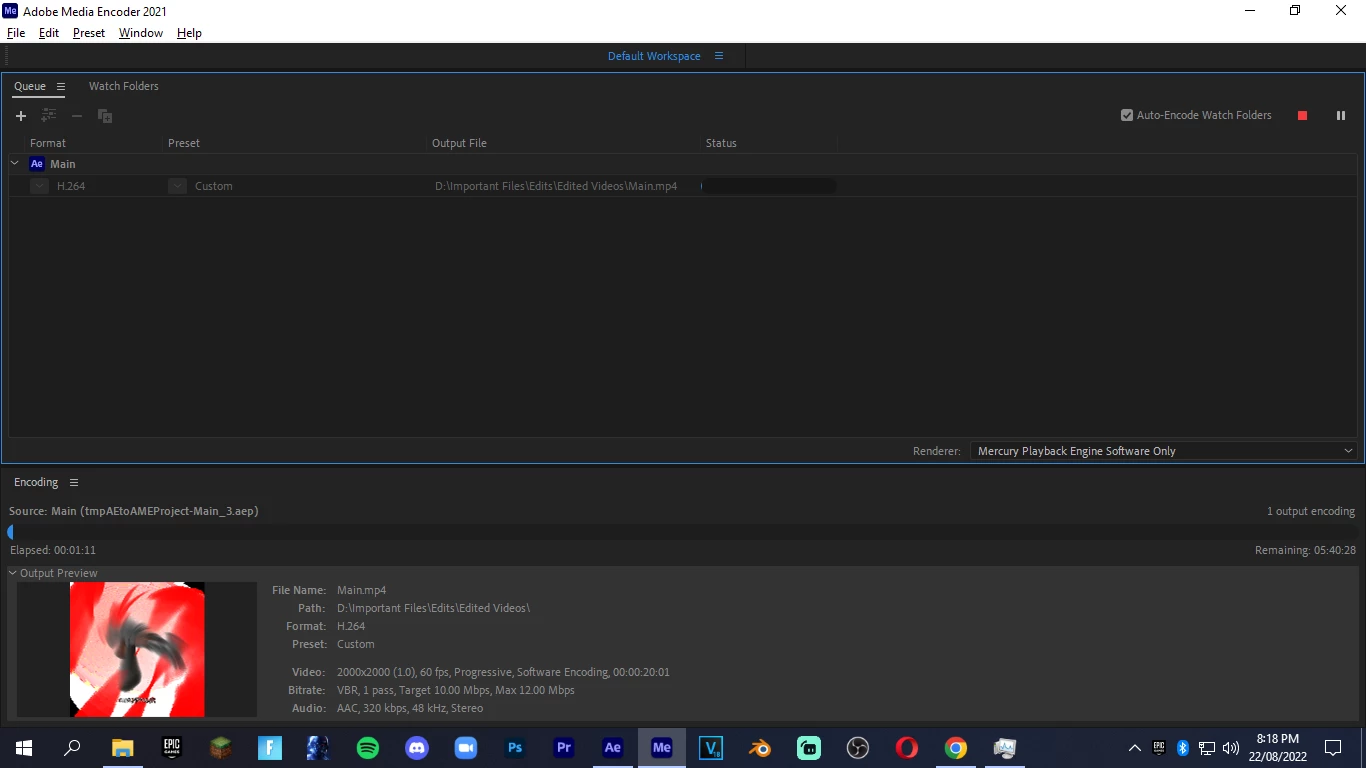
Well, to be honest prior to this glitch or issue I was facing a huge problem and a possible solution I've found was to switch from "Hardware Encoding" to "Software Encoding". I am trying to do this but unfortunately I am facing this bug where there is some weird huge white spot typa stuff in the area of some glow.
Screenshot of bug:
How it looks in "Hardware Encoding":
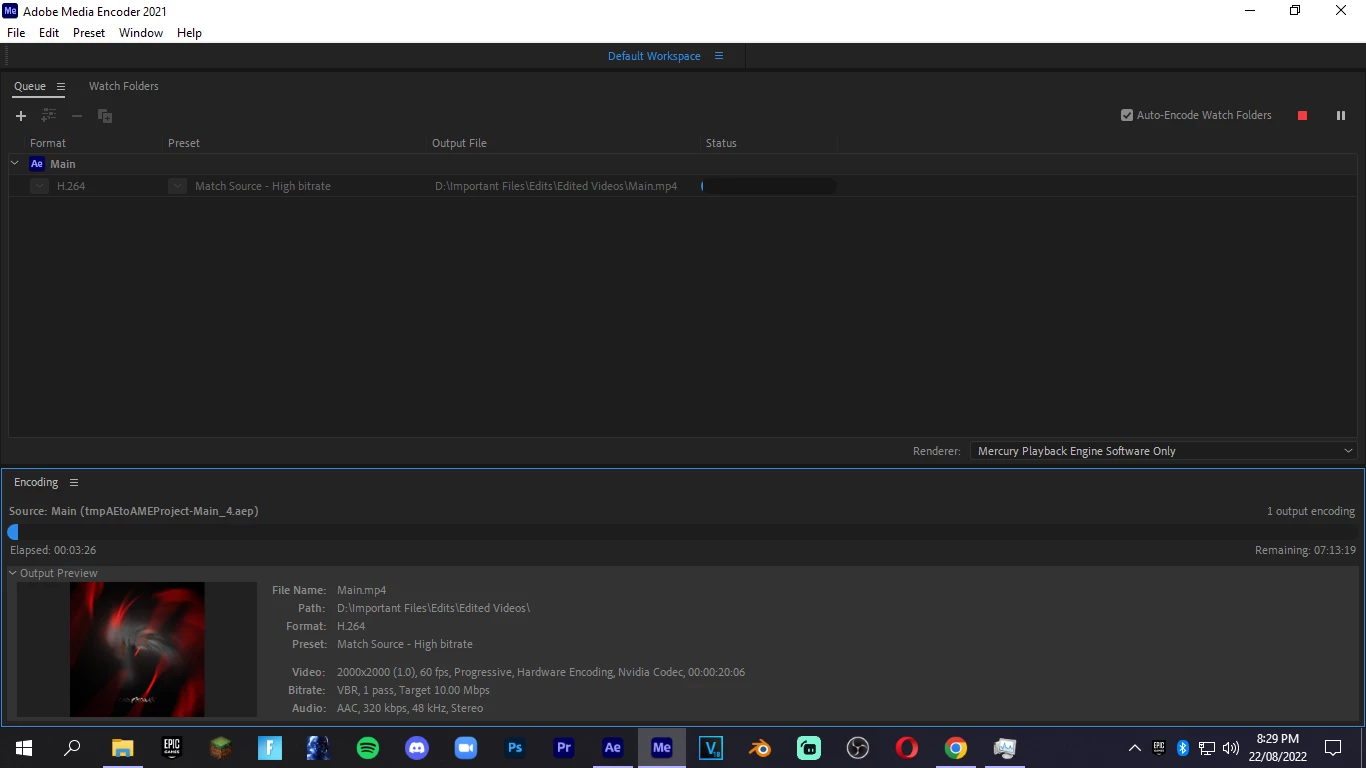
This happens only in "Software Encoding" but not when it is in "Hardware Encoding". I really need to use the "Software Encoding" feature without this bug, can someone help me? Please, thank you!
Copy link to clipboard
Copied
Hi ong.proxar,
Sorry for your issue.
Which effects are you using? Are there any third-party plug-ins used in the project? Also, what are your system specifications (CPU, GPU, RAM, OS version)? This issue sounds like it's related to the GPU. Please try updating the GPU driver.
Let us know how it goes.
Thanks,
Nishu
Copy link to clipboard
Copied
It might be useful to have actual info about the project. This simply looks like a layer with transparency is being treated differently, which in itself could be a hardware acceleration issue - not in AME, but rather AE or a specific effect. A screenshot of the relevant comp(s) and an explanation of what's going on would be a good idea.
Mylenium
Get ready! An upgraded Adobe Community experience is coming in January.
Learn more