


Participant
December 22, 2021
Question

How to get text to warp how I want it?

  • December 22, 2021
  • 2 replies
  • 242 views

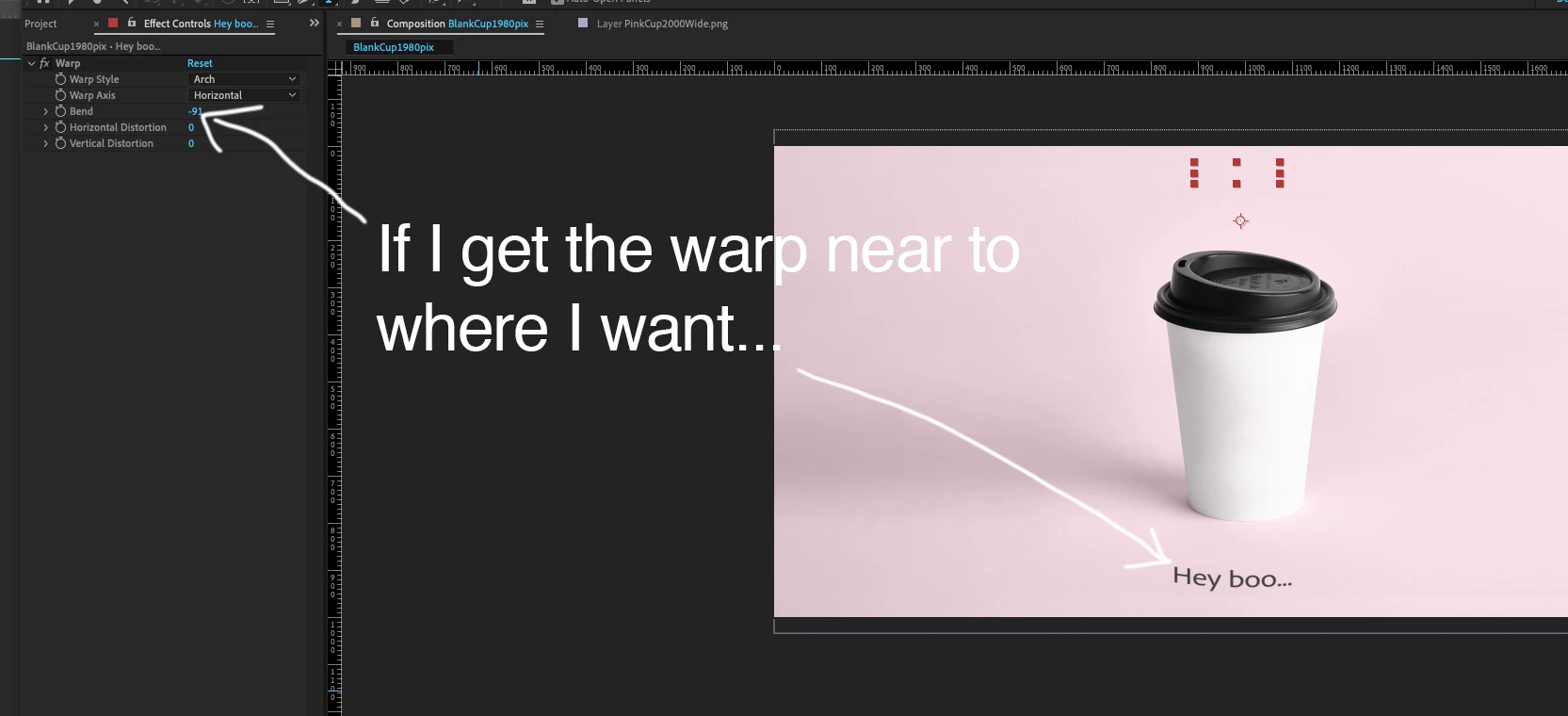
Hey all I'm struggling to get my text to warp right.  I'm creating an effect of typing on a takeaway coffee cup.

I've got the typing bit done.  I'm using warp to get the writing to look like it's written on the cup.

But using warp I can't get it to look right.

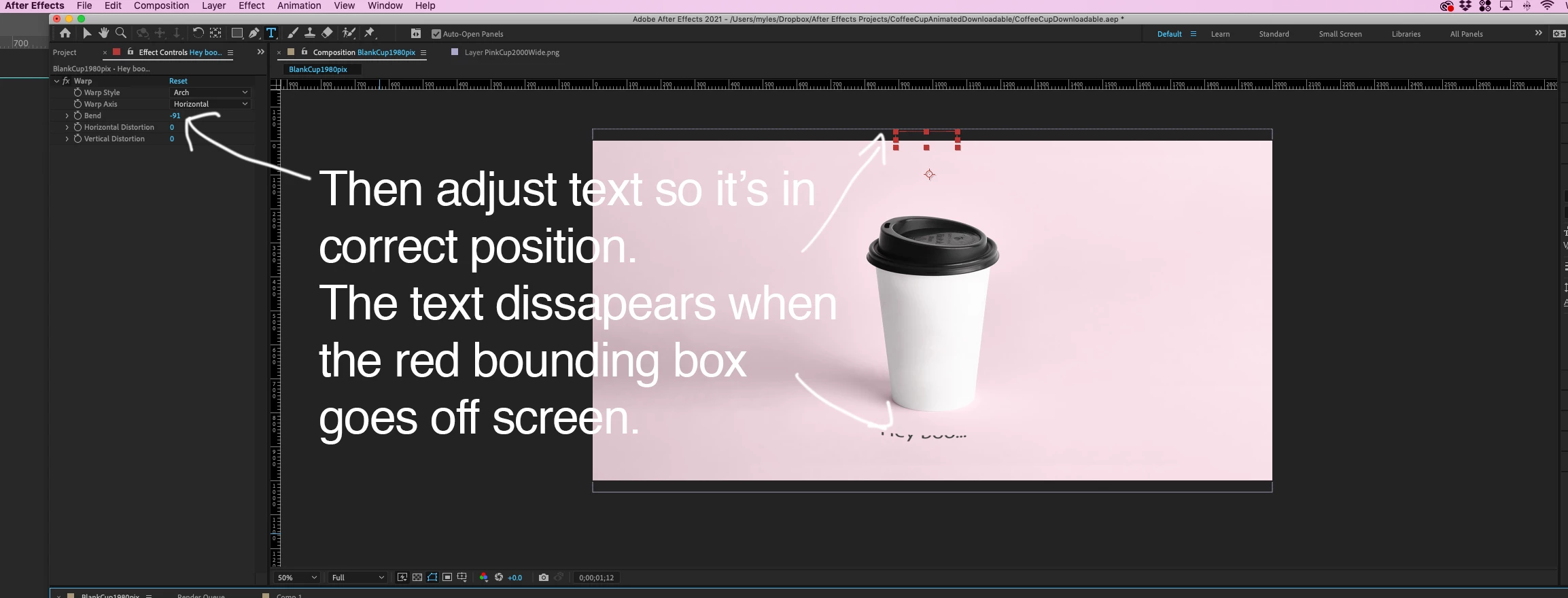
If I really increase warp amound the text goes off the screen and I can't warp it anymore.

Why is text disappearing when the red dotted box goes of screen?

I hope this is making sense?

Or if anyone knows a better way of doing this I'm open!

I've included images which I hope explains the issue better.
 

This topic has been closed for replies.

2 replies

P.M.B
Legend
December 22, 2021

Best bet is also, when you precompose to fill the entire composition with text.   If you have tiny text with alot of empty space around it its going to be difficult to control.

~Gutterfish
Mylenium
Legend
December 22, 2021

This is to be expected due to how the render pipeline works. The text needs to be pre-composed and the effect applied in the parent comp for consistent results.


Mylenium

Myles5FF9Author
Participant
December 22, 2021

Thank you for your help.  Not 100% sure what that means but I'll go find out. 🙂