Hi Rick,
Thanks for responding,
So this is my workflow:
Make full show in Premiere Pro.
Use Dynamic Link to bring in individual lower thirds as they're required. (see image below)
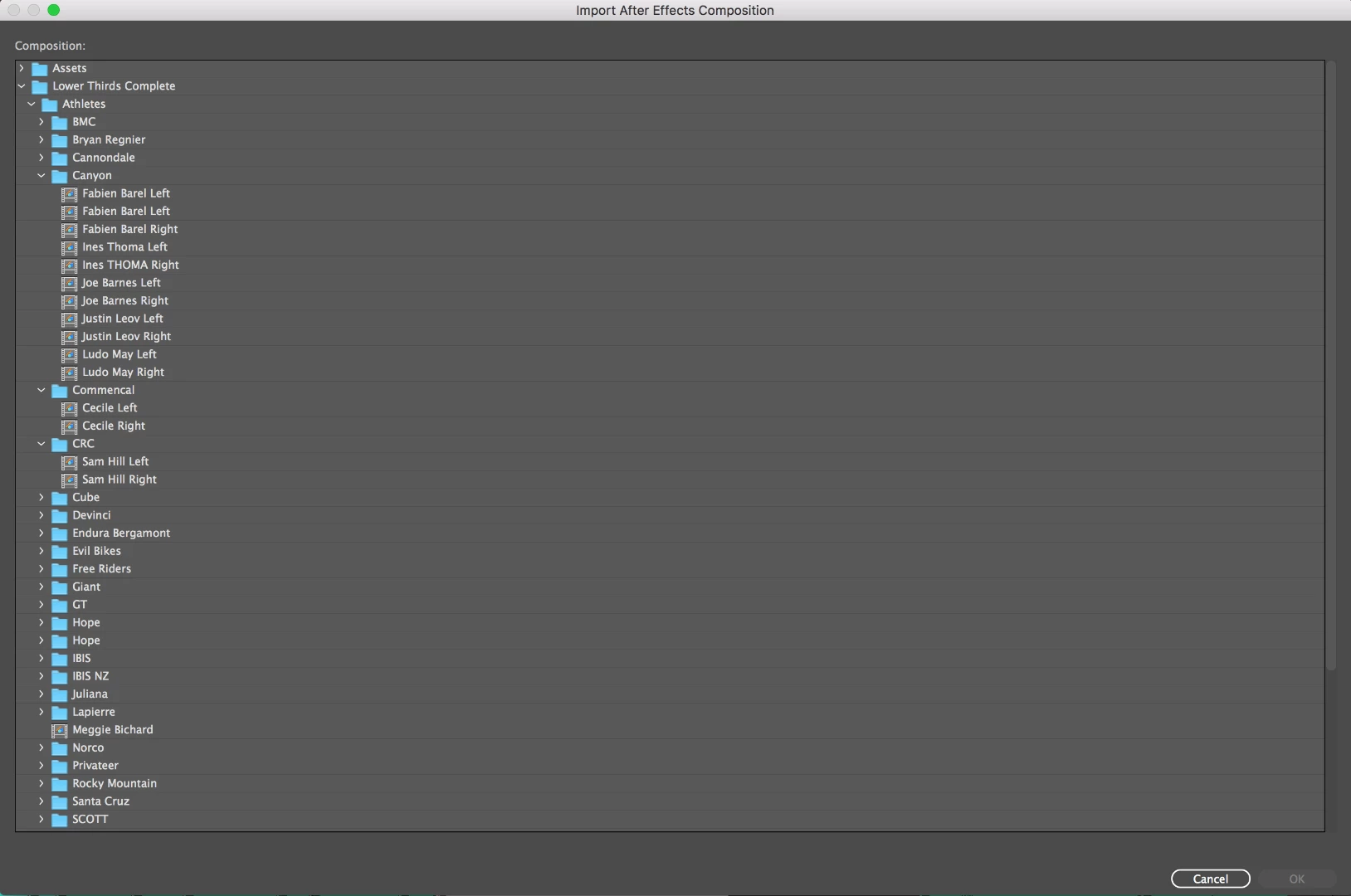
As you can see there is a lot of potential lower thirds, we will usually use around 20 - 30 in anyone edit.
So there's no way I can select them all and import into Premiere?
Apologies if I'm missing the point.
It looks like a bunch of lower 1/3's may have the same design. No need to import a separate comp for each of these as the names can quickly be changed inside Premiere Pro on the fly. I recently did a 60 minute show with about 25 different interviews and I only imported only 1 AE comp and just edited the names directly in the timeline.
It looks like some of the graphics may be more complicated than that. Any complex graphics that I'm only going to use once in a show will be rendered with alpha channels and not brought in as a dynamic link because the render times can get horrendous.
If you have a bunch of comps inside a single AE project the easiest way to get to them is to browse to the folder where the AEP files live using Premiere Pro's Media Browser, Select the AEP file and the Browser will connect to the dynamic Link server and show you all of the comps in the AEproject. You can then drag them directly to a Sequence without ever importing them into your PPro project. When you drag one of the comps from the Media Browser into a sequence the comp will automatically be added to your PPro Project Bin.
To tell you the truth I cannot remember the last time I "imported" anything into Premiere Pro. I use the media browser to import everything. You can shift select in there or you can just drag directly to the timeline. You can even create Bins in the Project panel, open the bin and drag assets directly from the Media Browser directly to the bin. Be aware though, if you shift select 10 or 20 comps from an AEP file it may take forever to Import them to the main Project file.
if each of your AEP files have only one comp in them you will have to browse to each of them individually. I seldom have an AEP with only one comp in it. Most of my AEP files are named for the scene in the movie that the shots are going to like this DestinySC07.aep would contain all of the effects comps for Scene 07 in the feature that i'm currently working on. The comps would be named for the shot in that scene. Something like this: DestinySC07t4-2 which would be the comp I would be using for the feature film Destiny in Scene 07 from take 4 and the second time that shot was used in the scene. There may be 20 shots in one scene that require AE work so there would be 20 comps.
When I do titles for a show they are simply named for the show and the type of graphic, like DestinyTitles.aep. Inside that AEP file I will have a comp for OpenCredits and ClosingCredits and any other title graphic for the project appropriately named. For a documentary I may separate the graphics into separate AEP files based on the segments. It is a very rare day when I only have one comp in an AEP file.
I hope these suggestions help. Efficient file management is one of the hardest things that I had to learn when I started doing digital post. It was easy for the first 25 years of my career because I was editing film and all of those reels had to be in the right bins and have shot and scene numbers or they would be horribly lost. It just took me about 10 years to get my act together and organize my digital assets in the same way I organized reels of film. It's the way movies have been organized in the cutting room for about 100 years but it's incredibly difficult for most folks to do with digital files.



 AdChoices