



S_ A
Inspiring
October 2, 2023
Question

how to keep stroke as 'one' entity in AE after converting it as a vector shape

  • October 2, 2023
  • 2 replies
  • 331 views

Hello,


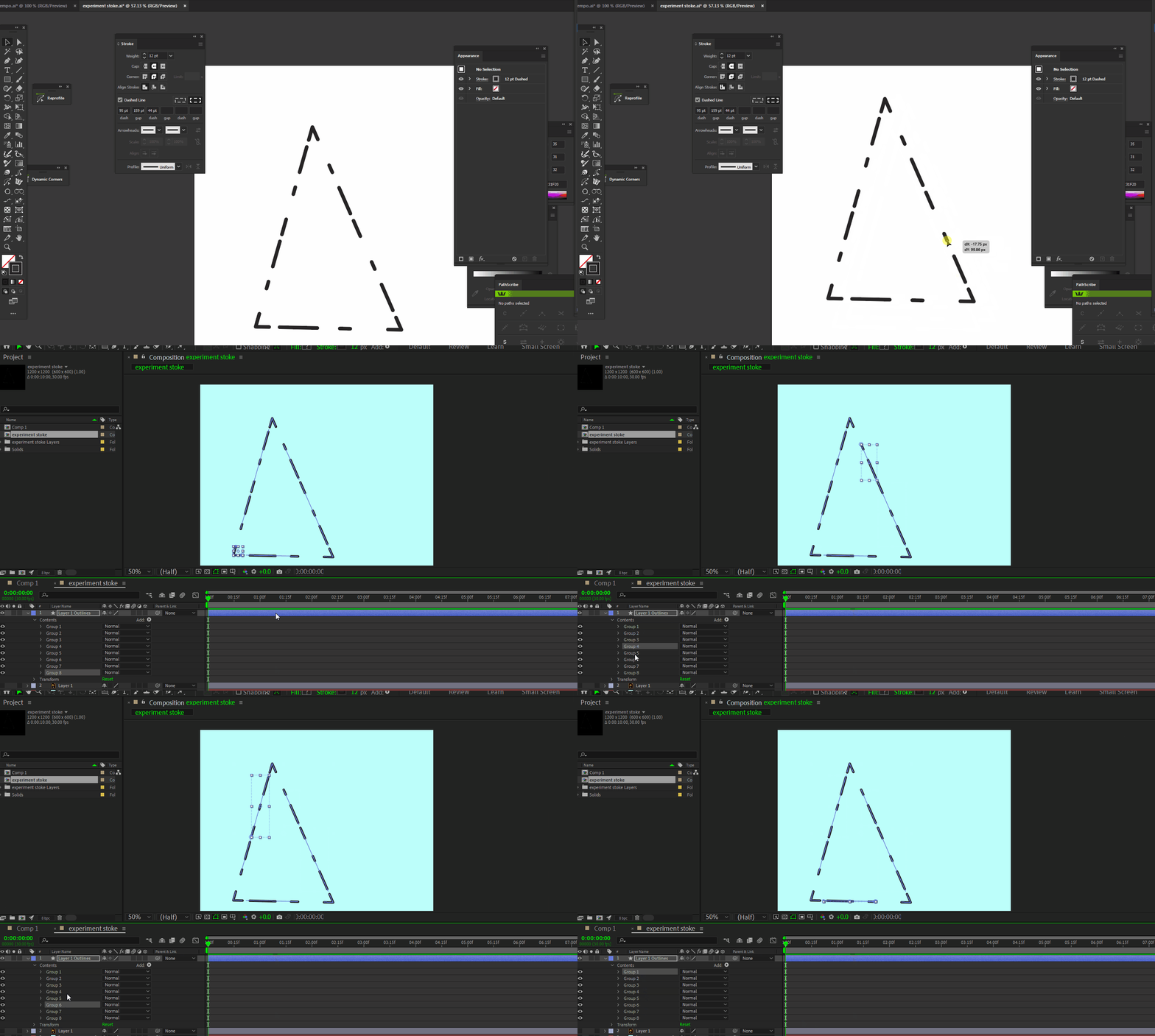
I am using AE 2023, trying to animate a stroke using trim path. I drew that as a single path in AI. when I convert that as a  shape it creats so many groups! When trim path is applied start, end animation is working on all those groups individually, not as a whole. How can I keep it as one!
 

This topic has been closed for replies.

2 replies

Community Expert
October 2, 2023

The screenshot shows a complex path in Illustrator with complex modifications to the simple stroke. If you want to use Trim Paths on that layer you will have to duplicate it in Illustrator so the path is on a separate layer. Remove all the modifications to the path except a simple stroke (not a brush, just a stroke). I would name that simplified layer "track matte" and then import the AI file as a composition again, convert only the 'track matte' layer to a shape layer, apply trim paths, and then use the layer as a Track Matte for the original shape layer with the dashed lines. 

S_ A
S_ AAuthor
Inspiring
October 2, 2023

Last four hours I have been experimenting with this, I figured out trim will not work on closed path like this one with dash and gap, but completely okay if the path is open.

I tried masking (by generater stroke effect) and animated start end in that effect.

But I cant apply manymore options which I only get if the path is open after applying Trim.. 


Wish I had a gene who knwos coding and can produce me an AE and I can do whatever I want to. 

Mylenium
Brainiac
October 2, 2023

Don't conv ert if you don't have to! Simply copy & paste the path over and use a mask with a stroke effect, not shape layers.


Mylenium

S_ A
S_ AAuthor
Inspiring
October 2, 2023

I tried that, thank you so much.