


markh17861918
New Participant
July 19, 2018
Answered

How to make a shape follow a rotated path?

  • July 19, 2018
  • 1 reply
  • 2630 views

Hi There!

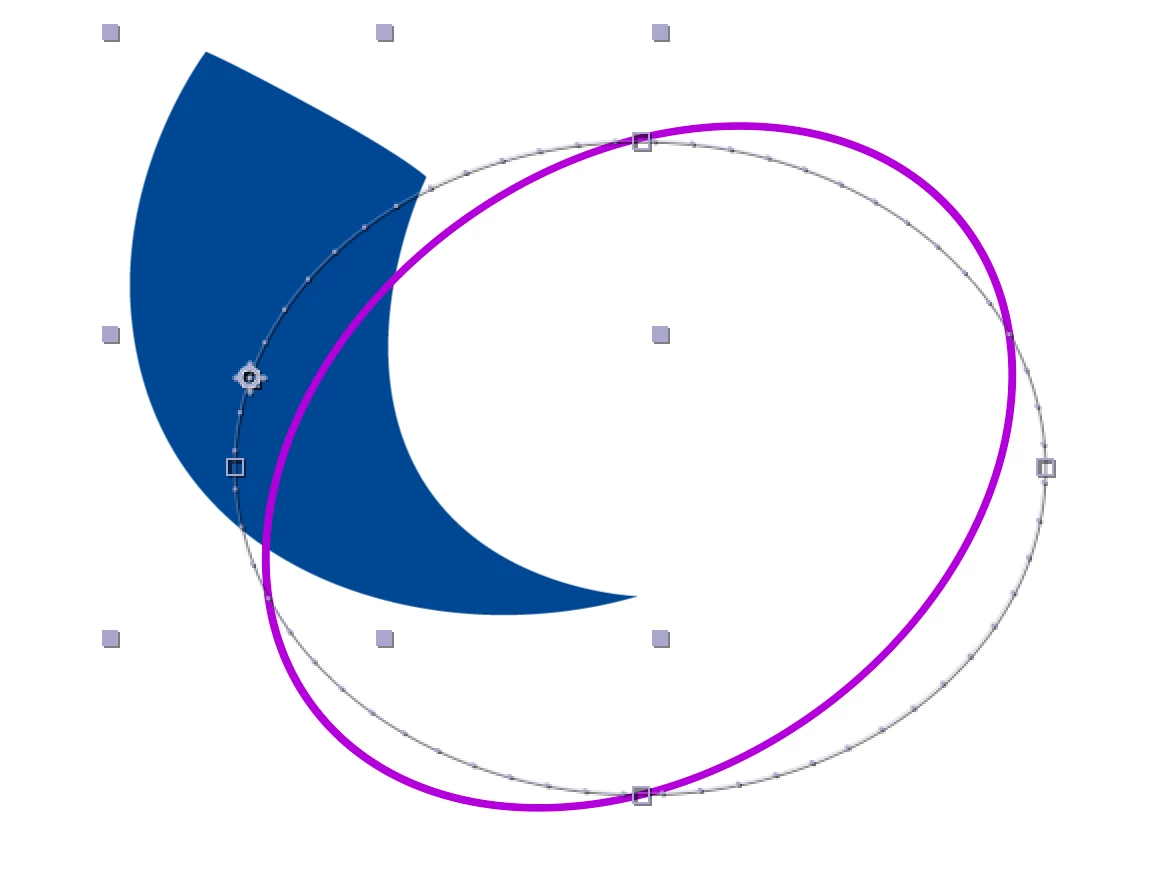
So I am trying to have this blue shape rotate along the oval.

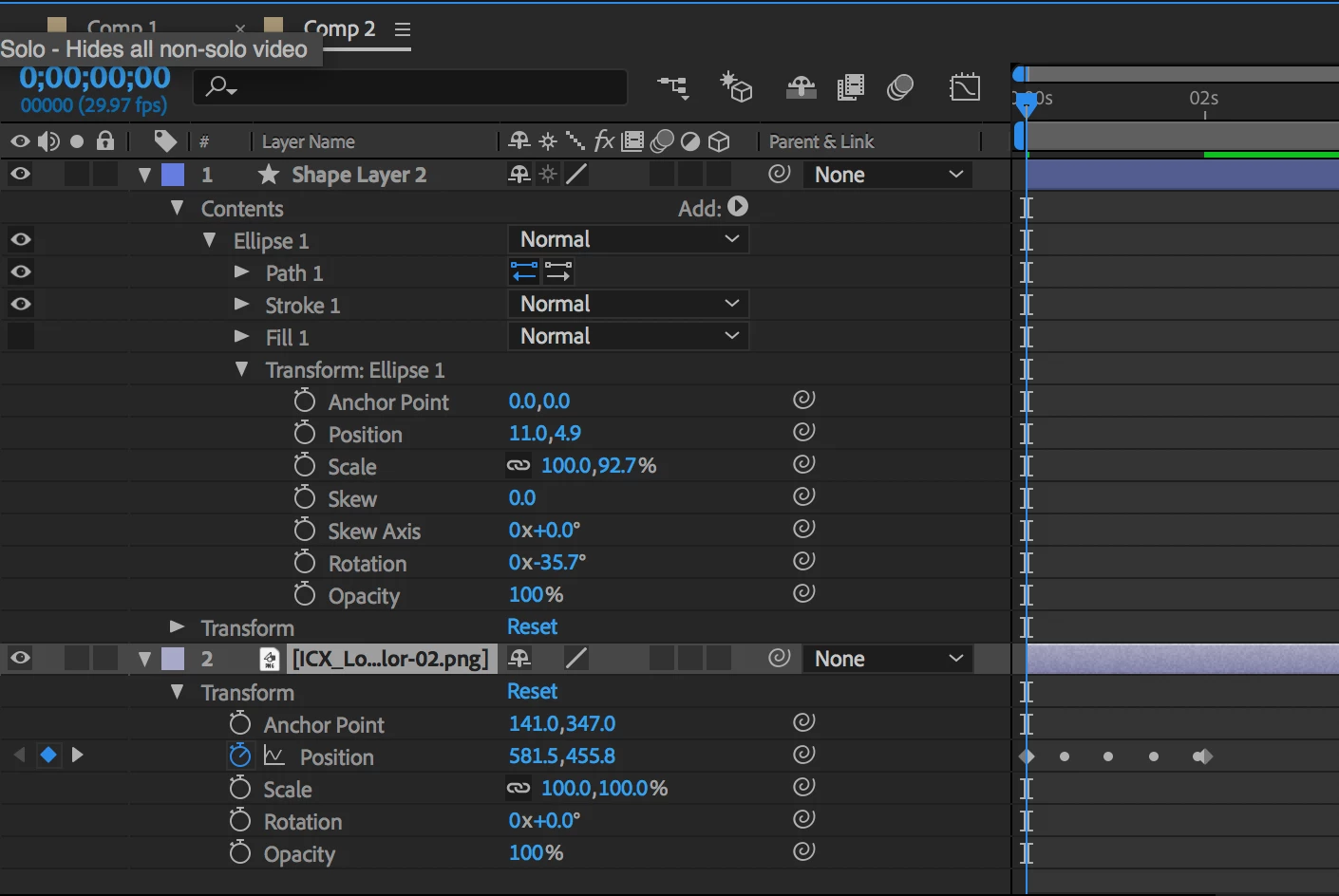
When I made the oval, I rotated it 35 degrees. After, I converted the path of the shape to a Bezier Path.

The problem comes in when I copy the path to the shapes position. The path that the shape follows is the unrotated path.

I avoided making this shape myself with the pen tool so that it is 100% smooth.
I am a beginner at After Effects so it may be something really obvious that I am missing.

How can I have the object follow my rotated path?
This topic has been closed for replies.
Correct answer Rick Gerard

A vector path on a layer is the first thing that is calculated. Transformations calculated later. If you copy a path and paste it the new path will be exactly the same shape and in the same position as the original path before any transformations (position, scale, rotation) were applied. This information is in the help files, and you have just verified it.

There is no easy workaround. You basically have three options.

  1. Redraw draw the path the way you want with the layer in its default position
  2. Add a null, make it the parent of the shape layer, rotate the null to position the path
  3. Convert the oval to a filled layer with no stroke, pre-compose, auto trace the pre-comp, copy the mask that is created, paste the path from the new mask to the position of the shape layer

1 reply

Rick GerardCorrect answer
Community Expert
July 19, 2018

A vector path on a layer is the first thing that is calculated. Transformations calculated later. If you copy a path and paste it the new path will be exactly the same shape and in the same position as the original path before any transformations (position, scale, rotation) were applied. This information is in the help files, and you have just verified it.

There is no easy workaround. You basically have three options.

  1. Redraw draw the path the way you want with the layer in its default position
  2. Add a null, make it the parent of the shape layer, rotate the null to position the path
  3. Convert the oval to a filled layer with no stroke, pre-compose, auto trace the pre-comp, copy the mask that is created, paste the path from the new mask to the position of the shape layer
markh17861918
New Participant
July 19, 2018

Thanks Rick! And by redraw the path you mean use the pen tool, correct?

Also, I tried the null option but it didn't seem to rotate the path when rotating the null. I wasn't sure if you meant to parent the blue shape or the path shape layer, I tried both and both didn't seem to rotate it.

Community Expert
July 19, 2018

Take a look at this short tutorial. It shows you how to move a motion path with a null: