


How to match 2 or more font styles from a single text layer in AE (using Expressions)
Hi everyone,
I am in the process of building a sports template in AE, but have a small issue with the text characters when it comes to linking a single text layer using the pick whip.
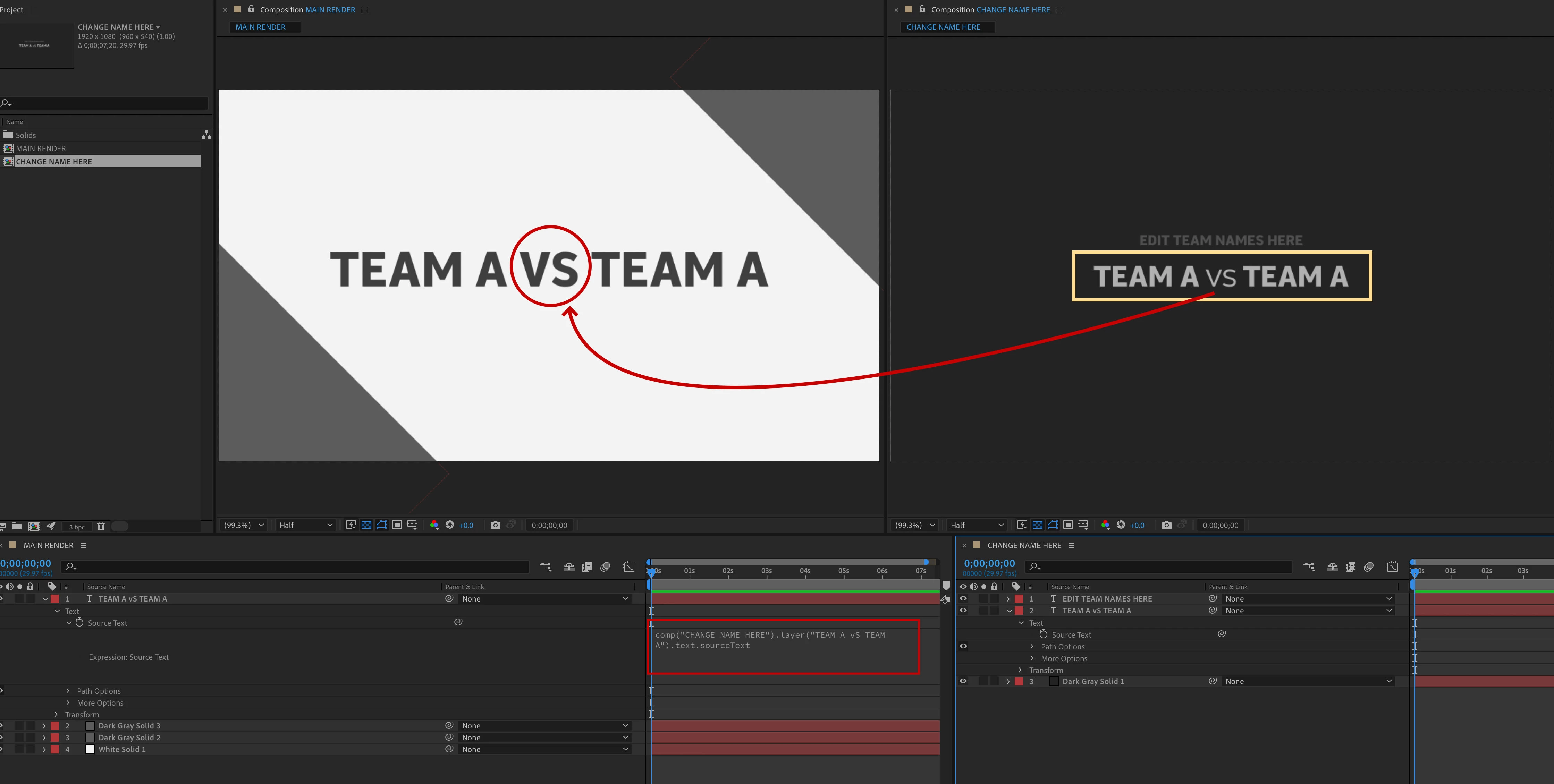
I have a set style of font that I would like to be used on the main comp, but when I try to link it to the editable text layer, the “vs” takes on the first character style of the “Team name”. Thus making the whole text layer bold, which is not what I really want. I want the “vs” to be in it’s own font style.
Just wondering if there is a way around this issue and if so, how could it be applied to other text layers such as time, date and colour which will have their own individual font style and colour build.
Please find attached a sample screen grab and what the final result should be like.
Thank you in advance for taking the time to answer this.

 AdChoices