

New Participant
January 1, 2020
Question

How To Move The Object Inside A Mask
  • January 1, 2020
  • 5 replies
  • 74228 views

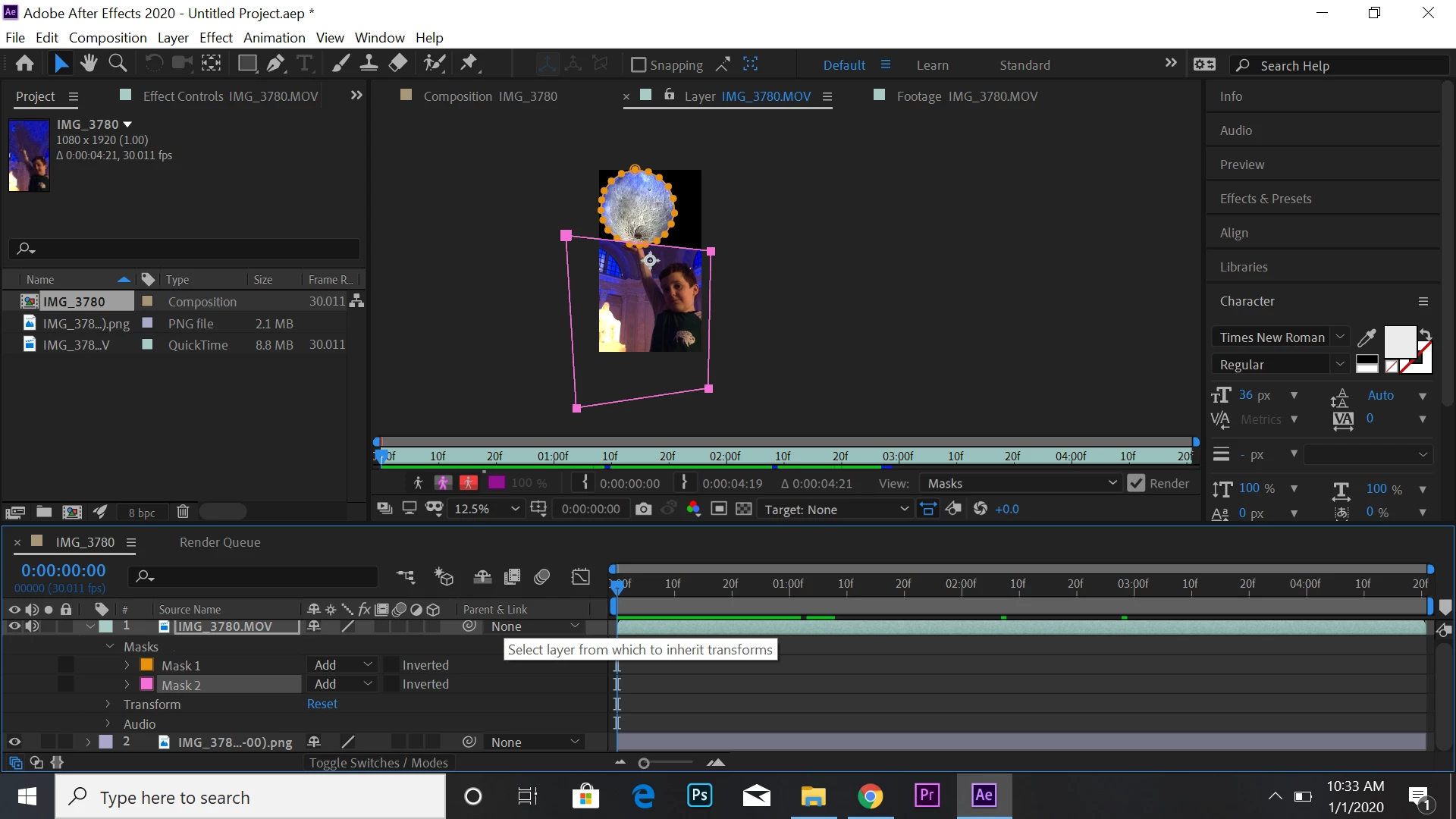
See that moon? I want to move the moon without moving the rest of the clip, but whenever I try it just moves the mask. Any ideas?

5 replies

katarinam31386485
New Participant
July 23, 2021

This might be a somewhat outdated thread but since I ran into a similar problem a short while ago, I thought I would reply anyway and share how I solved it.


If I understand the problem correctly, maybe a Track matte would be useful - and not a traditional mask. Since, as many others already have stated, the mask moves along with the object it's attached to. The track matte is a separate layer and won't be connected to any changes of position that you make for the moon, but will have the same effect as a mask (i.e. masking).


I'm a beginner so maybe this is too basic and I misunderstood the issue, but hopefully it will help somebody who might be experiencing a similar problem as I did.

Community Expert
January 2, 2020

The layer with the moon masked also has another mask. Masks are attached to layers so you can't move the layer and keep only one of the masks in the same place using the Pan Behind tool (y).


It looks like the boy has the moon in his hand and I think you want to have the moon move into or out of his hand.


To do this you need at least 2 copies of the IMG_3780 layers and a third layer to fill cover up the moon. You would stack them like this:

Layer 1 - IMG_3780.MOV Copy with a mask around the moon

Layer 2 - An image that you can use to cover up the existing moon

Layer 3 - IMG_3780 with a mask to isolate the boy and his arm


Once you have the comp set up like that all you have to do is animate the position of Layer 1 to move the moon into the boy's hand.

Casey_D
Participating Frequently
January 2, 2020

With the layer selected, press Y to enable the Pan-Behind tool. Now you can freely move the layer without moving the mask. This is the same tool you can use to move anchor points.

angie_taylor
Brainiac
January 2, 2020

Use the Pan Behind tool to move the image inside the mask.

New Participant
February 23, 2025

whenever i keyframe that movement the next one doesnt even have the mask appliied


nishu_kush
Community Manager
Community Manager
February 24, 2025

You can use Track Matt instead of mask if you want to animate.

Hope it helps.


Thanks,
Nishu

Mylenium
Brainiac
January 1, 2020

You are working in the isolated layer view, not the actual composition as would be required to move the layer as a whole.


Mylenium