From your screenshots, it looks like the Anchor Point of the shape layer with the blue circle is not centered on the circle. That means that the Shape/Position or Shape/Transform Shape parameters are not reset to 0, 0.
If the Anchor points are not centered (shapes at the default Shape/Position, and Shape/Transform Shape/Anchor Point and Position, a simple pick whip from one comp to another or a comp("Comp Name").property expression is not going to match the positions.
If you need to keep the offsets in the main comp's Shape/Transform properties, you'll need to reveal all of the shape/position and shape/transform shape properties and drag the pickwhip to the matching anchor point and position properties.
Parenting is different than linking position. If you drag the pickwhip from the position property on one layer to the position property on another, the values will be identical, but the layer will move to the same position in the comp.
If you drag the pickwhip from the Parent/Link/layer column to another layer, the position value of the child layer will change, but the layer will remain in the same spot in the composition. The position property will now be displayed as the offset from the Parent layer instead of the layer's position in the composition frame, but the child layer will not move.
What are you trying to accomplish? Maybe you are looking for a toWorld or toComp solution so you can have a layer parented to another layer, but drive the position of a third layer based on the position only instead of position, rotation, and scale as you would get when you parent one layer to another.
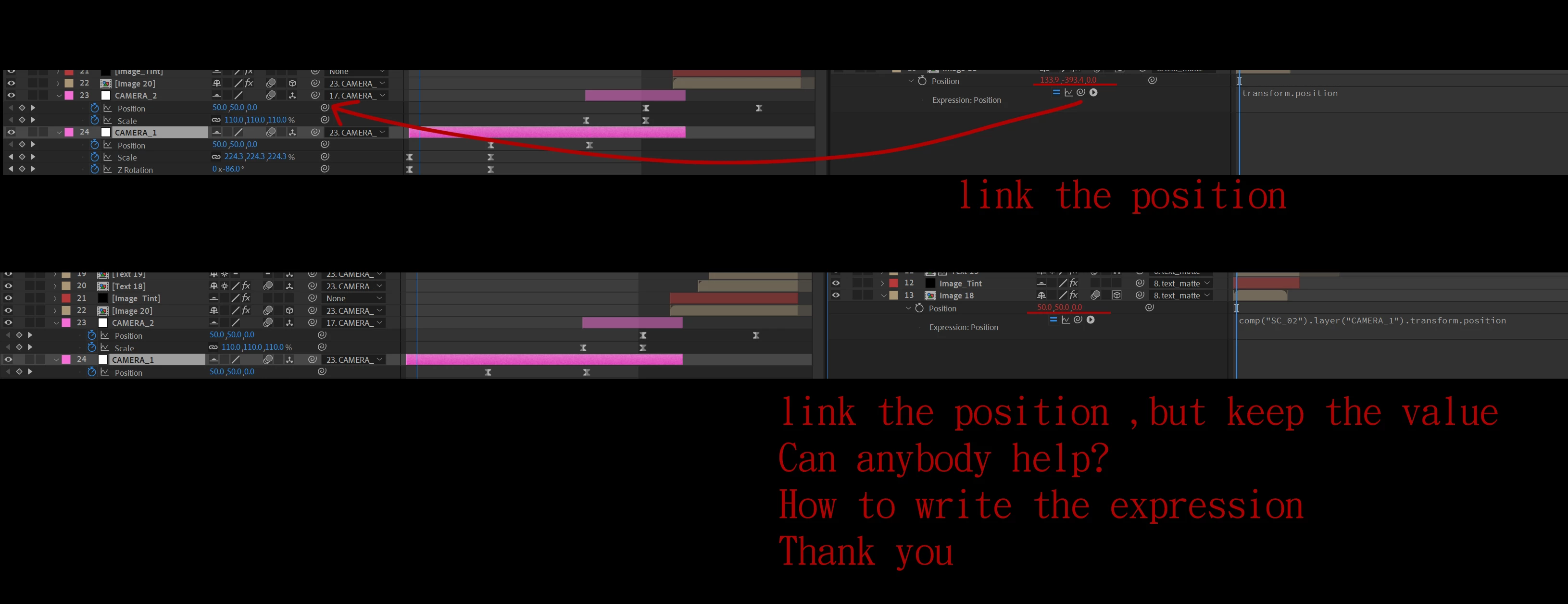
I hope to link the properties (position, scale, and rotate) of layers between different compositions.
Whether holding down the ALT key to pick whip or adding the +value string in the expression, neither method seems to achieve the desired result correctly. Could you please advise on the correct approach?



 AdChoices