New Participant
October 4, 2017
Answered

How to remove background if I have the background source?

  • October 4, 2017
  • 1 reply
  • 2358 views

This is a bit hard to explain, but I have my video whose background is a still image, and I have the image on its own. How could I remove the still image background from the source video?

This topic has been closed for replies.
Correct answer Rick Gerard

If there is absolutely no noise or compression artifacts in the video and the levels precisely match you could try using a difference matte. Other than that there's not much that I see in the shots that would work well go create a procedural matte from color levels. Your screenshot does not have both images at the same size but I threw this together in a minute or tow by simply scaling a copy of your screenshot and applying difference matte:
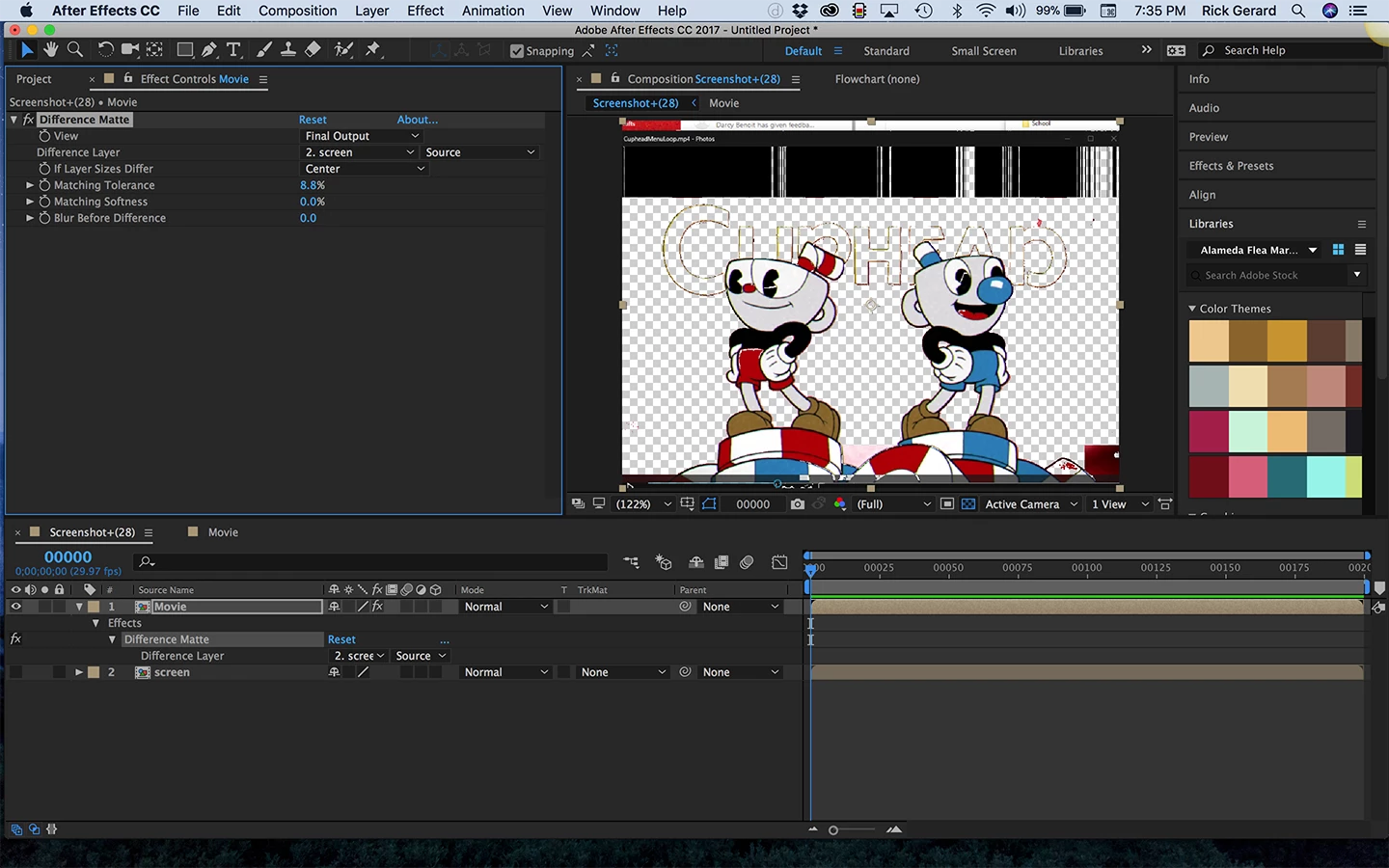
You may still have to do some roto where the colors in the clothing matches the colors in the background. As long as there is no significant difference in the footage and they line up perfectly Effects>Keying>Difference Matte should probably get you close.


1 reply

Community Expert
October 4, 2017

If I understand the question I think that Rotobrush can help you with this.

Here's a link:

After Effects Roto Brush, Refine Edge, and Refine Matte

New Participant
October 4, 2017

I've looked into rotobrush, while I can do that, I feel like there must be an easier way, since I have the background as a separate image. Basically I want to check if each pixel is the same as the background source image, and if so, make it transparent. In the screenshot attached you can see on the left I have my video clip, and on the right I have png which is the background from the clip (which is also a still image in the video clip)

Rick GerardCorrect answer
Community Expert
October 4, 2017

If there is absolutely no noise or compression artifacts in the video and the levels precisely match you could try using a difference matte. Other than that there's not much that I see in the shots that would work well go create a procedural matte from color levels. Your screenshot does not have both images at the same size but I threw this together in a minute or tow by simply scaling a copy of your screenshot and applying difference matte:

You may still have to do some roto where the colors in the clothing matches the colors in the background. As long as there is no significant difference in the footage and they line up perfectly Effects>Keying>Difference Matte should probably get you close.
