


Deaf_Guy
Inspiring
November 8, 2016
Answered

How to set up PSD files for AE flying around effect?

  • November 8, 2016
  • 1 reply
  • 593 views

I am making a video sequence in AE.  I don't know what it's called but I'm sure others have seen this before.  But bottom line is it looks like a camera is flying around revealing different things like photos, text and so forth.  So using the example image below:
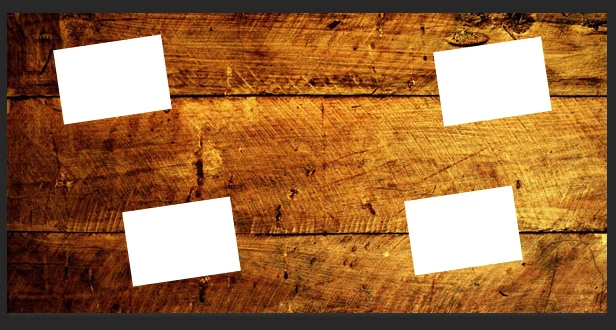
...imagine you're watching a video and the scene starts in upper left.  Then the "camera" flies to lower right to reveal next "scene" and it continues on to others.

If I set up a 1920x1080 video sequence in AE, and if I set this up the layout in PSD should I make the scenes like above a huge file (bigger than the video sequence settings, and just move around the graphic to reveal the various scenes?

Sorry if this sounds confusing.  Any advice is appreciate - thanks.

    This topic has been closed for replies.
    Correct answer Szalam

    The easiest thing to do with something this simple would be to lay it out in AE's 3d space (well, 2.5d). And then fly a camera in AE from scene to scene.

    And, yes, you want your graphics to be larger than 1920x1080 since you are going to be viewing it much closer.

    1 reply

    Szalam
    Community Expert
    SzalamCommunity ExpertCorrect answer
    Community Expert
    November 10, 2016

    The easiest thing to do with something this simple would be to lay it out in AE's 3d space (well, 2.5d). And then fly a camera in AE from scene to scene.

    And, yes, you want your graphics to be larger than 1920x1080 since you are going to be viewing it much closer.

    Deaf_Guy
    Deaf_GuyAuthor
    Inspiring
    November 10, 2016

    This is great and glad I'm on the right track with how to do this.  Thanks.

    Szalam
    Community Expert
    Community Expert
    November 11, 2016

    No problem! Let us know how it goes.