Participant
November 22, 2023
Answered

How to stretch an imported 2D object?

  • November 22, 2023
  • 1 reply
  • 293 views

I have imported a simple 2D triangle PNG file made in paint.net. I need to stretch it but only from one of the points and only in one direction. I've looked up how-to videos on this but they all talk about shapes created within After Effects.

How do I do this?
This topic has been closed for replies.
Correct answer ShiveringCactus

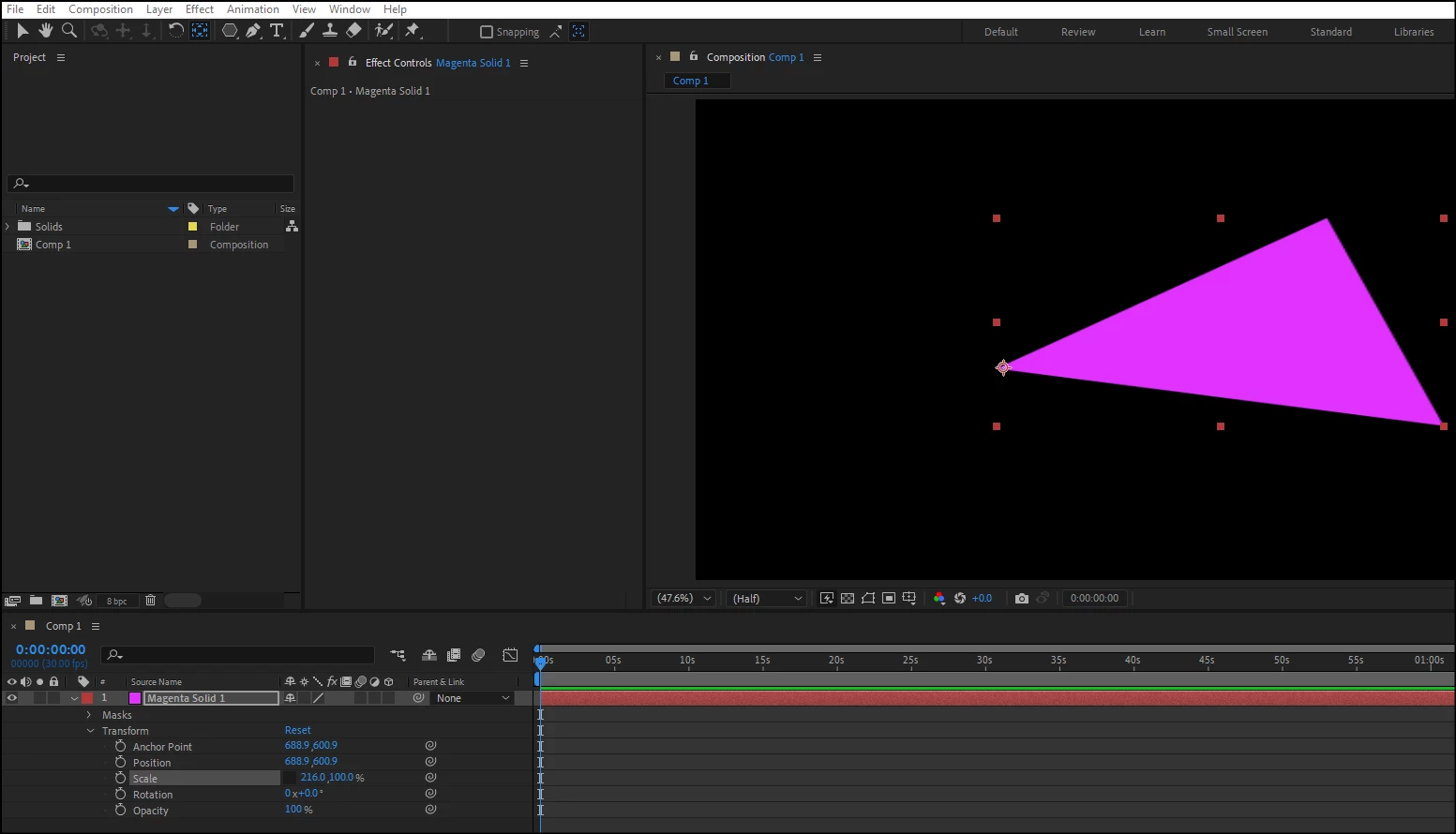
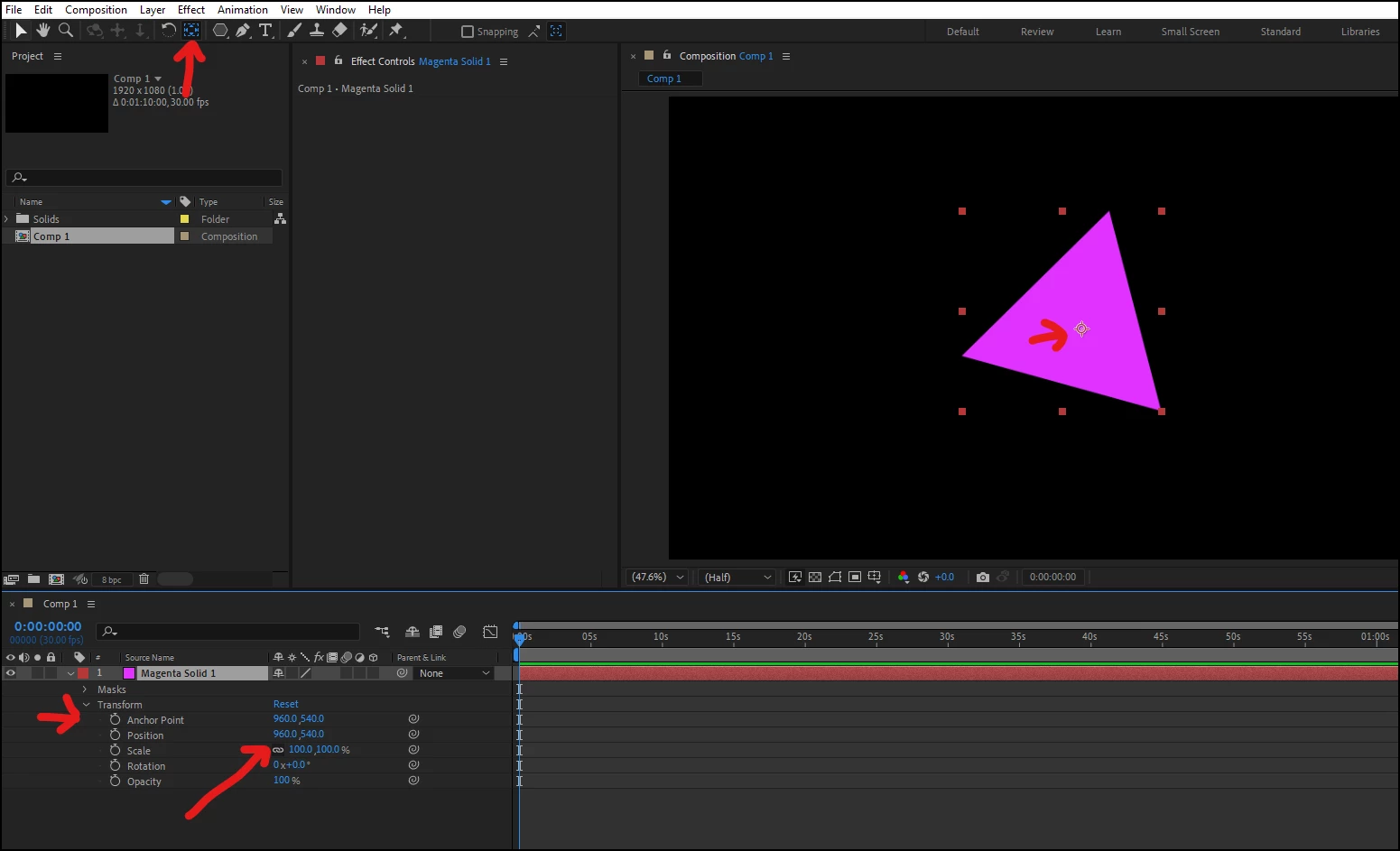
If you expand the transform properties of your image file on the timeline, you'll see it has anchor coordinates and position coordinates.  The Anchor values are the point around which your shape rotates and scales.

  • If you switch to the Pan Behind tool you can drag the anchor point to one of the triangle's points (or you can use the anchor values to set this).
  • Once you have the anchor point where you wish, uncheck the infinity icon icon for the scale property and keyframe the scale, increasing one of the two values.


1 reply

ShiveringCactus
Community Expert
ShiveringCactusCommunity ExpertCorrect answer
Community Expert
November 23, 2023

If you expand the transform properties of your image file on the timeline, you'll see it has anchor coordinates and position coordinates.  The Anchor values are the point around which your shape rotates and scales.

  • If you switch to the Pan Behind tool you can drag the anchor point to one of the triangle's points (or you can use the anchor values to set this).
  • Once you have the anchor point where you wish, uncheck the infinity icon icon for the scale property and keyframe the scale, increasing one of the two values.