


Inspiring
May 13, 2023
Question

How to use text to blur image/video below?

  • May 13, 2023
  • 2 replies
  • 2149 views

Hi.. driving down the highway, I saw a billboard that basically had an image, and over it some text (just the outline), and inside the text outline, the image was blurred.  I feel like I've been playing wack-a-mole for the last hour trying to get a similar effect in AE.


Any tips?  Below is my comp back to very basic form... 
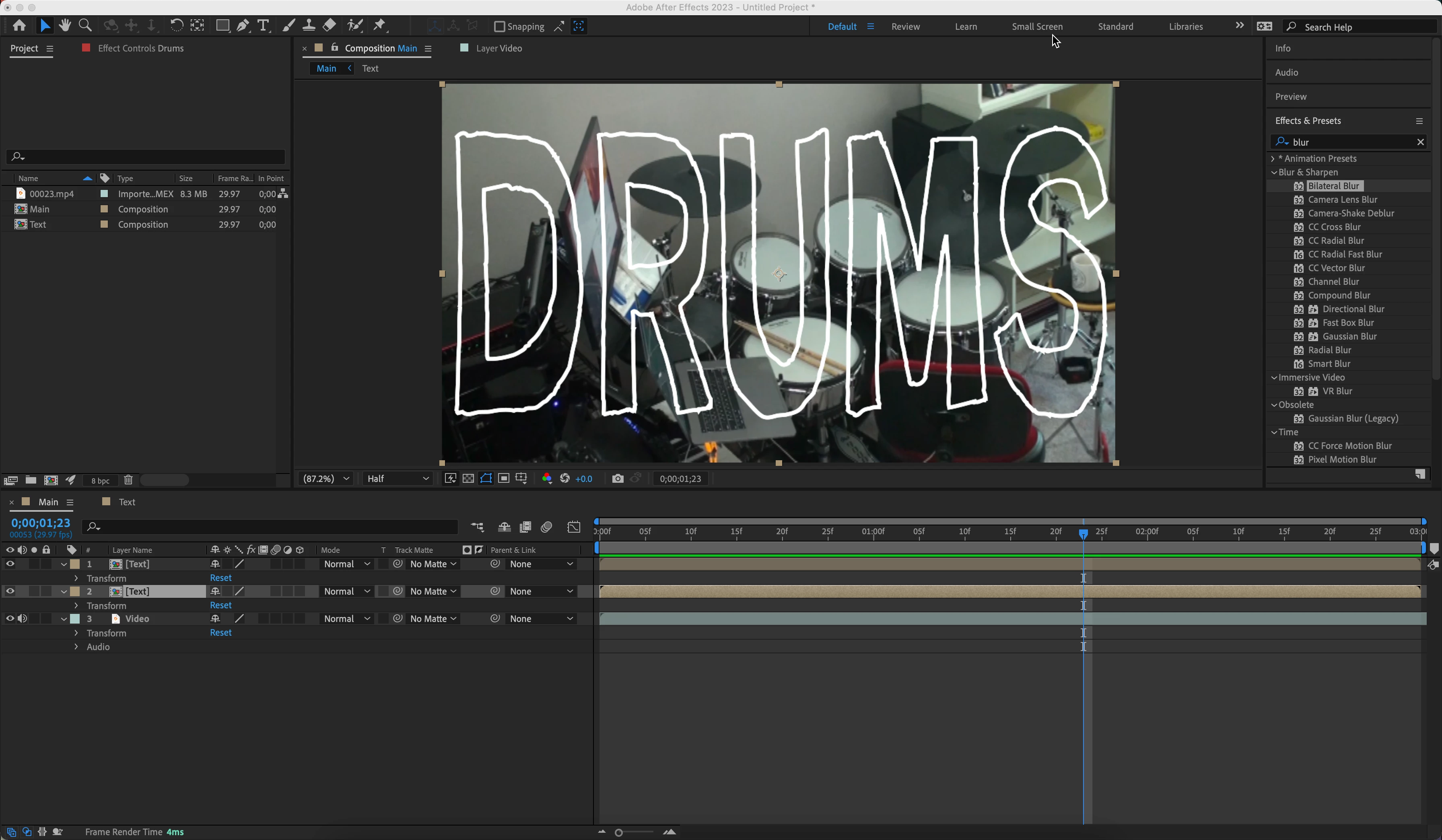


This topic has been closed for replies.

2 replies

Community Expert
May 14, 2023

You can also create a mask from the text layer, apply the masks to the original layer, then use the masks on a blur effect by activating the compositing options. 


By far the easiest solution is to duplicate the text layer, turn on the Fill, duplicate the footage layer, use the filled duplicate text layer as a track matte for the duplicate footage layer, then apply a blur, like Gausian Blur to the copy of the footage layer. It should take you about 2 minutes.

Inspiring
May 14, 2023

I'm looking for reusability as much as possible.


I'm getting close... but, I noticed that the 'Scale Horizontally' and 'Scale Vertically' Character settings don't update from the expression... so you can see in the 3rd image below, the blur inherits the font and size, but not the scaling.  

I'm wondering if more needs to be added to the expression, or if this is a limitation?  Any ideas?  


Here's what I've done.

  1. Created the image layer in a pre-comp, and have two layers of the comp.. one at the bottom, and one just above that I've applied my blur.
  2. Then, for my text layer, I've applied an outline; the 'fill' is transparent.
  3. On the duplicated text, I've applied an expression to copy the text and the style, and apply a fill (see expression in screenhot below)
  4. I've parented the duplicated text layer to the original, so if I move (align, etc) the text, they remain aligned.


Initial: (ok.png)


Change font, size, move/re-align.. works as expected.. but when changing scaling.. not so much (close.png)


Inspiring
May 14, 2023

OK, to close the loop on this... the help (as of v2023) excludes the Scale Horizontal and Scale properties... sort of a bummer... 


So, instead, I un-parented the text layer that is providing the mask to the blur from the original text layer.. then, I set an expression to follow the position and scale instead.  


This seems to do the trick of what I'm after, of avoiding having to 're-do' things as I make changes to the text layer... 


Mylenium
Legend
May 13, 2023

Use the text as a track matte on a blurred duplicate of the source layer.


Mylenium 

Inspiring
May 13, 2023

Not quite sure I follow...

I duplicated the video layer, blurred it

i set the text layer as a track matte on that layer, however since the fill of the text is transparent, the matte is only the text outline.. not quite what I'm after. 

visualhippocracy
Participating Frequently
May 13, 2023

If you're not planning on changing your text, you'll want to fill it manually, so that it can be used as a track matte. Also instead of using a track matte you could also use a settle matte so that you could tweak things like expansion of the matte etc.