


Known Participant
January 12, 2024
Answered

Is it possible to link the end point of a line to a layer

  • January 12, 2024
  • 1 reply
  • 712 views

Hey there,

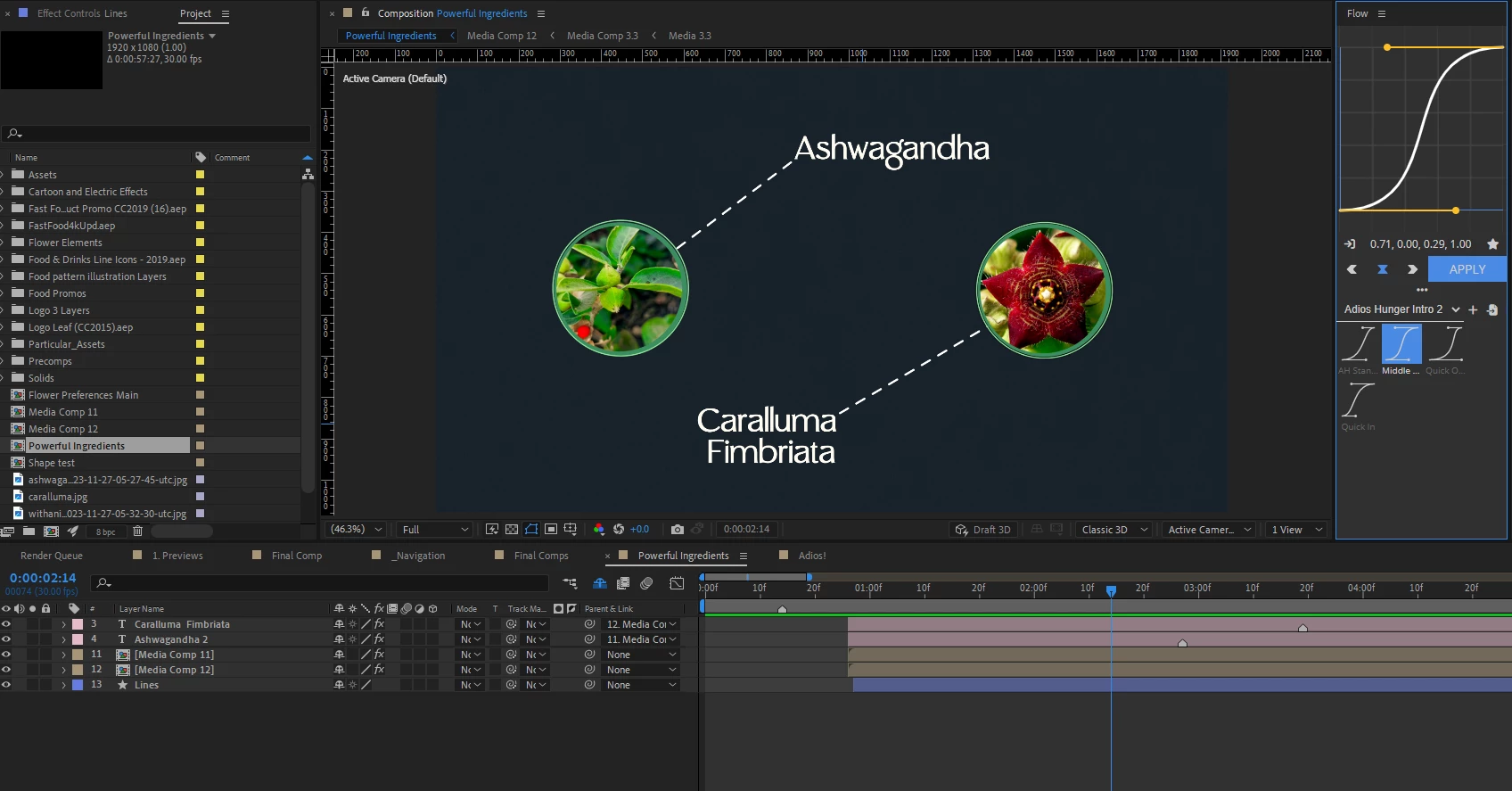
I'm wanting to link the end point of a given line path (created with a shape layer) to the center of a precomped image wherein if I move one of the images, the end point of the line attached to the image moves with it without readjusting the start point.


Here is a picture of my current composition, if it helps. I'd like to link the line that goes from the Ashwaganda text to the Ashwagandha picture, where in the endpoint of the of line is at the center of the Ashwaganda picture.
 

Thank you!


This topic has been closed for replies.
Correct answer Rick Gerard

Select the Path, open the Window,/Create Nulls From Paths.jsx (Window menu at the bottom), make sure that the paths are selected, then click Points Follow Nulls. This will give you a null at each end of the line if there are only two points. You can then parent the shape layers to the nulls or use expressions to move the nulls to the same position as the graphics.

1 reply

Rick GerardCommunity ExpertCorrect answer
Community Expert
January 12, 2024

Select the Path, open the Window,/Create Nulls From Paths.jsx (Window menu at the bottom), make sure that the paths are selected, then click Points Follow Nulls. This will give you a null at each end of the line if there are only two points. You can then parent the shape layers to the nulls or use expressions to move the nulls to the same position as the graphics.

Max8132Author
Known Participant
January 12, 2024

Perfect! That's a super helpful feature I didn't know about.

Thank you for the quick response.