Inspiring
December 30, 2016
Answered

Is there a way to duplicate the Composition Viewer screen?

  • December 30, 2016
  • 1 reply
  • 1745 views

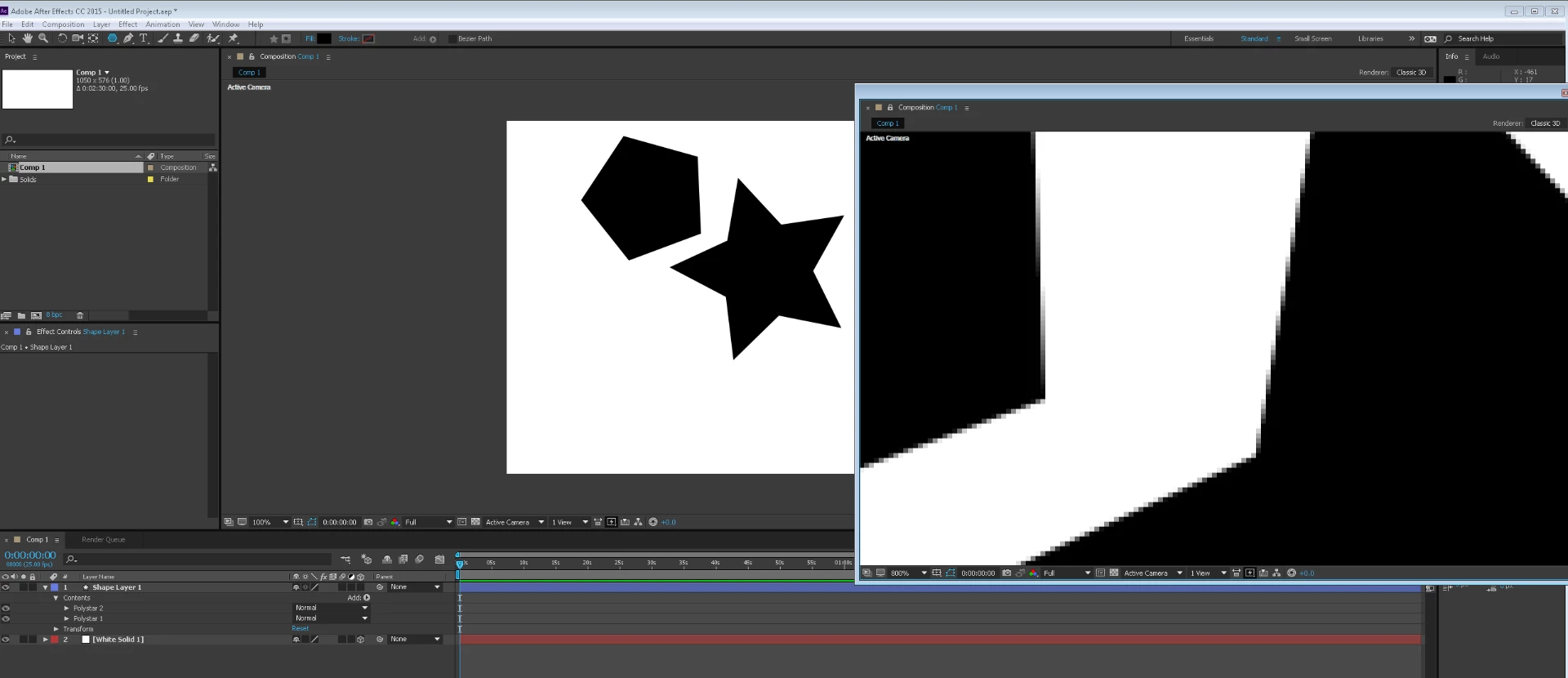
I enjoy dragging my composition viewer screen onto my external monitor so I can pull up the timeline to see more elements on the hierarchy. But is there a way to keep the standard layout with the embedded viewer AND have a simultaneous viewer on the external monitor? Specifically, I want to zoom into what I'm working on with the standard embedded viewer, but then keep the external monitor viewer on the same composition but zoomed out to see the full ensemble. Apples and oranges, but I always work in Photoshop like this, and have never figured out how to do it in After Effects.

Thanks for your suggestions!
    This topic has been closed for replies.
    Correct answer Roei Tzoref

    how about view->new viewer? you even have a shortcut for it.

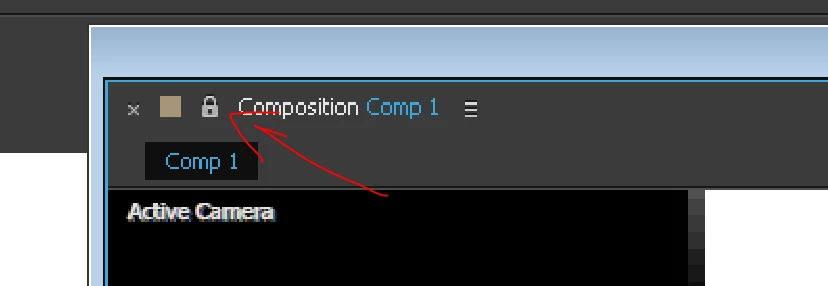
    make sure you unlock the viewer by clicking on the lock icon.

    locking is handy for seeing two comps at once - also known as ETLAT - Edit This Look At That. Edit this/look at that in After Effects CS5.5

    1 reply

    Roei Tzoref
    Roei TzorefCorrect answer
    Legend
    December 30, 2016

    how about view->new viewer? you even have a shortcut for it.

    make sure you unlock the viewer by clicking on the lock icon.

    locking is handy for seeing two comps at once - also known as ETLAT - Edit This Look At That. Edit this/look at that in After Effects CS5.5

    Inspiring
    December 30, 2016

    ETLAT! Perfect, thanks so much!