


Participant
August 31, 2025
Question

is there a way to reduce the file size without changing the canvas size?

  • August 31, 2025
  • 1 reply
  • 121 views

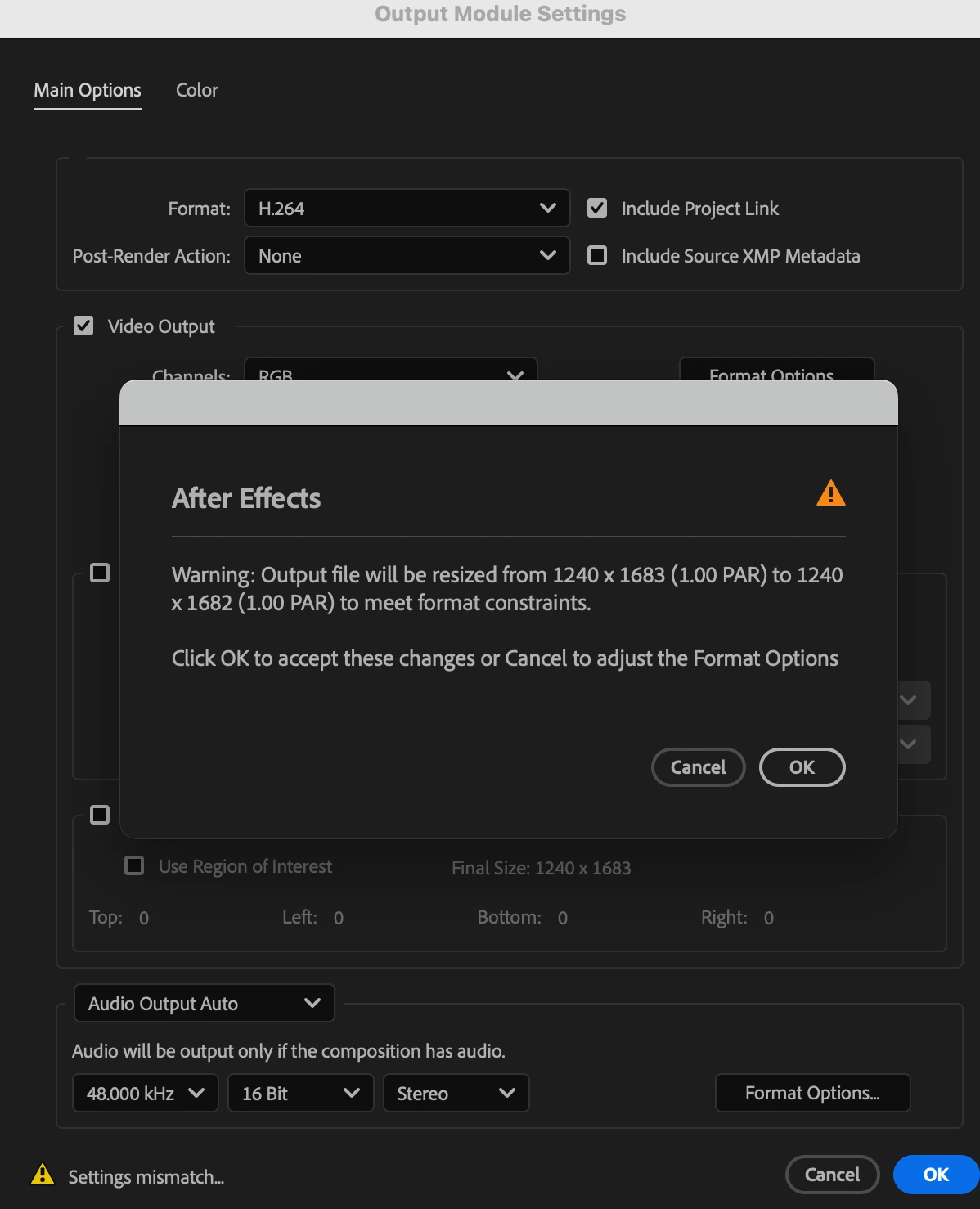
When exporting a video in After Effects 2025, is there a way to reduce the file size without changing the canvas size? I tried lowering the bitrate, but it still says the file size will change when I export it. Why is this?
1 reply

Community Expert
August 31, 2025

Video Compression requires an even number of horizontal and vertical rows of pixels. You can't compress color if you have an odd number of lines because color compression averages the colors in blocks of 4 pixels. There are also specific frame sizes allowed with certain formats. Change your comp to an even number of horizontal and vertical pixels, and the warning will be removed.


You should also be aware that streaming platforms have specific frame sizes. Ensure you are following the platform's guidelines (YouTube, Instagram, Vimeo are just a few examples). Most media players also have limitations on the frame sizes they support. You may end up with a video that has black borders when played back if you don't follow the standards.