



Issues with 3D Camera Tracker Since Most Recent Update
First off, I have searched and searched for someone else experiencing this issue and have been unable to find anything online. Adobe's phone support also proved fruitless.
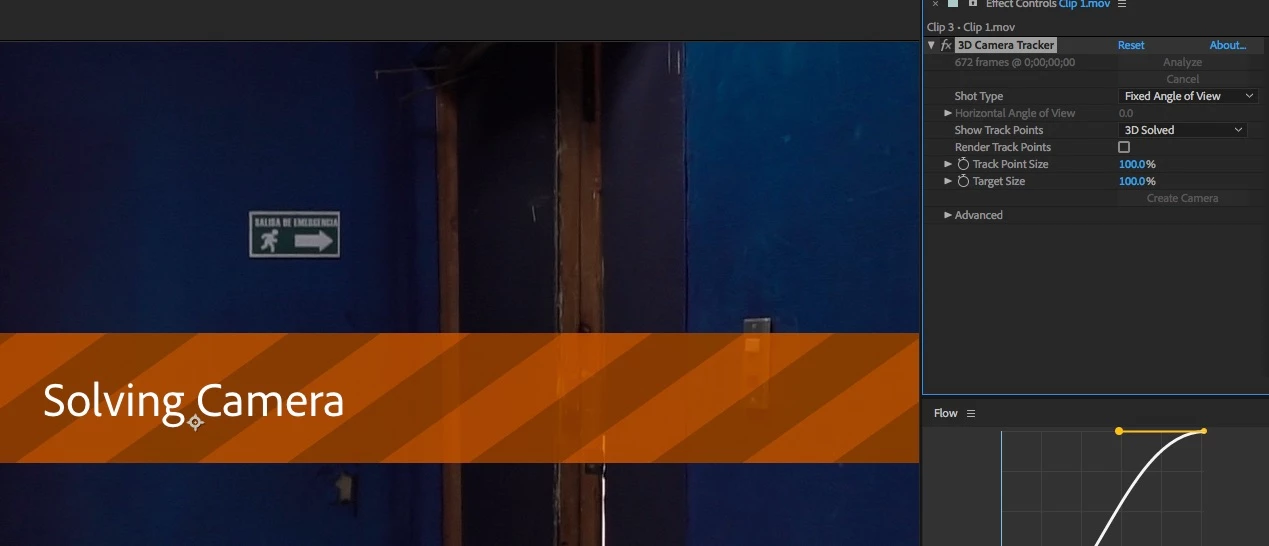
Since updating to the latest version of After Effects CC (version 15.1.0 - build 166), I have been having issues with the 3D Camera Tracker. When dragging the effect onto my footage, the usual initializing process begins and I get the blue "Analyzing in background step 1 of 2" banner across my footage. But under "Effects Controls" it no longer shows the percent complete or the number of frames it is working through, that area (just to the left of the stacked "Analyze" and "Cancel" buttons) is just blank. In addition, under the "Advanced" section, the "Average Error" lines are not returning actual values. Instead of numbers, I see this: "Average Error: -" and below that "Average Error: %.2f pixels." The analysis phase then would eventually complete and move into the solving phase, and then nothing would happen. Often AE would totally lock up at this stage and I would be forced to end the process through Task Manager. Warp Stabilizer also seems to have stopped working, although I am having no problems using Warp Stabilizer in the latest version of Premiere CC. Originally I was using MOV files recorded off a GH5. These worked perfectly in the previous version of After Effects. And when I attempted to roll back to that previous version, they continue to work exactly as I would expect them to. Searching around online, I discovered that the latest version of AE no longer fully supports Quicktime files, so I suspected that might be the cause of my problems.
I immediately imported an mp4 file and tried that instead. Interestingly, this managed to successfully make it through the 3D Camera tracking process, but it still refuses to display the frames and overall progress at any point, and the "Average Error" sections continue to display: "Average Error: -" and "Average Error: %.2f pixels."
All of these clips have been quite short and basic and had absolute no issues in previous versions of After Effects.
My computer is also more than beefy enough to handle these sorts of effects. I am running an Intel 8700k with 64gb of RAM. My video card is an EVGA GTX 1080 Ti SC2 with 11gb of video RAM. My work drive is a 1TB Samsung m.2 960 Pro. This a fully updated Windows 10 64bit system, and all of the other drivers are also up to date.
Adobe's phone support claimed to have not heard of anyone else having this issue. And basically refused to help unless I granted their out-of-country support team remote access to my computer. (Um, yeah, that's NOT gonna happen.)
I sincerely hope somebody is able to help me solve this problem. Or at least that others are able to confirm that they too are experiencing a similar bug.
Thank you.
 Finally WORK! but, three months for ONE FIX update
 AdChoices