


Participant
December 26, 2017
Answered

Lock Corner Pin Tracking Markers to particular screen coordinates

  • December 26, 2017
  • 2 replies
  • 3347 views

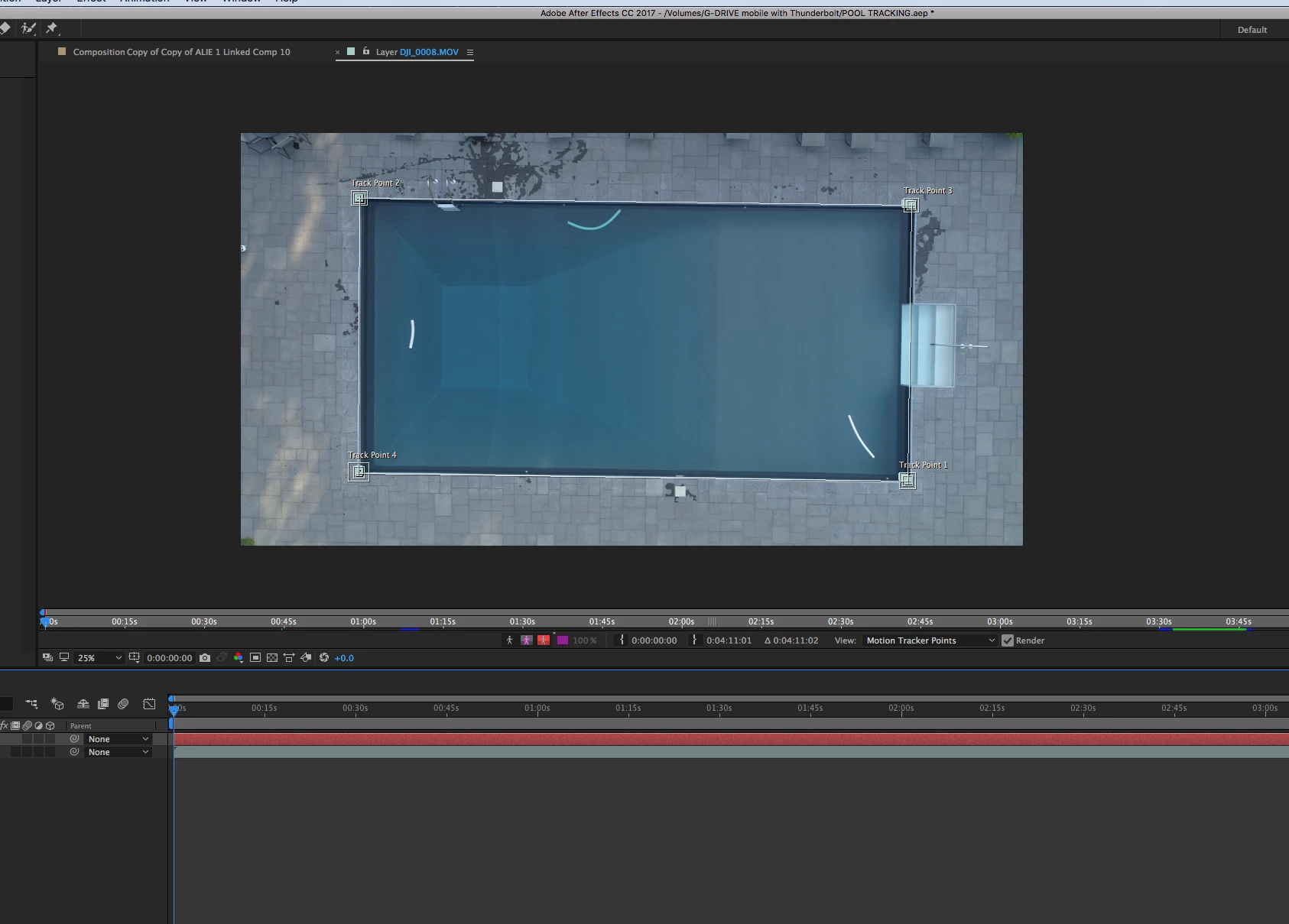
Hi, so here's the situation: I have drone footage of a pool...facing straight down, God's eye perspective. It's five minutes long, and we shot the footage in tripod mode on the drone, but the camera slowly drifts throughout the footage. I would like the four corners of the pool to be locked to a particular place on the screen for the whole 5 minutes. I assume this is easier to do because it is essentially a 2D shot. I'm new to after effects, and attempted using 4 corner pinning to track the points. Now I'd basically like the footage to rotate and scale in order to keep these 4 points locked to four screen coordinates (essentially leaving an inch of ground around between the pool and the frame of the screen.) Any input would be much appreciated, thank you. A screenshot below:
This topic has been closed for replies.
Correct answer Roland Kahlenberg

Can you explain this a little more in detail? So I'd track it in Mocha, then create a mask? But what do I do to get the footage to stay in place? Thanks!


Mocha will track the four corners of the pool — provided that you've placed the search regions appropriately.

When you're done tracking in mocha, you paste the tracking results onto a Solid Layer in AE. The tracking results will be pasted onto the Solid via a Corner Pin effect. Then copy-paste the Corner Pin effect onto your footage. Apply Set Matte to your footage. Apply a mask onto the Solid and adjust the Mask Path so that it fits the pool's edges perfectly.

It looks like you're new to all this — so expect a fair bit of learning. Mocha has lots of online tutorials. DO NOT WATCH 3rd PARTY TUTORIALS. Watch official mocha tutorials. Like everything else, watch official or company-linked tutorials before venturing to watch tutorials produced by 'unknown' individuals, regardless of how many LIKES they may have had.

2 replies

Participating Frequently
December 27, 2017

It sounds like you are you trying to stabilize the footage so that the pool isn't drifting. If so this might be useful:

After Effects Tutorial: Stabilize Video Footage on Vimeo

Dave_LaRonde
Inspiring
December 26, 2017

Important question -- how are you going to use that five-minute shot?  That's a REALLY long time in After Effects.

Participant
December 26, 2017

Using it as the background to the opening credits of a film. It can't be cut, as things in the frame move (pool noodles, etc.) I'll let it sit and analyze/render for days if need be.

Roland Kahlenberg
Legend
December 26, 2017

Use mocha. it's been bundled with AE since CS4 - that's a long time ago.

You will also need to create a mask since the edges aren't perfect 90° angles. And of course the mask has to contain the tracked data. So ... ensure the tracked region takes into account this issue. In short, export tracking data that is slightly larger than what you'd expect without the masked region.

Very Advanced After Effects Training | Adaptive & Responsive Toolkits | Intelligent Design Assets (IDAs) | MoGraph Design System DEV