


Known Participant
January 15, 2017
Answered

motion blur switch not showing on layer?

  • January 15, 2017
  • 1 reply
  • 33187 views

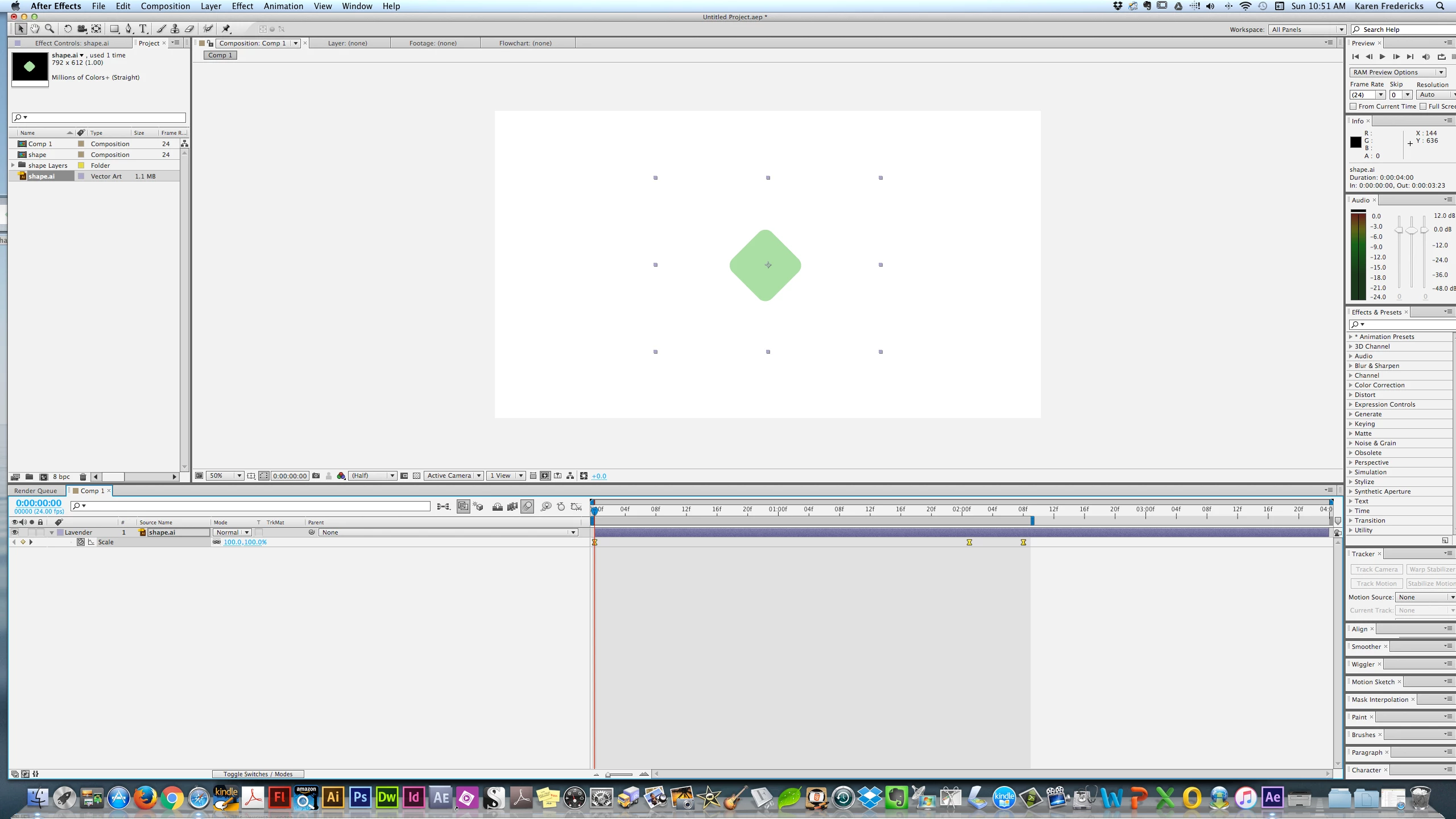
I'm trying to set a motion blur on a simple shape with 3 key frames scaling it up & down. I see the main Blur Icon - but doen't see the one that sets it for the shape /layer I am trying to affect. Below is a screenshot. Many thanks! BTW - I'm in CS6.
    Correct answer imeilfx

    Press F4 on your keyboard.

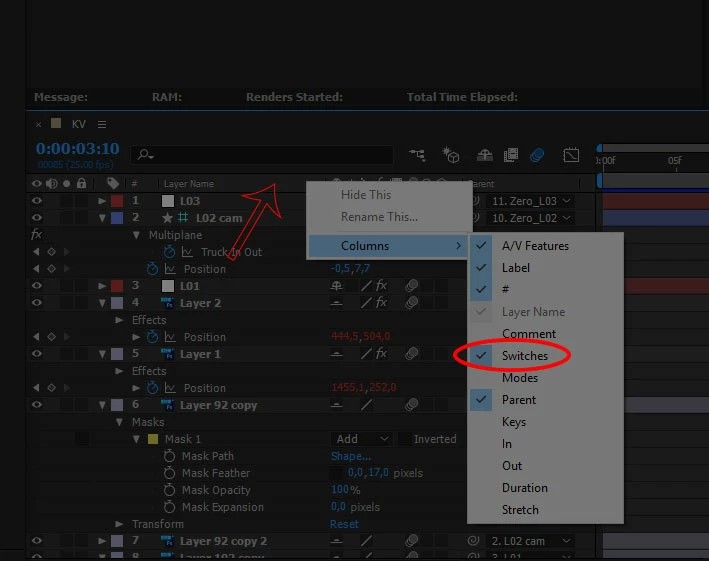
    If that wont work just press RMB bar with your collumns (red arrow on screenshot), and chose collumns and turn on Switches.

    1 reply

    imeilfx
    imeilfxCorrect answer
    Inspiring
    January 15, 2017

    Press F4 on your keyboard.

    If that wont work just press RMB bar with your collumns (red arrow on screenshot), and chose collumns and turn on Switches.

    karenf1Author
    Known Participant
    January 15, 2017

    Thank you! I hope you don't mind my asking - what does RMB Bar mean? Again - Many thanks for the speedy reply!!!!

    karenf1Author
    Known Participant
    January 15, 2017

    RMB - right mouse button I think

    BTW - is there a way to contol Blur amount? Like if I wanted it super blurry?

    in the composition settings, under advanced you will see shutter angle and can control the blur through that. what ever you want to know just use the search bar in the upper right corner of your ae interface. type the term you want to explore - you will be then directed to the adobe help files. I recommend choosing "support" to narrow the search to just help articles and not forum.

    here's the motion blur help file:

    https://helpx.adobe.com/after-effects/using/assorted-animation-tools.html#motion_blur


    Roei - as always your help is a Joei!