



julianm19
New Participant
December 28, 2022
Question

Multiple Masks in One Layer

  • December 28, 2022
  • 2 replies
  • 3125 views

I have a photoshop image file layer of 4 faces in AfterEffects that I'd like to manipulate.
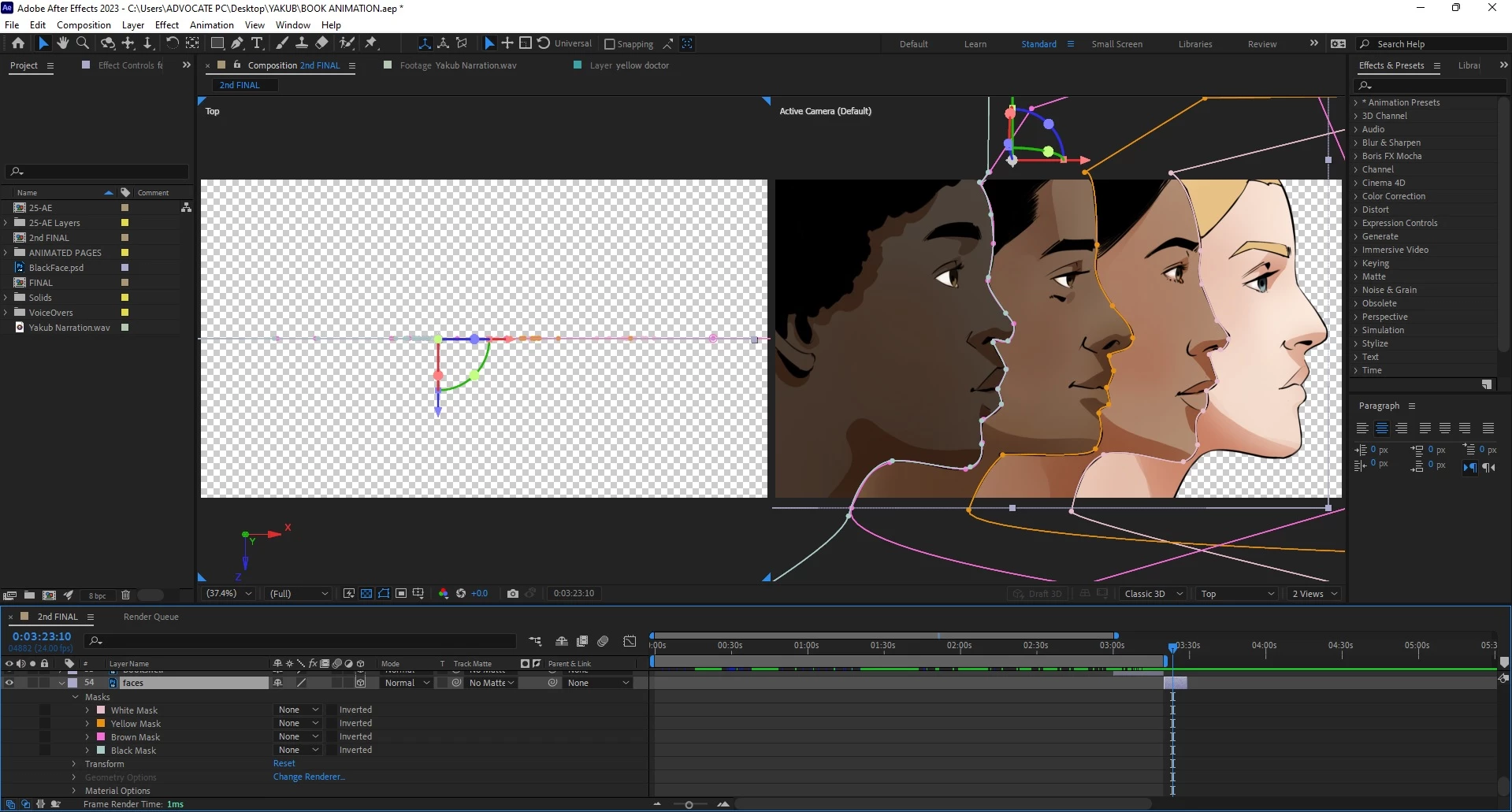


I'd like to have each face appear on the screen in succession instead of at once. I thought I could simply mask each face and animate them in individually, but I'm having issues. Was that the wrong approach?


This topic has been closed for replies.

2 replies

Mylenium
Braniac
December 28, 2022

So many mistakes. You may want to read the online help on the basics:


https://helpx.adobe.com/after-effects/user-guide.html


Masks need to be closed to cut anything and even then you still need to duplicate the layers to animate them individually. That said, if the file originated in PS, anyway, why not simply import the layers directly in the first place? Your workflow doesn't really make a lot of sense.


Mylenium 


nishu_kush
Adobe Employee
Adobe Employee
December 28, 2022

Hi julianm19,


Thanks for writing in.

The quickest way to do it is to separate each face into its own layer and animate them. You can do it in After Effects using Masks. I can see you've already masked each face, so most of the work is already done, or you can separate them in Photoshop and then import into After Effects.

Let us know if there are any other questions.


Thanks,

Nishu