


New Participant
January 9, 2025
Answered

Need to Rotoscope object multiple times

  • January 9, 2025
  • 1 reply
  • 248 views

Hi.


I need to multiply this stock footage donut on the screen.

We had the file done orginally by a freelancer but when I needed to make changes in the file - we were only given a WIP file (not final) so I need to do some of the animation and video work myself.

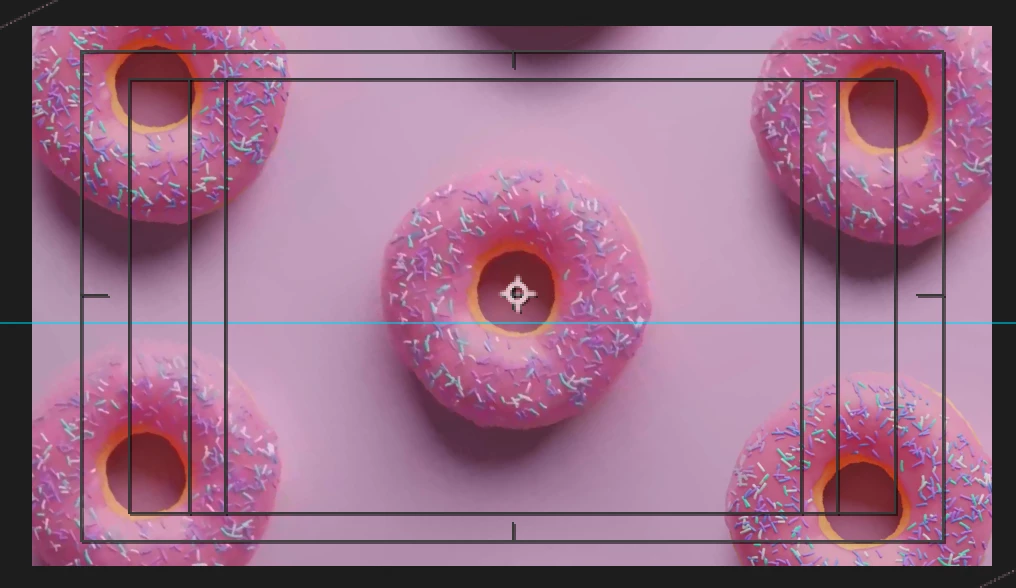
I need to use 7 versions of this donut and figured I could Rotoscope it - which worked great. But only allowed me to do 1 at a time. I figured a solution was to export once I did 1 new position and keep doing until finalised. However, I totally forgot that this would destory the quality of the video and as you can see in the screenshot that the footage is blurry. (1 is orginal and 2 is the work I did) 


How can I do this while getting the output I need but also keeping the high quality of the footage?


Many thanks.

Correct answer MarCommBerlin

Thank you for your response. After posting this I found the solution - I am just waiting for Adobe to delete this post as I cannot do so myself.

1 reply

ShiveringCactus
Adobe Expert
January 9, 2025

Lots of things going on here.


  • When you say rotoscope, how are you doing this?   Are you using the rotobrush tool, that should allow you to cut out more than one donut at once.  Once previewed, you should then be able to freeze the rotobrush.
  • It also sounds like you might not be using layers and precomps.  You shouldn't need to render out a cut out donut in order to duplicate it on your composition, just duplicate the layer.  This will mean that the quality doesn't take a hit.
  • If you absolutely do have to render out footage and bring it back into After Effects, then you should use the Quicktime ProRes 4444 codec - this is lossless, so you won't get a reduction in quality.
MarCommBerlinAuthorCorrect answer
New Participant
January 10, 2025

Thank you for your response. After posting this I found the solution - I am just waiting for Adobe to delete this post as I cannot do so myself.

ShiveringCactus
Adobe Expert
January 10, 2025

Instead of deleting, please can you post the solution.  I bet others searching the forums will be grateful for an answer.