


Participant
April 14, 2020
Question

Not enough GPU memory despite RTX2080 TI

  • April 14, 2020
  • 1 reply
  • 260 views

Hey guys,

I just invested in a new Win10-Workstation with these specs:

  • Intel I9 9900K

  • ASUS ROG Maximus Hero XI

  • 64GB DDR4 RAM

  • GeForce RTX2080 TI

And so far Cinema4D and other Apps really make good use of that Hardware.

But when I open a compositing-heavy comp, AE shows me this:
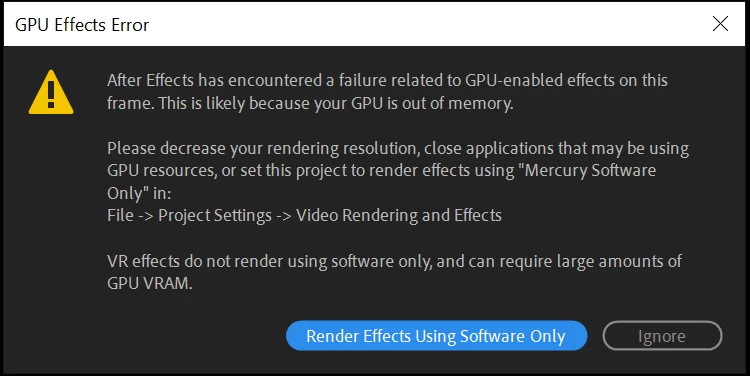
Even though the Task Manager proves, that basically no memory is used and I have no other Apps running and all drivers are up to date.

My AE-Version is 17.0.5

My NVidia-Driver Version is 26.21.14.4575

The Comp as well as Footage is in 4K and Assets are in ProRes422 and 4444.

Theres no third party effects and the heaviest effects would be camera lens blurs, lumetri color and some mocha-tracks.


What is wrong with my config?

This topic has been closed for replies.

1 reply

Mylenium
Legend
April 14, 2020

TI cards are gaming cards with asymmetrical memory allocation and equally unevenly split shader pipelines. You need to dumb it down, which could be as trivial as flipping a switch in teh NVidia panel or as complicated as installing an older version of a certified app-ready driver instead of the latest game-ready driver.


Mylenium

Participant
April 14, 2020

Hey Mylenium,


thanks for the insight! There actually was a switch in my GeForce Experience (The Driver-Software) that lets you switch between Gaming and Creative Studio Settings.

Sadly though that didnt change anything about the AE-error-message which still pops up after changing to the creative studio driver and restarting the Computer.


Any more ideas?