


dkcoleman
New Participant
April 23, 2018
Question

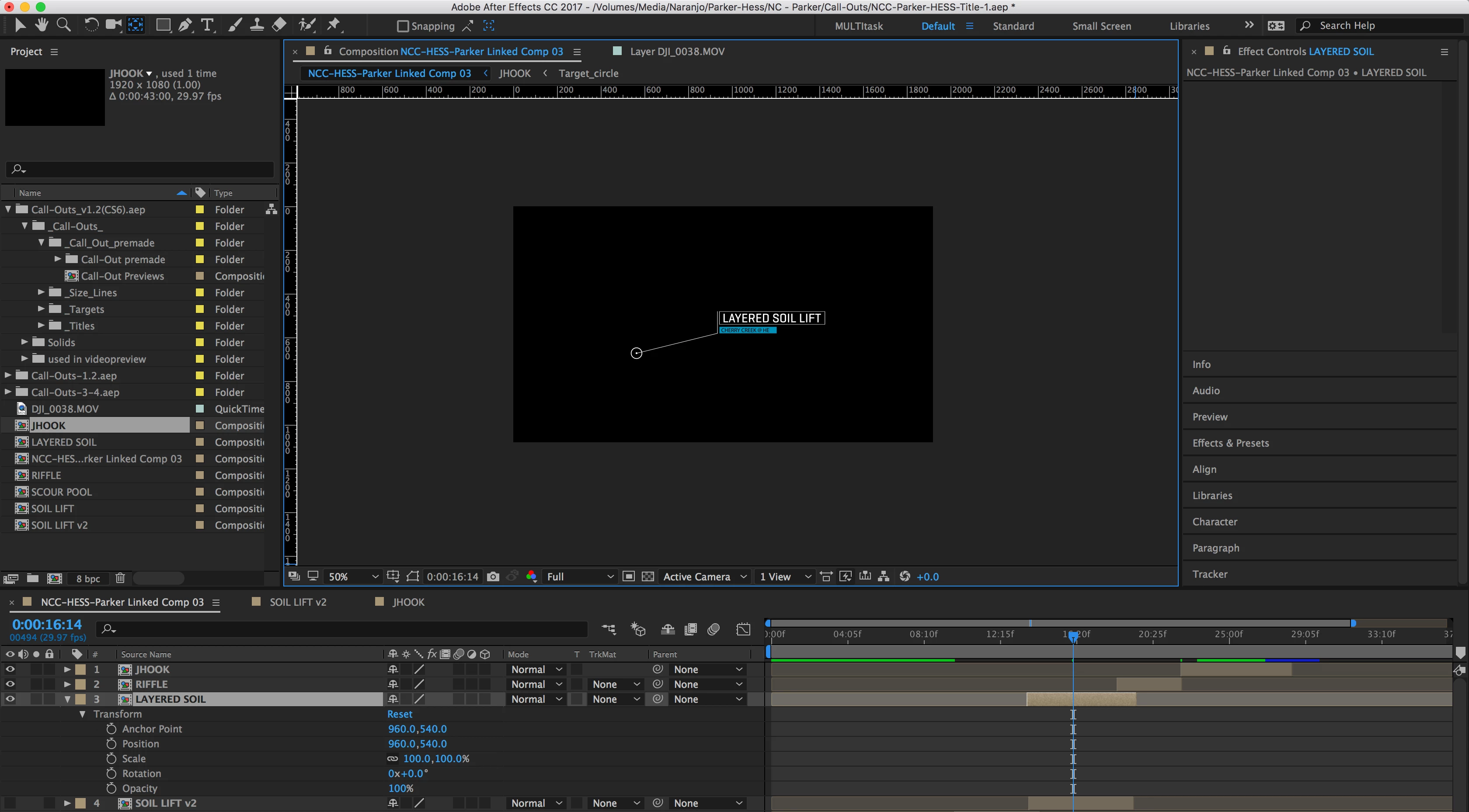
Pan Behind Tool is NOT Showing up

  • April 23, 2018
  • 2 replies
  • 7517 views

When I try to use the pan behind tool to adjust the anchor point to have the call-out scale down into the pointer, the pan behind tool (Y) doesn't even show up. Can anyone point in me in the right direction to resolving this issue?  Thanks!
2 replies

Jose Panadero
Community Expert
April 23, 2018

Go to View > Show Layer Controls

dkcoleman
dkcolemanAuthor
New Participant
April 30, 2018

A great tip, but unfortunately did not resolve my issue.

Roland Kahlenberg
Brainiac
May 1, 2018

There was an issue with the Anchor Point that was fixed in the latest release 15.1.1 -

  • Dragging the anchor point fails using the Pan Behind tool of a precomposition fails if the anchor point is outside the visible bounds of the layer. The issue occurs when the Collapsed Transformation switch is enabled.

Bugs fixed in April 2018 releases of After Effects (versions 15.1 and 15.1.1)

However, your nested composition doesn't have its Collapsed Transformation switch enabled. Double and triple check the issue. Do a screengrab and provide a video, to show what you're doing. Additionally, check to see if the issue persists with a layer that isn't a nested composition. Let us know.

Very Advanced After Effects Training | Adaptive & Responsive Toolkits | Intelligent Design Assets (IDAs) | MoGraph Design System DEV
angie_taylor
Brainiac
April 23, 2018

Have you checked that your view options are not switched off in the Comp Panel? Click on the wing menu and go to View Options. Make sure Layer Handles are switched on