


New Participant
October 4, 2023
Answered

Pick whipping multiple values at once

  • October 4, 2023
  • 1 reply
  • 1086 views

Hi there,


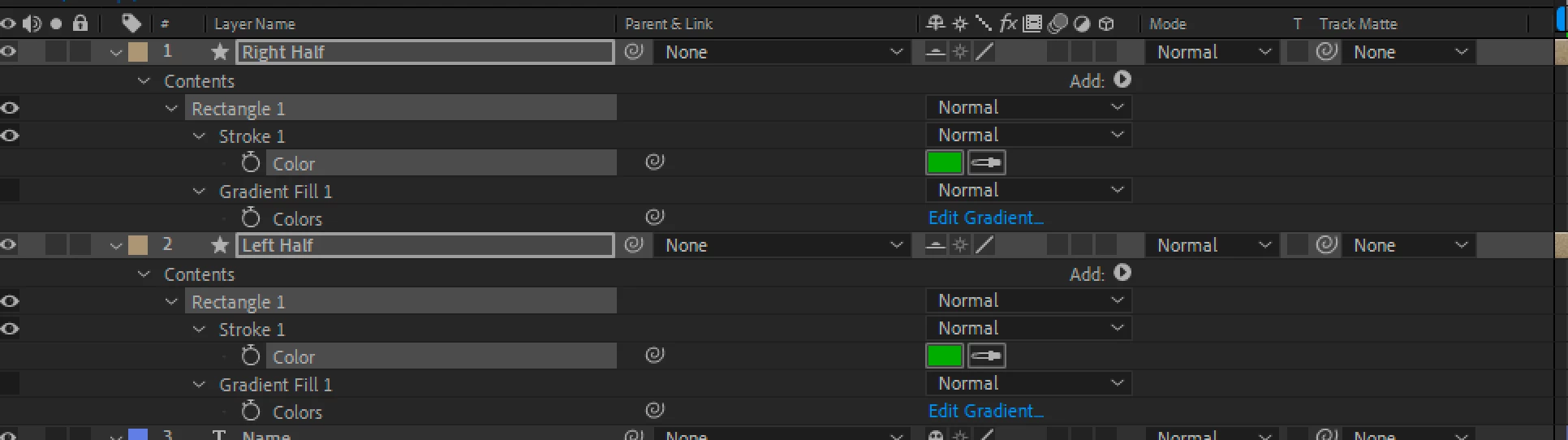
I'm wondering if anyone has a workaround to pick whipping multiple values (like color, below) at once. I know you can parent multiple layers all at the same time, but if I wanted to pick whip multiple color controls to a master controller, I have to pick whip them one by one.


Thanks!

Matt
 

This topic has been closed for replies.
Correct answer Rick Gerard

The easiest way to do what you want is to create the first expression using the pickwhip, select the property, go to Edit/Copy Expression only, then select all of the other layers and paste. I use that workflow all the time. 


If you use layer index instead of layer name for the controller layer, this will not work. 


The other option is to save a custom Animation preset, then apply the preset to all of the other layers

1 reply

Rick GerardCorrect answer
Community Expert
October 4, 2023

The easiest way to do what you want is to create the first expression using the pickwhip, select the property, go to Edit/Copy Expression only, then select all of the other layers and paste. I use that workflow all the time. 


If you use layer index instead of layer name for the controller layer, this will not work. 


The other option is to save a custom Animation preset, then apply the preset to all of the other layers

rossigoatAuthor
New Participant
October 6, 2023

Thank you very much!