

Answered
pixelated vectors in after effects 2020
where is the option to show a vector in high resolution in aftr effects 2020?

where is the option to show a vector in high resolution in aftr effects 2020?
It is in the Switches and Modes column:
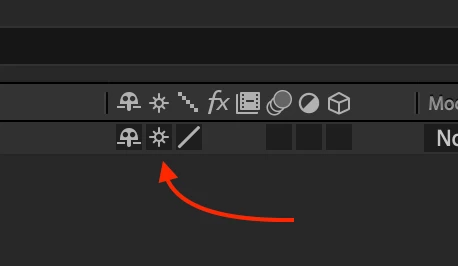
This will allow you to scale a vector layer to any size and keep clean edges as long as there are no raster effects applied to the layer. This will not improve the look of the comp panel if you increase the Magnification Ratio of the comp panel.
Sounds like you are new to AE. If so, save yourself a lot of time and start here: Learn AE
Already have an account? Login
Enter your E-mail address. We'll send you an e-mail with instructions to reset your password.
 AdChoices