



Shozib
New Participant
March 17, 2021
Answered

Premiere Pro Template text control

  • March 17, 2021
  • 1 reply
  • 404 views

Hello everyone,
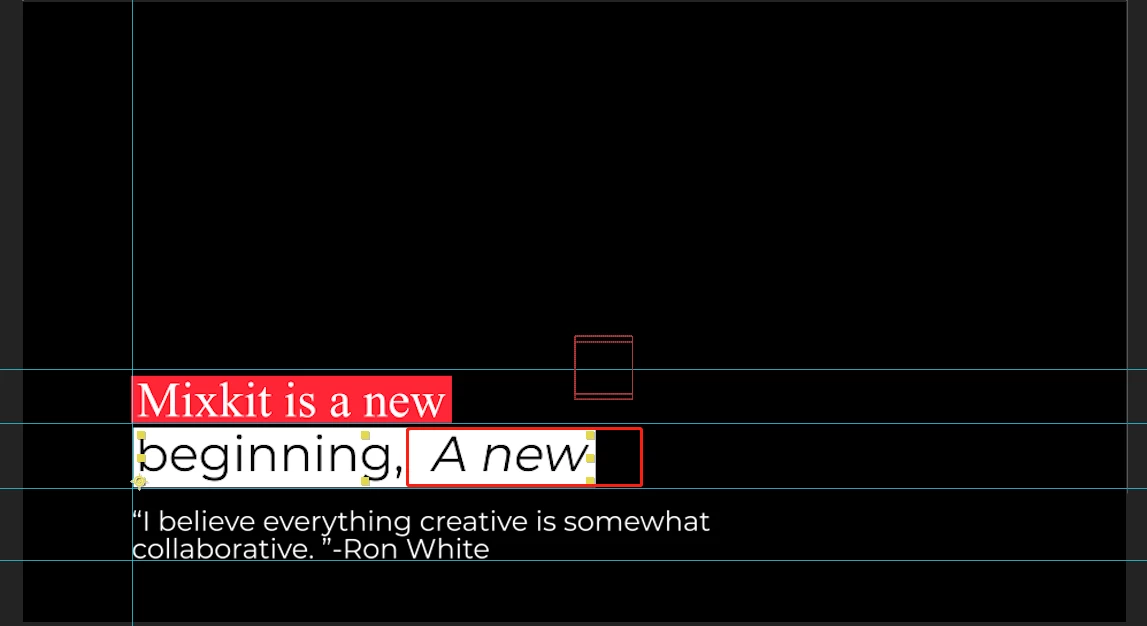
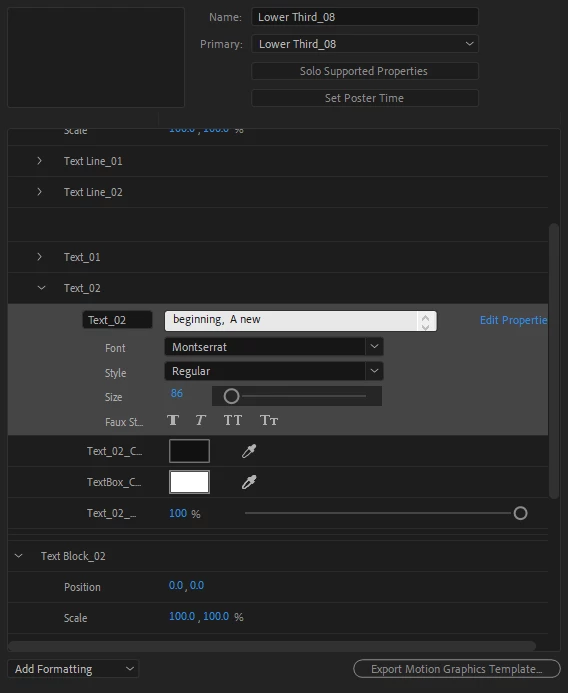
I'm a new Motion designer. Recently I start making "MOGRT" files, Premiere pro template in After effect. I prepare one dynamic Text box for my client. My client wants to control the subtitle title font style inside one text layer. Like the white text box, ''Beginning'' is regular and ''A New" in Italic. As I know it's only possible inside After effect. But how I can make this inside the Premiere pro template(Essential Graphic Panel). Is it possible to make it?
Thanks
Shozib
 

This topic has been closed for replies.
Correct answer Mathias Moehl

You have to use two text layers.

1) create two left aligned text layers "Beginning" and "A new"

2) with Pins & Boxes create a pin at the right center of the "Beginning" text and parent the "A new" text to it.

Now the A new text moves with the "beginning" text whenever it changes. And since they are two separate texts in the template, you can control their font in Pr independently.

1 reply

Mathias Moehl
Mathias MoehlCorrect answer
Braniac
March 17, 2021

You have to use two text layers.

1) create two left aligned text layers "Beginning" and "A new"

2) with Pins & Boxes create a pin at the right center of the "Beginning" text and parent the "A new" text to it.

Now the A new text moves with the "beginning" text whenever it changes. And since they are two separate texts in the template, you can control their font in Pr independently.

Mathias Möhl - Developer of tools like BeatEdit and Automation Blocks for Premiere Pro and After Effects
Shozib
ShozibAuthor
New Participant
March 19, 2021

Thank you so much. I'm trying your way.