


New Participant
January 1, 2021
Answered

Problem with the text tool

  • January 1, 2021
  • 2 replies
  • 862 views

Hi, 


I have a problem with the text tool. 

When I write a letter ("j" for instance) instead of having the "j" written, a strange shape is created. It is like a kind of big pixelized point. And sometimes when I create my text and write, nothing appears :
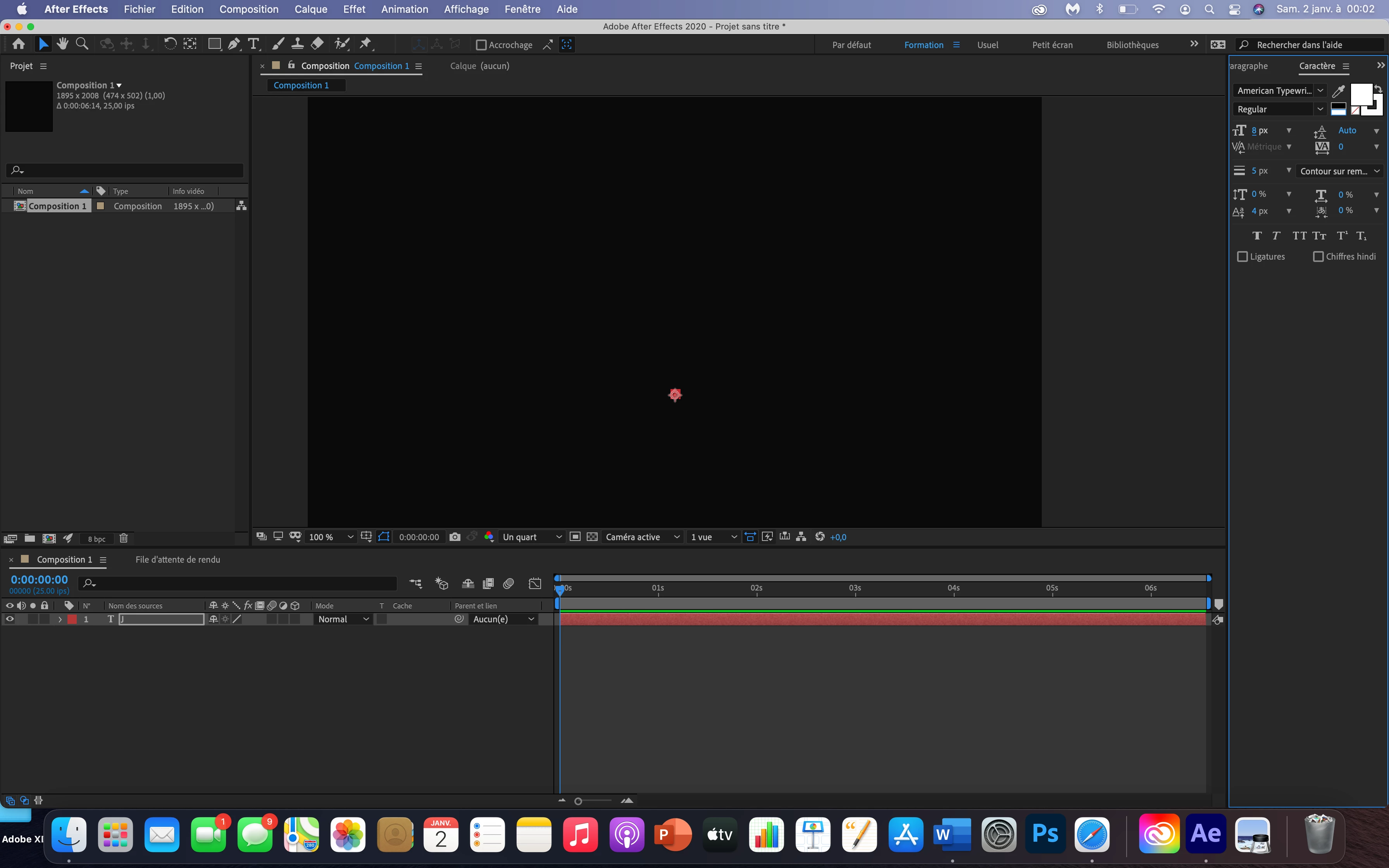


I have checked and changed all the text settings, but the problem remains...

I also tried uninstalling After Effect and reinstalling, but I still have the same problem. 


What can I do to solve this problem?


Thank you


This topic has been closed for replies.
Correct answer Towerguy

Hi. Have you tried doing a "character reset"? Next to 'Character" on the character panel there is a drop down with a little row of lines. Open it and character reset is at the bottom.

2 replies

Community Expert
January 2, 2021

Try to remove the outline because you have it in 5 px and the size of the text is only 8 px and both of the same white color, which translates something that nobody understands.


Byron.
New Participant
January 2, 2021

I did the character reset and now the text appears. 


Thank you very much for your help! 


TowerguyCorrect answer
Participating Frequently
January 1, 2021

Hi. Have you tried doing a "character reset"? Next to 'Character" on the character panel there is a drop down with a little row of lines. Open it and character reset is at the bottom.

New Participant
January 2, 2021

I did the character reset and it worked. 


Thank you very much for your help! 

Community Expert
January 2, 2021

You're welcome.

Byron.