


Participant
September 22, 2021
Answered

Problem with transparent background in After Effects 2021

  • September 22, 2021
  • 1 reply
  • 1868 views

Hello, when i use a transparent background for my precomp or main comp this appear instead of a transparent background ? Any guess why this occur ?

Btw this "background" is one of my old project but it's the "transparent background" for all my projects.


This topic has been closed for replies.
Correct answer Kyle Hamrick

When i create a new project i've got the same problem so i think it's not "shy layer related"


Interesting. Have you tried purging your cache?
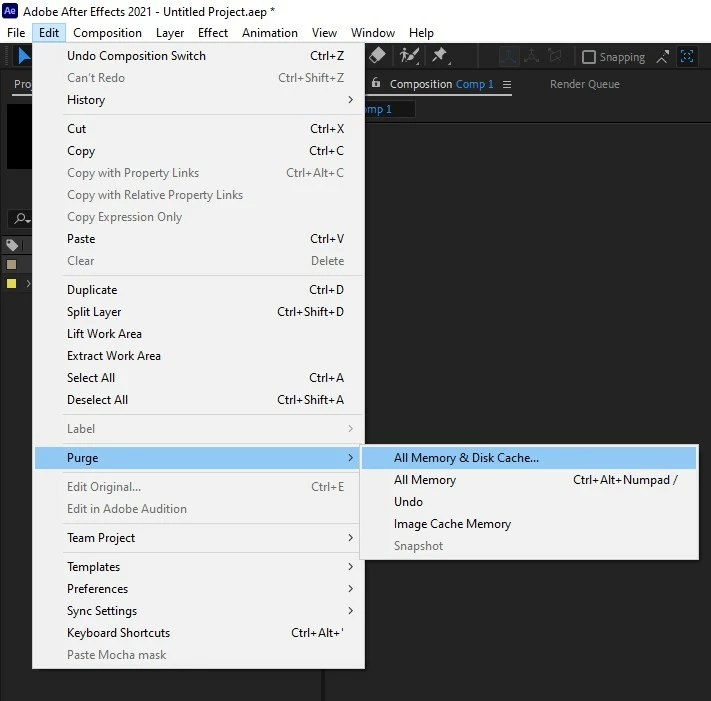
 

I don't see why it would affect this, but trashing your Preferences might be a good thing to try, as well. 

1 reply

Kyle Hamrick
Community Expert
Community Expert
September 22, 2021

Are you able to provide an uncropped screenshot, and/or your project file? 

Are you aware of Shy layers and how those function? You might accidentally have this layer in your project and just not be aware of it. 🙂 Take a look at the top of your Timeline panel. Is this little hide-y guy icon blue? 

Participant
September 22, 2021

I've checked if layers were hidden but i haven't found anything.

Here's the complete screenshot 🙂

Kyle Hamrick
Community Expert
Community Expert
September 22, 2021

Your screenshot doesn't actually show the entire layer stack, but does rule out the shy layers, at least.

If you start a brand new project and have nothing in your timeline yet, are you still seeing this in your viewer? If not, then it's embedded in your project somehow, and you just need to drill down and find it.