


jannycdesign_ciber
New Participant
January 8, 2019
Answered

puppet pin animation not rendered

  • January 8, 2019
  • 2 replies
  • 4244 views

Hi.

I am just learning to make animation for website using illustrator, bodymovin in AE.

I have followed the youtube video using some sample vector file from freepik. After Effects Tutorial: Easy 2D Animation - YouTube

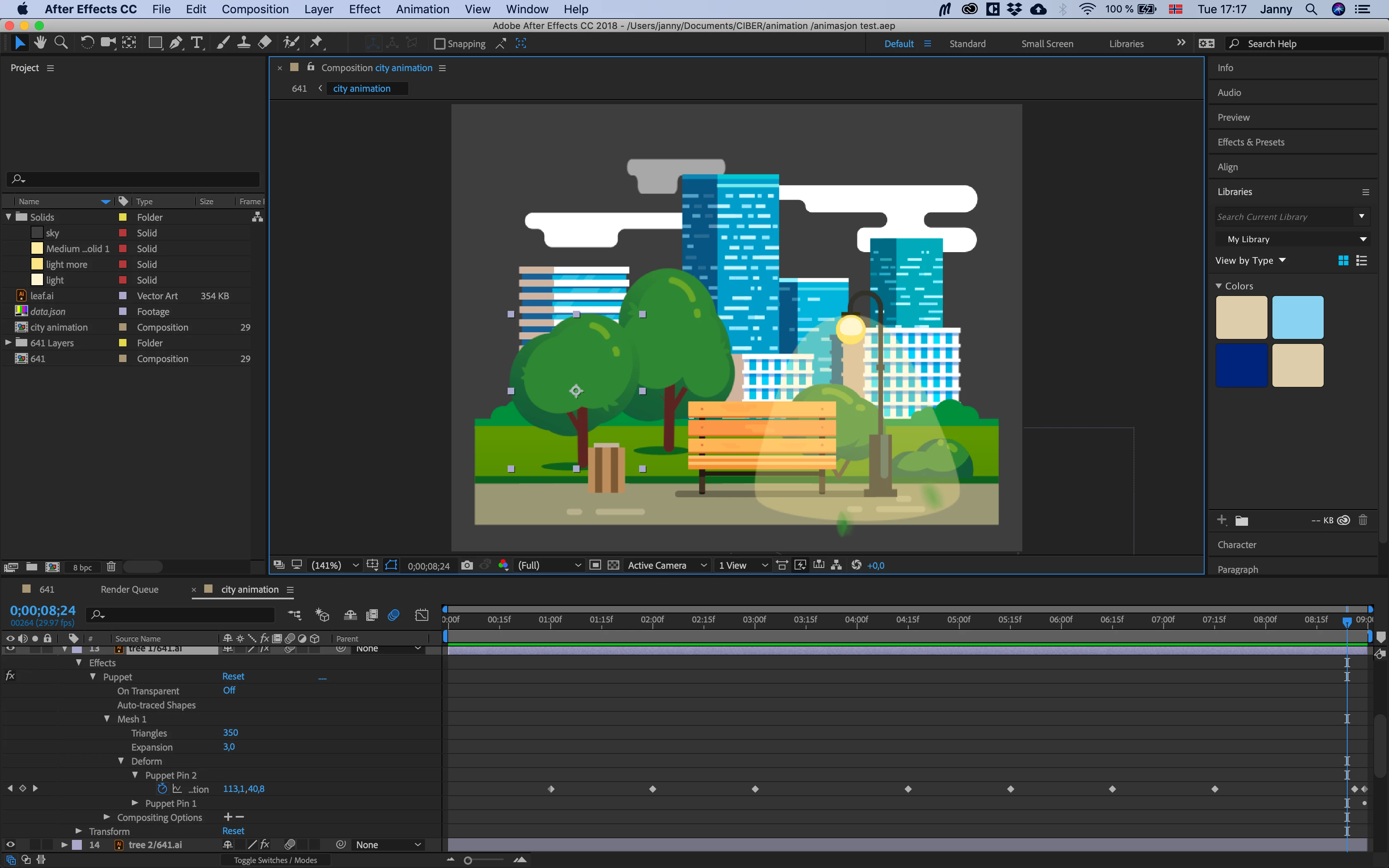
Basically, I have objects in separate layers from the ai-file that I duplicate or make effect using position and so. I also used puppet pin to make some of them look like "waving". All those layers went fine. Preview in the AE look correct and I made sure I used "enable motion blur for all layers with the motion blur switch set".

The problem is all those layers where I applied puppet pin doesent work in the animation after rendering to the html file. In the picture below you can see the trees are suppose to "wave" using puppet pin, while the clouds just moves from side to side using only position effect. Everything else works fine. The puppet doesnt move at all and remains the same as the original shape.

How can I fix this? Could anyone help? Thanks a lot!
This topic has been closed for replies.
Correct answer jannycdesign_ciber

Now I am trying to limit the animation to only using puppet pin movements, in using a super simple figure (a new illustrator file). Rendering to a mov. file as a video works. The animation works fine. But by using the bodymovin plugin, no movements were rendered. It became static.

2 replies

alank99101739
Brainiac
January 9, 2019

Hi oksamurai​ - is this something you know about? Or should it go to the AE forums?

jannycdesign_ciber
jannycdesign_ciberAuthorCorrect answer
New Participant
January 9, 2019

Now I am trying to limit the animation to only using puppet pin movements, in using a super simple figure (a new illustrator file). Rendering to a mov. file as a video works. The animation works fine. But by using the bodymovin plugin, no movements were rendered. It became static.

oksamurai
Community Manager
Community Manager
January 9, 2019

Yes, this is After Effects, moving there...

alank99101739
Brainiac
January 8, 2019

How are you rendering to a HTML file? Are you exporting a frame as a PNG? That will have no movement. Are you exporting a MP4 file? Or exporting as a GIF? If a GIF, are you using Adobe Media Encoder to export the scene as an animated GIF?

My suspicion is exporting to HTML is exporting a static image, not an animated GIF (or MP4).

jannycdesign_ciber
New Participant
January 9, 2019

Nope. I followed the tutorial in After Effects Tutorial: Easy 2D Animation - YouTube

So the bodymovin extension renders and exports a json file and html file. In that html, the animation was almost right. Most of the effects work and move, except the parts made with puppet pin movements. I did pretty much the same as the tutorial. Not sure what else I should check to make it work.