New Participant
June 18, 2018
Answered

Puppet Pin tool Causing problem while rigging!! Creating unusual shapes.

  • June 18, 2018
  • 1 reply
  • 2820 views

Greetings Everyone,

I have just updated After Effect to the newest version (15.1.1). Everything was superb until I started working on Character Animation. After creating a shape (For leg), I stick three pins using Puppet Pin tool and when I tried to move those pin it is creating this unusual shape.
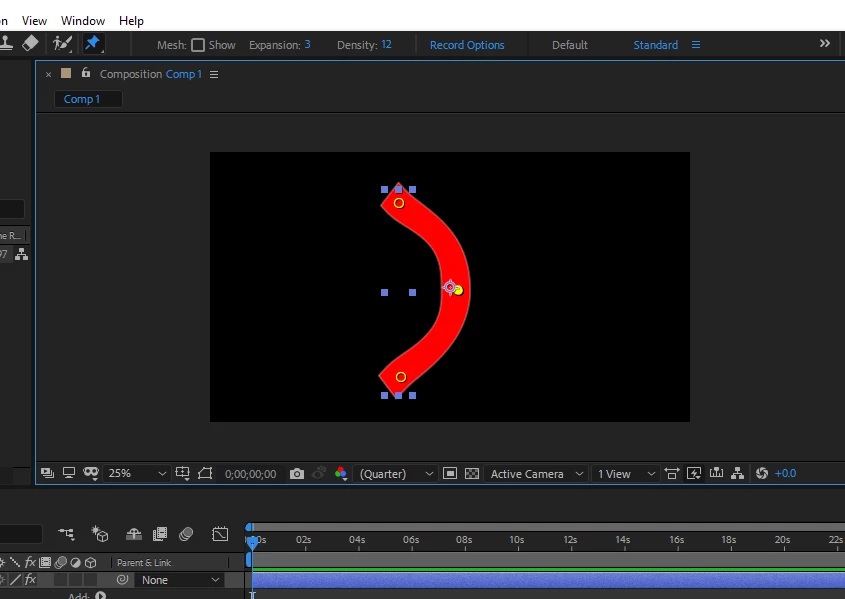
Basically it should bend like the image below. when I used to do this in previous version; It used to look like this. (Below Screenshot is from AE 15.0.1).
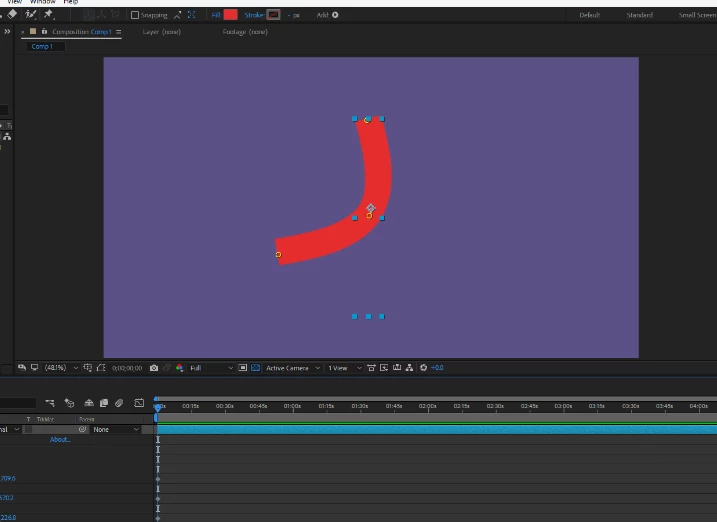
I really don't know if it is causing due to AE version or if I am doing anything wrong. I tried to change the density from Puppet pin Tool properties, but still couldn't get desired shape. I am wondering what kind of Walk cycle I will end up with if I continue to work with the above weird shape. :-D.

Someone please help!!
This topic has been closed for replies.
Correct answer milinds97572728

Thanks for your reply. Unfortunately it didn't help either. :-(

So here is what I did to counter this error.

Simply, downgraded the After Effect version from 15.1.1 to 15.1. and It worked! Seems like there is a bug in the latest version which I hope Adobe will take care of.

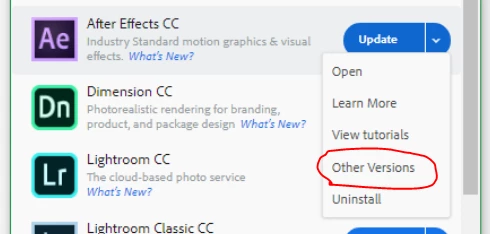
Here is how to downgrade the version easily. Open Creative Cloud App.

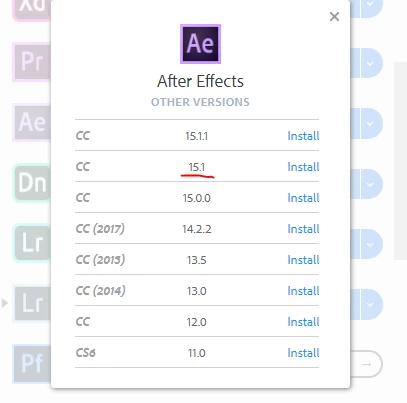
and then select version 15.1

It worked for me. Hope it works for you as well.

Cheers!!

1 reply

Roei Tzoref
Brainiac
June 18, 2018

Puppet tool changed and added an advanced mode. Change it to Legacy in the timeline and see if the result is what you expect. Read about it here: https://helpx.adobe.com/after-effects/using/animating-puppet-tools.html

milinds97572728AuthorCorrect answer
New Participant
August 4, 2018

Thanks for your reply. Unfortunately it didn't help either. :-(

So here is what I did to counter this error.

Simply, downgraded the After Effect version from 15.1.1 to 15.1. and It worked! Seems like there is a bug in the latest version which I hope Adobe will take care of.

Here is how to downgrade the version easily. Open Creative Cloud App.

and then select version 15.1

It worked for me. Hope it works for you as well.

Cheers!!

New Participant
January 6, 2019

Hi, I was facing similar problem when using puppet tool on a shape layer created from illustrator file. After lot of work arounds, browsing online for solutions, lots of trial and errrors, i finally found that it doesn't correctly on shape tools, so a quick workaround :

Precompose the shape or layer u want to use puppet tool on and u sre good to go!!