

Inspiring
September 7, 2018
Answered

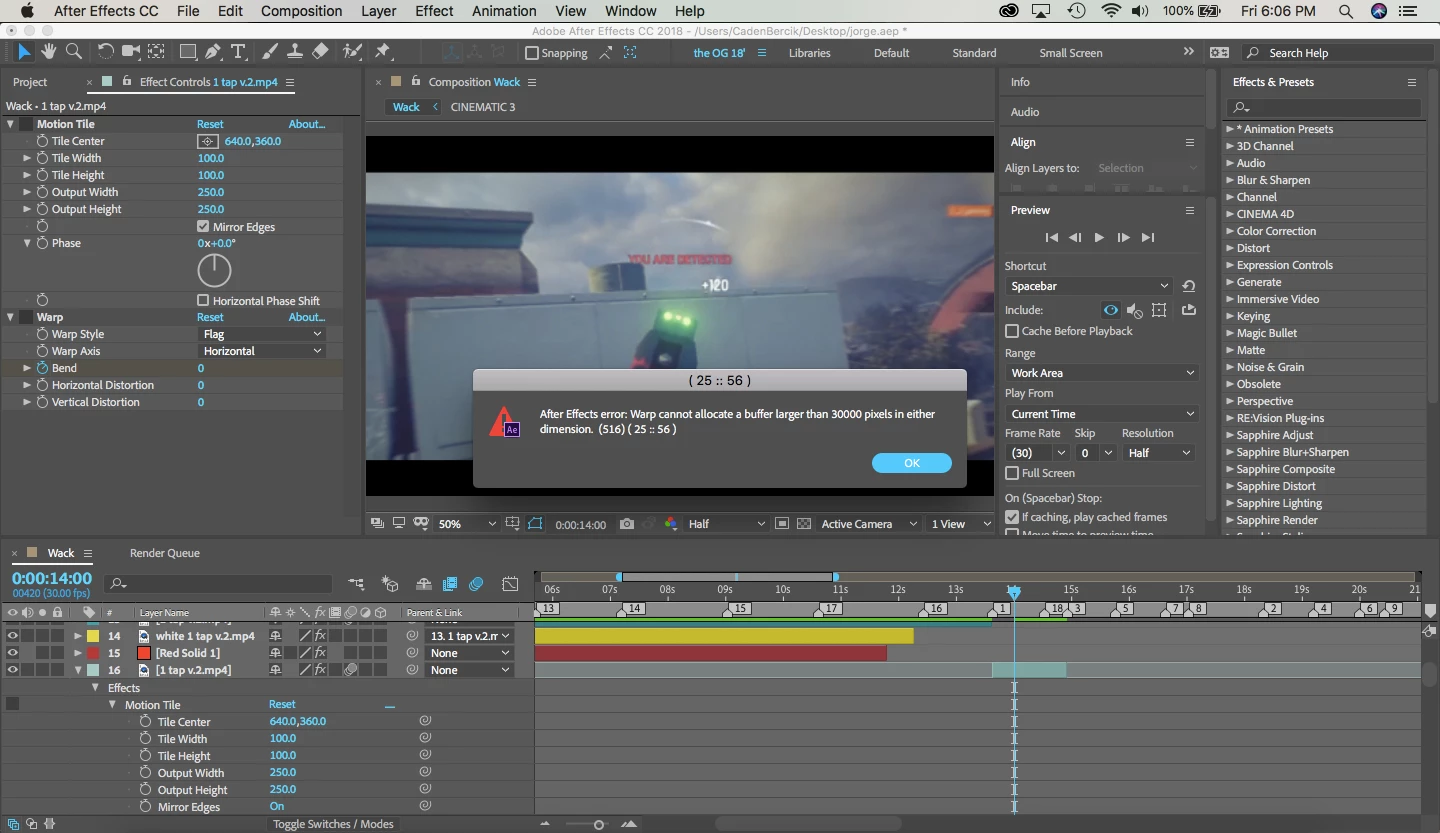
"after effects error: Warp cannot allocate a buffer larger than 30000 pixels in either dimension."
  • September 7, 2018
  • 5 replies
  • 43849 views

I dont know what i am doing wrong. but i keep getting this error in this same spot and clip every time
Correct answer OussK

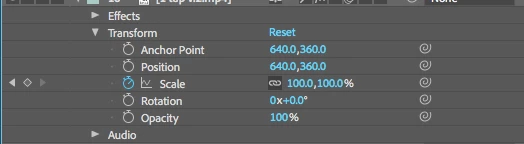
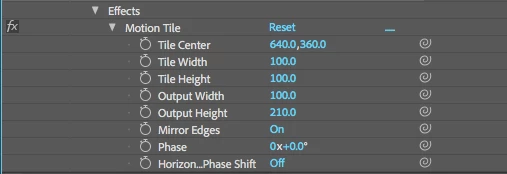
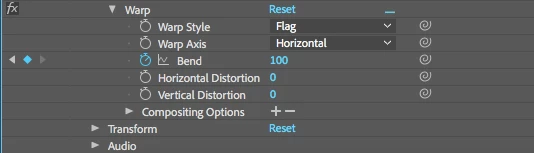
Most time is a motion tile issue, but your settings look ok, so did you have any adjustment layer or other layer over or behind your "1 tap v2.mp4" (it's not clear from your image) and if so try to check what filter you use. also try to delete the motion tile filter, purge your ram, Edit/Purge/All Memories and disk cash.

5 replies

Participant
July 31, 2024

Move the warp effect above the motion tile effect.

Participant
March 15, 2021

When you have motion tile on ur clip Pre-Compose it and make sure that you have ,,move all attributes into the new composition"

Selected

Known Participant
August 21, 2021

Because Adobe is lazy and hasnt increase the pixel buffer size in 10 years

Participant
February 16, 2021

you can just select the layers in the frame that failed and press ctrl+shift+c and highlight move all ... and highlight adjust duration ...  then double click on the new pre comp and press on the compsition up and add to render and render it and import it to ae then press alt and drag it to the new precomp and enjoy you can render it worked with me i hope its work

March 25, 2020

I have that problem, too. It happens at 06:02 and the layer doesn't even have motion tile.

Participant
November 17, 2020

have you fixed it yet? if so please let me know how.

Participant
February 5, 2021

its actually really easy,all you have to do is move the warp effect above the motion tile effects in the effects bar.thats all.thanks!


OussK
Community Expert
OussKCommunity ExpertCorrect answer
Community Expert
September 8, 2018

Most time is a motion tile issue, but your settings look ok, so did you have any adjustment layer or other layer over or behind your "1 tap v2.mp4" (it's not clear from your image) and if so try to check what filter you use. also try to delete the motion tile filter, purge your ram, Edit/Purge/All Memories and disk cash.
